

 0
0
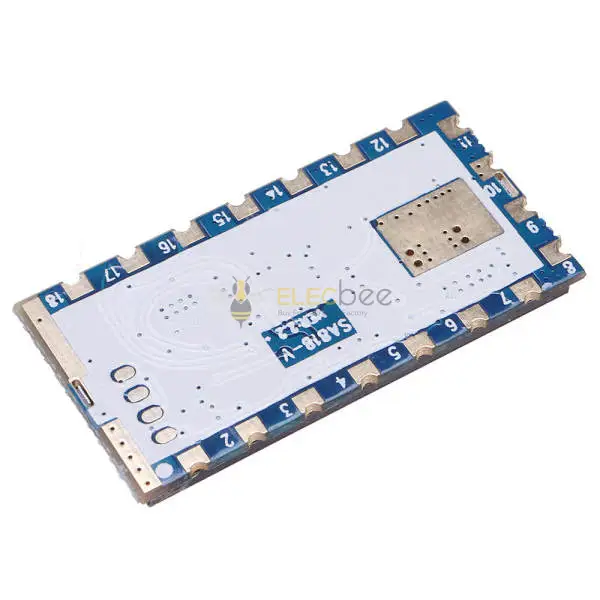
An SA828 module provides an analog FM radio core for a compact DIY walkie talkie. It handles the radio functions while your project supplies power, an antenna, audio components and controls. An SA828 UHF module is useful when you want to build a custom handheld or embedded voice interface, but the exact frequency band, board revision and supporting circuit matter.
This guide explains how to choose the right version, assemble a basic system, configure channels and troubleshoot common problems. It also answers questions raised in DIY radio discussions: do you need an Arduino, how much range should you expect, and can one module work as an SDR or repeater?
1. What Is an SA828 Walkie Talkie Module?
What the module handles
The standard SA828 integrates a controller, narrowband transceiver and RF power amplifier. Standard VHF and UHF versions support 16 configurable channels, adjustable squelch, CTCSS/CDCSS tone settings and external volume control. Use the specifications that match the supplied module version.
“All-in-one” describes the level of integration. It does not mean every listing includes a complete handheld with a battery, charger, speaker, antenna and enclosure. Check the package contents rather than inferring them from the product name.
Why DIY builders choose it
In a Reddit SA828 handheld project, a builder used the onboard microphone and an external speaker, then discussed PC configuration and a printed enclosure. The appeal was getting a basic voice radio working with relatively little external circuitry.
A useful first project is a pair of handheld prototypes with a PTT button and simple channel selection. A second, more involved design could add a microcontroller and display to show the selected channel. These are suggested development paths, not measured performance results.
Is SA828 an SDR or a full-duplex repeater?
The standard module uses PTT to switch between receiving and transmitting. One module cannot listen while it is transmitting. Separate transmit and receive frequency settings do not remove that limitation.
UART configuration also does not turn the module into a general-purpose I/Q SDR interface. If your goal is spectrum visualization or software modulation experiments, start with the What Is SDR? Software Defined Radio Projects and HackRF One Selection Guide.
A simultaneous receive-and-retransmit repeater needs separate radio paths and a design that manages isolation and interference. A store-and-forward system is a different architecture: it receives first and transmits later.
2. SA828 VHF vs UHF: Choose the Correct Version
Match the hardware band to your intended channel
The current standard SA828 documentation lists the following versions. Treat them as separate hardware choices rather than a single dual-band module.
| Version | Published operating range | Selection check |
|---|---|---|
| SA828-V | 134–174 MHz | Confirm the intended VHF channel, matching antenna and applicable authorization. |
| SA828-U | 400–480 MHz | Confirm the intended UHF channel, matching antenna and applicable authorization. |
| Other seller-listed variants | Use the exact variant's documentation. | Request a matching datasheet when the listing differs from the standard ranges. |
Software settings cannot be assumed to change the RF hardware's band. If you are matching an existing radio, verify its actual frequency and mode before choosing the module.
Check the revision before using power specifications
SA828 specifications vary across documents and listings. Some documentation describes a 1.5W version, while an existing Elecbee SA828 listing specifies output up to 1W. Confirm the rating for the unit supplied rather than assuming that every SA828 has the same transmit power.
Check the board revision, firmware identity and matching product specifications before following an older tutorial. SA828Pro is a separately named product and should also be checked independently.
Choose by the complete project requirements
Write down the intended frequency, other radios you need to communicate with, power source, enclosure size and control method. Then confirm the module, antenna and audio circuit together.
For a basic handheld, physical switches may be sufficient. For a display or software interface, allow space, power and suitable I/O for the controller. Choosing VHF or UHF by a universal claim such as “this band always has better range” skips the antenna and installation decisions that also affect the result.
Compare available frequency variants and package contents in our SA828 Walkie Talkie Module Kits collection. Match the selected kit to your intended frequency, power source and audio setup before ordering.
If you are also considering a different radio module family, explore SA818 VHF & UHF Walkie Talkie Modules. SA818 is a separate model, so compare its supporting circuit, pinout and configuration protocol independently rather than assuming direct compatibility with SA828.
3. SA828 Wiring: Parts and Connections for a DIY Walkie Talkie
Prepare the supporting components
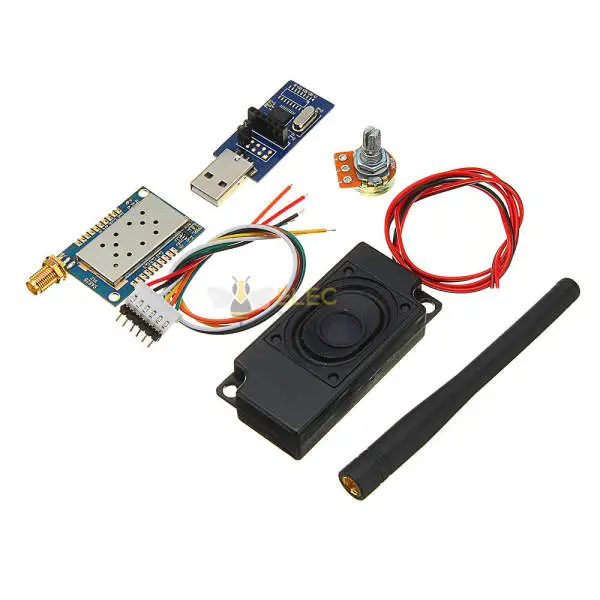
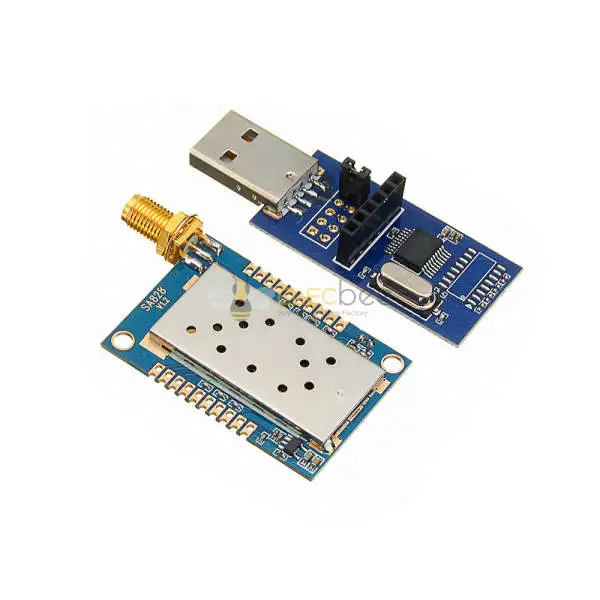
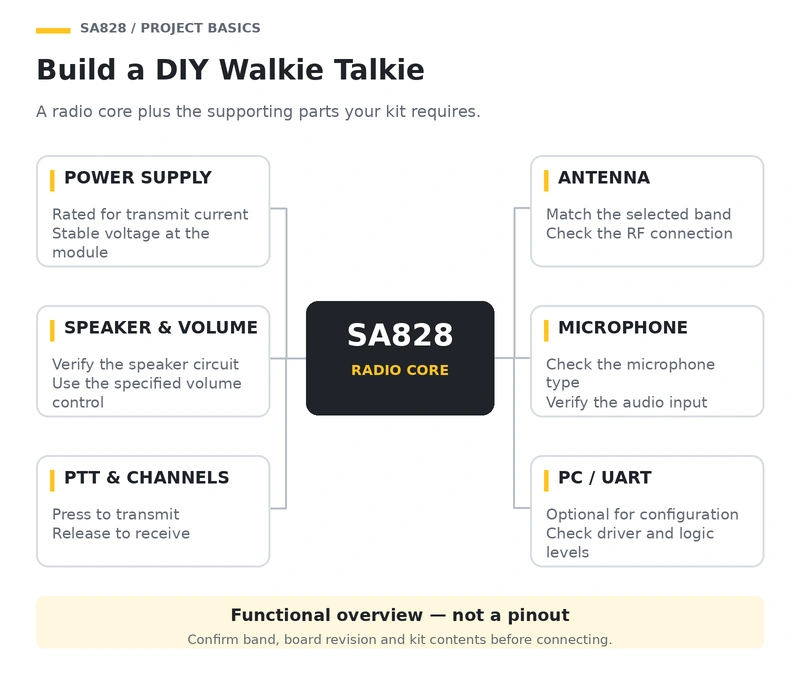
For an initial bench build, prepare the module, a suitable regulated supply, a band-matched antenna, speaker, volume control, PTT switch and wiring. Add a compatible USB-to-UART interface if you need PC configuration. Verify whether the supplied board has an onboard microphone or needs an external microphone circuit.
For a portable build, also plan the battery protection, charging arrangement, power switch and enclosure. A development board's USB connector does not automatically provide charging for a separate radio battery.
Understand the functional wiring before connecting power
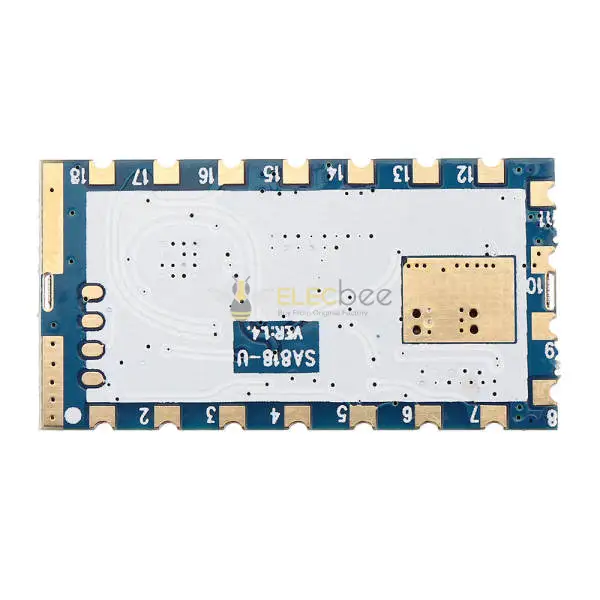
The table below summarizes signal roles on the standard module. Match the labels against your actual board and the manufacturer's application schematic; breakout-board connector positions may differ.
| Signal | Function | Connection check |
|---|---|---|
| VCC / GND | Radio power and return | Check polarity, supply rating and voltage at the module. |
| ANT | RF antenna connection | Use a suitable 50-ohm antenna/feed system. |
| SPK pair | Speaker output | Use the specified speaker circuit; do not assume either output is ground. |
| VOL connections | Volume adjustment | Follow the external potentiometer schematic. |
| PTT | Transmit/receive selection | On the standard module, low selects transmit; released/open selects receive. |
| CS | Sleep/normal operation control | Confirm the module is awake for configuration and testing. |
| RXD / TXD | UART configuration | Host TX connects to module RX; host RX connects to module TX. |
| Channel-selection inputs | Select a stored channel | Follow the documented input encoding and biasing. |
| MIC connections / VOXEN | External microphone / voice activation | Verify microphone requirements and keep VOX disabled during initial PTT tests. |
Do not connect a speaker output directly to a controller's ADC or a computer's microphone input. Any audio interface needs appropriate signal levels and coupling. A connector that physically fits is not proof of electrical compatibility.
Design the power supply for transmission
The Revision 2.7 specification table lists approximately 800mA typical and 900mA maximum high-power transmit current. The controller, display and other components add their own load. A system that powers up successfully can still fail when PTT increases current demand.
Choose a supply with headroom for the complete assembly. Check voltage at the radio during transmission rather than only at the supply terminals. Keep power wiring short and use the recommended decoupling. Avoid powering the transmitter from a low-current UART adapter output or relying on long breadboard power paths.
For a battery build, verify the cell's discharge capability and use an appropriate charger and protection circuit. Reused, unidentified cells are a poor starting point for a repeatable design.
4. SA828 Programming: PC Setup, UART and Channel Settings
Configure a basic link with the PC software
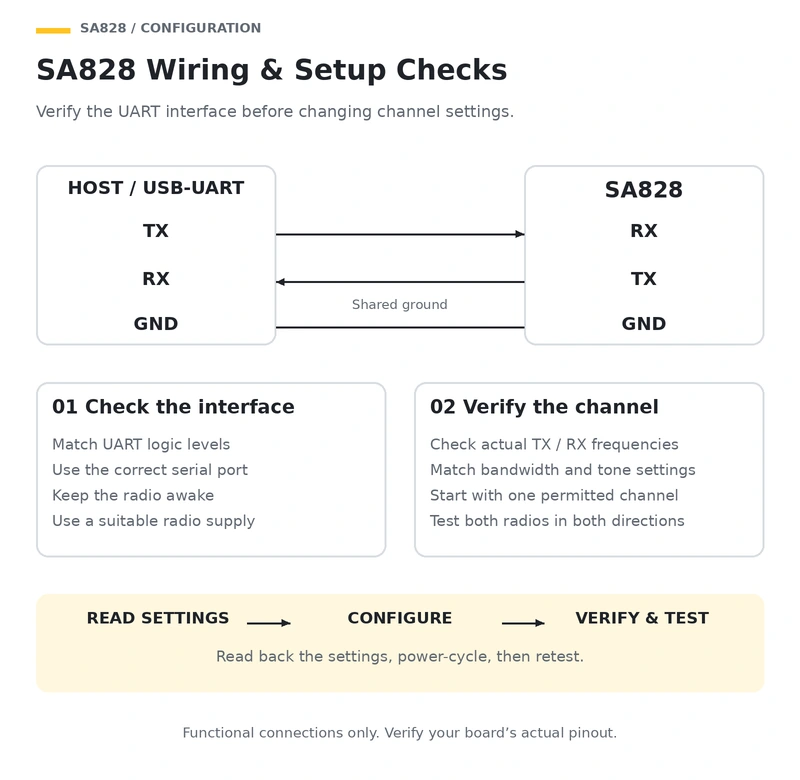
SA828 can be configured through compatible PC software and a USB-to-UART interface. Use the configuration software and driver that match your module revision. A practical commissioning sequence is:
- Record the hardware version. Confirm the band, board identity and matching software.
- Connect the UART interface. Check logic compatibility, crossed TX/RX and a shared ground. Power the radio from a suitable supply.
- Establish communication. Select the detected serial port and read the existing configuration before editing it.
- Configure one test channel. For a permitted simplex test, set both radios to compatible TX/RX frequencies, bandwidth and tone settings.
- Simplify the test. Disable tone filtering initially where appropriate and keep VOX off so PTT behavior is predictable.
- Write and verify. Read the settings back, power-cycle the module and confirm the configuration remains correct.
- Test both directions. Verify that each radio can transmit to the other before adding more channels.
Use only authorized frequencies for over-the-air tests. Do not copy factory channel values or screenshots without checking what those frequencies are allocated for locally.
Use the SA828 protocol rather than assuming SA818 commands work
The standard SA828 Revision 2.7 manual specifies 9600 baud, 8 data bits, no parity and 1 stop bit. Its version-read example corresponds to these ASCII bytes:
ASCII payload: AAFAA
Hex bytes:     41 41 46 41 41
The manual groups the command visually as “AA FA A,” but its hexadecimal example contains no spaces. Follow the byte examples and framing requirements for your firmware. Commands and formatting from SA818, DRA818 or other modules should not be assumed compatible.
Begin with a read-only identity request. Capture the response, then implement parameter reads and writes. This makes it easier to separate a UART transport problem from a malformed configuration command.
Channel numbers, tones and squelch must agree
Two radios showing the same channel number may still have different stored frequencies. Compare the actual configuration rather than only the switch position.
CTCSS and CDCSS determine which signals open the receiver's audio. They do not encrypt the conversation. A mismatched receive tone can make a working RF link appear silent, while an unnecessarily high squelch threshold can suppress a weak signal.
Keep a saved configuration for each unit. After the basic link works, enable required tone settings and add channels one change at a time. This gives you a known working configuration to restore if a later change causes problems.
5. SA828 Antenna and Range: Set Realistic Expectations
Interpret open-area range claims carefully
The Elecbee SA828 product description lists an open-area distance of approximately 4–5km. Treat this as a published range claim under favorable conditions, not a distance guaranteed inside buildings or from a pocket-sized antenna.
A Reddit discussion about low-power VHF projects highlights antenna height and installation conditions, while another builder describes controlling SA828 boards with microcontrollers. Those accounts illustrate the questions builders ask. They are not controlled SA828 range tests and should not be converted into a product promise.
Check antenna placement and the RF connection
Choose an antenna for the actual operating frequency. A 2.4GHz Wi-Fi antenna does not become a suitable VHF/UHF antenna because its connector fits.
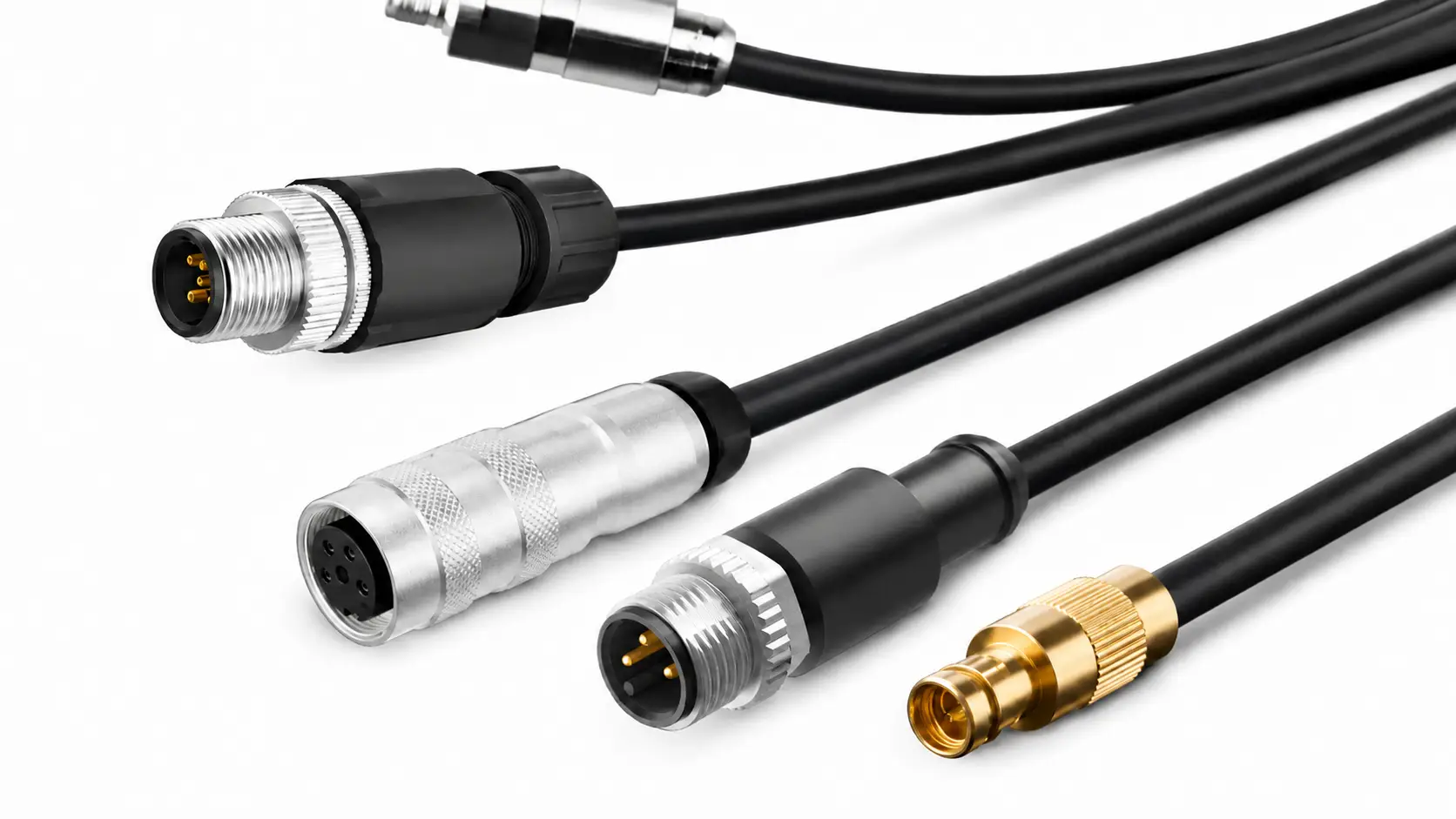
Check the center contact and coupling type when combining SMA and RP-SMA parts. Inspect the complete feed path, including solder joints, pigtails and adapters. Browse RF Cable Assemblies and RF Connector Adapters after confirming impedance, connector compatibility and frequency suitability.
In a handheld enclosure, test the antenna with the battery, case and user's hand in their expected positions. Move the antenna away from unnecessary metal and noisy electronics where the design permits. Do not transmit into an open RF connection; use a suitable antenna or correctly rated RF load.
Measure the installation before adding an amplifier
Build a baseline in the environment where the radio will be used. Test both directions and keep antenna orientation, channel configuration and test locations consistent.
- Record the module version, antenna, power setting and supply voltage.
- Note antenna height, obstacles and indoor or outdoor conditions.
- Use the same short spoken message at each location.
- Record intelligibility, dropouts and the point where communication becomes unreliable.
Improve placement, connections and power stability before considering higher RF power. An amplifier adds requirements for drive level, filtering, transmit/receive switching and receiver protection. An amplifier used in an SA818 project should not be assumed compatible with your SA828 assembly.
6. Troubleshooting: No Audio, UART Failures and Short Range
If the PC or controller cannot read the module
Start with power, ground, the selected port and crossed TX/RX. Confirm the module is awake and that the interface uses compatible logic levels. Module supply voltage and UART logic voltage are separate specifications; do not infer one from the other.
If the adapter appears on the computer but no reply arrives, capture the transmitted bytes. Check for extra spaces, incorrect framing or commands intended for another model. Test a documented read request before sending a long parameter-write command.
If a signal is received but the speaker stays silent
Work through the configuration and audio path separately. Check actual receive frequency, tone filtering, squelch, volume wiring and speaker connections. Confirm the other radio is transmitting audio rather than only a carrier.
Then reverse the test direction. If one radio works as a receiver but not as a transmitter, inspect its PTT control, microphone path and power behavior during transmission.
If performance changes when the project is assembled
Use this checklist to identify the next measurement. These are diagnostic possibilities, not proof that a specific component has failed.
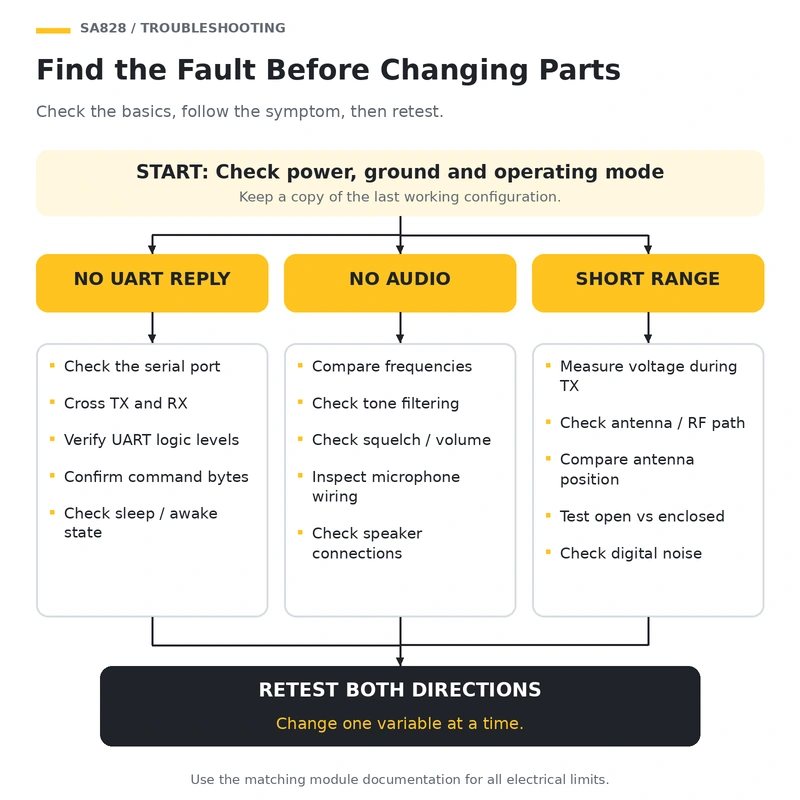
| Symptom | Possible cause | Next check |
|---|---|---|
| No UART response | Wrong port, wiring, logic level, sleep state or command bytes | Verify the interface and send a documented read-only request. |
| Receive indication but no audio | Tone filtering, squelch, volume or speaker circuit | Simplify the receive configuration and inspect the audio path. |
| Reset or unstable behavior when PTT is pressed | Supply voltage drop or a poor power connection | Measure voltage at the module during transmission. |
| Communication works in only one direction | Different TX/RX settings or a faulty transmit/audio path | Compare both configurations and reverse the test roles. |
| Range drops after enclosure assembly | Antenna detuning, damaged feed connection or changed placement | Compare open-board and enclosed tests under the same conditions. |
| Noise increases when the controller is active | Power or electromagnetic coupling from digital circuitry | Compare radio-only and controller-active operation. |
Change one variable at a time. Save the known working settings and record each result; replacing several components at once can hide the original fault.
7. SA828 Module FAQ
Can an SA828 module work with Arduino or ESP32?
A compatible controller can be designed to handle configuration and user controls. Verify its UART levels, GPIO interface and power arrangement first. ESP32 Wi-Fi or Bluetooth can support a separate control interface, but sending radio audio through a network requires additional audio hardware and software.
For controller selection, see How to Choose the Best ESP32 Board for Your IoT Project. A basic manually controlled handheld does not necessarily need an external microcontroller.
Can SA828 be used for APRS or a cross-band repeater?
These are system projects requiring more than channel configuration. APRS needs a suitable modem or TNC, compatible audio paths and correct PTT timing. Check whether the exact module and audio path support the intended signaling.
A simultaneous cross-band repeater needs separate receive and transmit paths, control logic and RF isolation. A project using separate VHF and UHF boards does not establish that one module can perform both jobs simultaneously.
Is an SA828 DIY walkie talkie license-free?
Do not assume it is. A module's tuning range does not establish permission to transmit or approval for a particular radio service. In the United States, Personal Radio Services generally require transmitters certified for the relevant service, subject to specified exceptions.
Check the applicable service, equipment requirements and operating authorization in your country. Programming a channel used by a consumer radio is not sufficient evidence of compliance.
Should I build an SA828 handheld or buy a finished radio?
Build when the purpose is learning, a custom enclosure or integration with your own controls. Compare the full parts list, enclosure work and development time rather than just the module price.
For routine communication, a finished radio approved for the intended service may be the more practical choice. For a DIY project, begin with a documented module, a suitable antenna and stable power, then expand from a verified basic voice link.
Related Guides
- What Is SDR? Software Defined Radio Projects and HackRF One Selection Guide
- How to Choose the Best ESP32 Board for Your IoT Project
- STM32 vs ESP32: Which Microcontroller Should You Choose for IoT Projects?
Related Products and Solutions
- SA828 Walkie Talkie Module Kits — Compare available SA828 kit variants and check the contents required for your DIY voice-radio project.
- SA818 VHF & UHF Walkie Talkie Modules — Explore a separate module family and verify the supporting hardware and configuration requirements.
- RF Cable Assemblies — Check impedance, connector ends and cable suitability for the operating frequency.
- RF Connector Adapters — Match the interface and center contacts across the RF connection.
- RF Antennas — Select a frequency-appropriate antenna; verify transmit power rating and impedance.