

 0
0
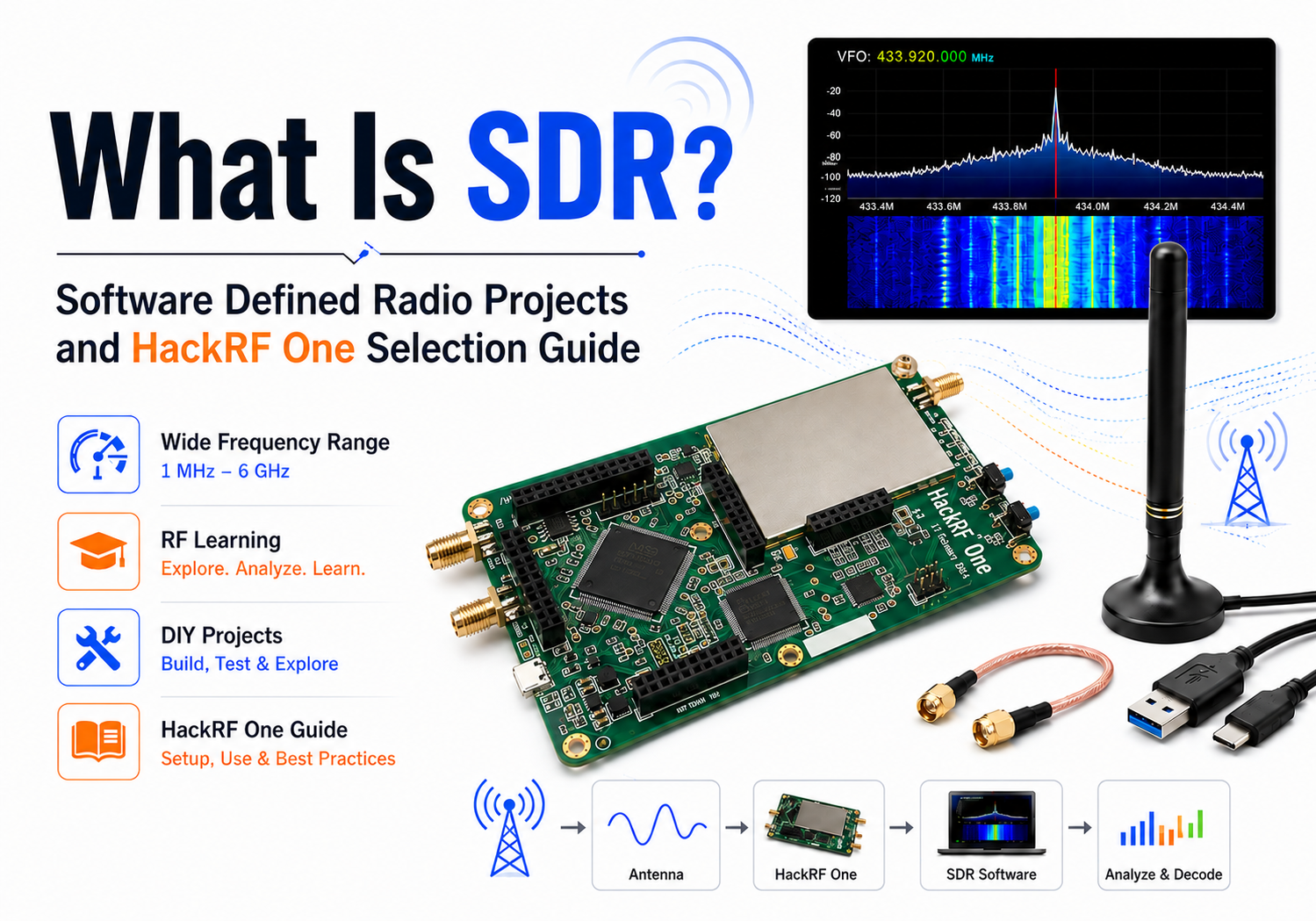
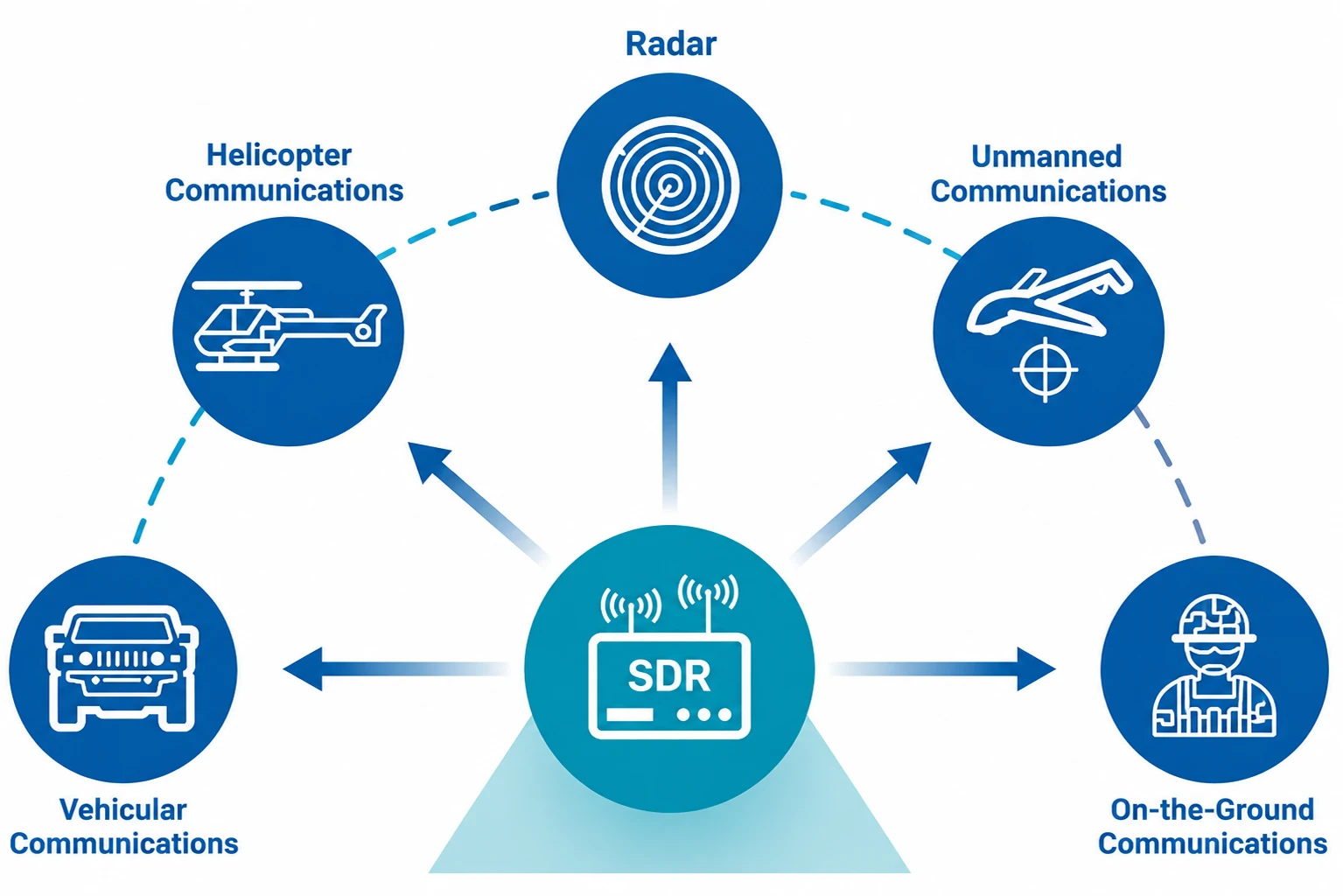
Software defined radio, often shortened to SDR, is one of the easiest ways to start exploring the invisible world of radio signals. Instead of relying only on fixed analog circuits, an SDR uses hardware to receive or transmit radio signals and software to process, display, filter, demodulate or analyze them.
That is why SDR attracts such a wide range of users. Beginners use it to listen to FM radio, aircraft ADS-B signals or amateur radio bands. Engineers use it for RF testing and signal analysis. Cybersecurity students and wireless researchers use it to study how radio protocols behave in controlled and legal environments.
But there is one common question: should you start with a low-cost RTL-SDR receiver, or move directly to a wider-range platform like HackRF One? This guide explains what SDR is, what you can do with it, and how to choose the right SDR board for your learning, testing or RF research workflow.
1. What Is SDR and Why Does It Matter?
SDR in simple terms
A traditional radio uses dedicated hardware circuits for many tasks: tuning, filtering, modulation, demodulation and audio output. A software defined radio moves some of these functions into software. The SDR hardware captures radio frequency signals and converts them into digital samples. Then software on your computer, laptop or portable device processes those samples.
This makes SDR flexible. With the right software, the same SDR device can be used to view a spectrum waterfall, listen to FM broadcasts, monitor amateur radio, analyze digital signals or build custom signal processing chains in tools such as GNU Radio.
How SDR is different from a traditional radio
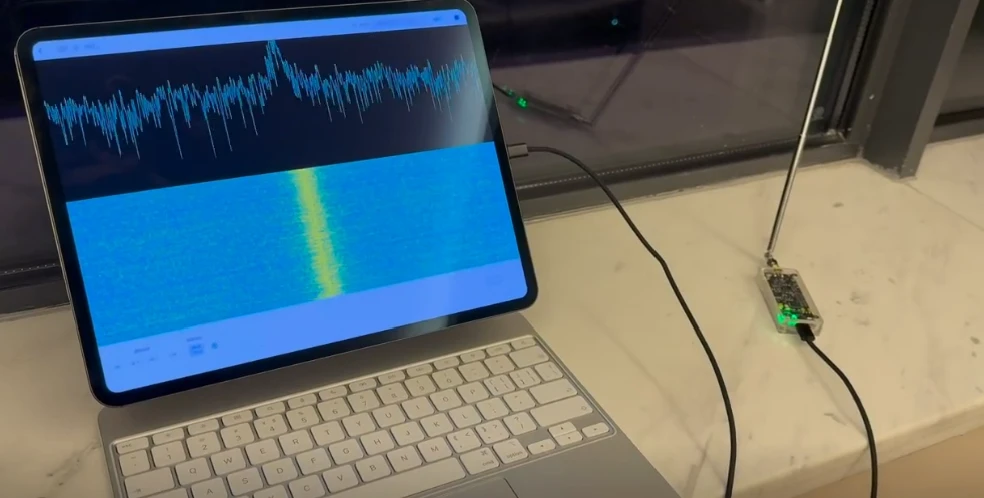
The key difference is visibility and flexibility. A normal radio usually lets you tune to one signal and hear the result. An SDR can show a wider section of spectrum visually, so you can see signals appearing, moving and disappearing in real time. For learners, this makes radio less abstract. You are not only reading about modulation, bandwidth and noise; you can actually see them.
That visual experience is one reason many beginners find SDR addictive. Once you see the waterfall display, radio stops being only theory. It becomes something you can explore, compare and experiment with.
Why beginners, engineers and researchers use SDR
SDR is useful because it connects theory with practice. Beginners can start with simple receiving projects. Engineers can use SDR for RF signal monitoring and lab experiments. Researchers can build custom workflows for signal analysis, protocol learning and controlled wireless testing.
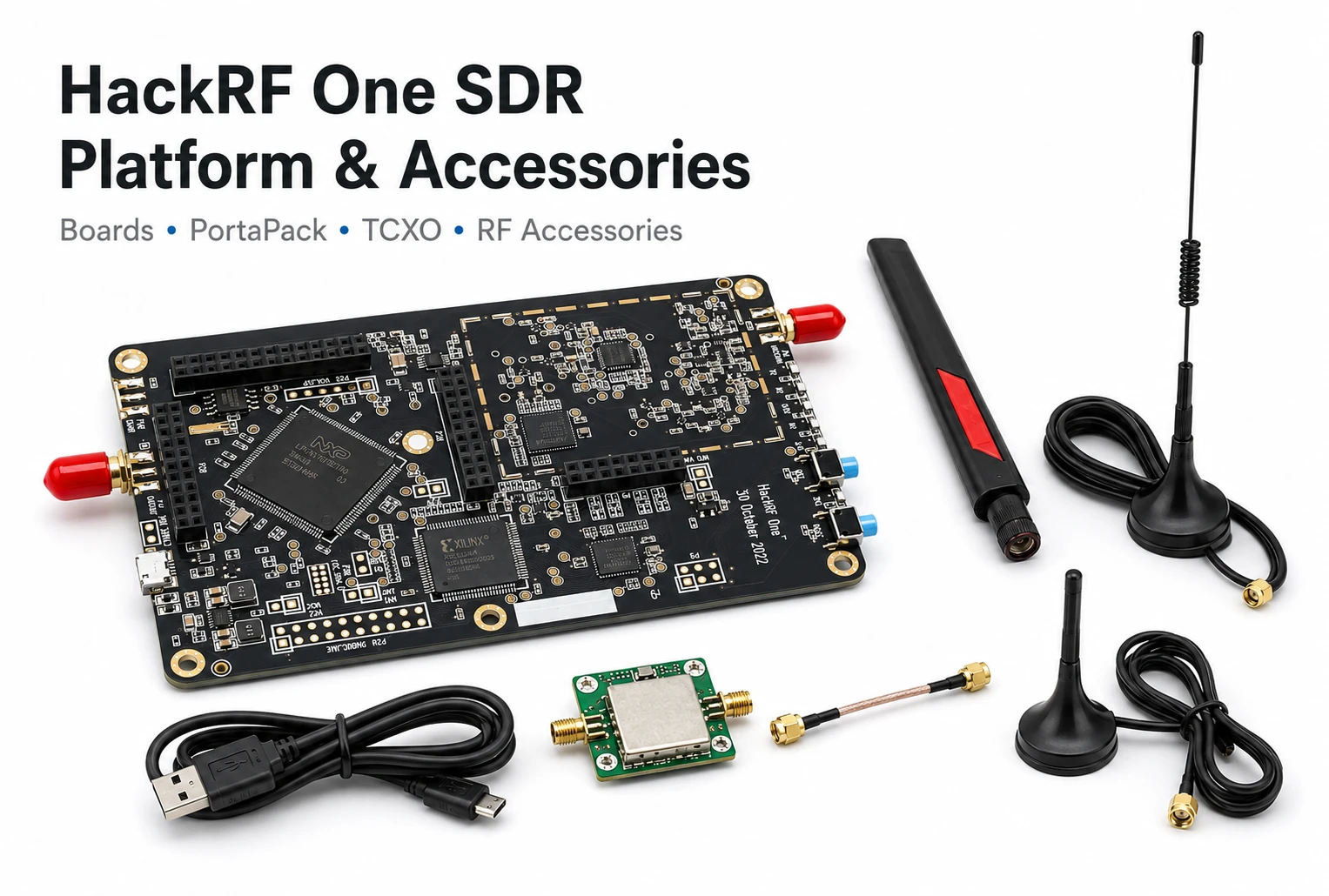
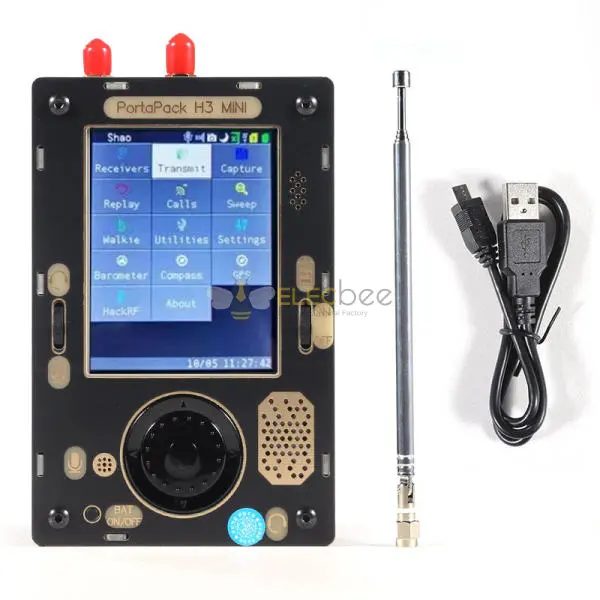
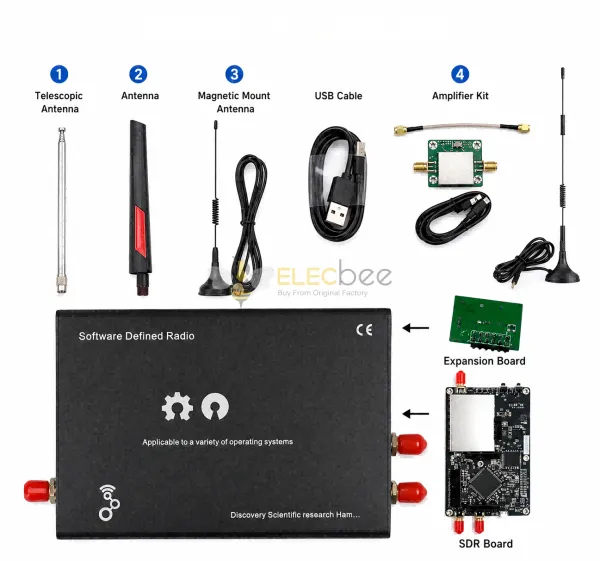
For Elecbee users, SDR is especially relevant because many projects require more than just the SDR board. Antennas, RF cables, SMA adapters, clock modules, LNA modules and portable add-ons such as PortaPack can all affect the real experience. Choosing the right SDR setup is not only about the board itself; it is about the full RF signal chain.
2. Is SDR Good for Learning Radio Basics?
What SDR teaches well
SDR is excellent for learning the practical side of radio. It helps you understand frequency, bandwidth, modulation types, signal strength, noise floor, filtering and antenna behavior. If you are new to RF, being able to see signals on a waterfall display makes learning much faster.
For example, a beginner can tune to a local FM station and observe how wide the signal appears. Then they can move to aircraft ADS-B signals, amateur radio bands or weather satellite signals. Each project teaches a different part of the radio world.
SDR is also useful for understanding digital signal processing. Tools like GNU Radio allow users to build radio functions from software blocks. This helps learners understand sample rate, filtering, FFT displays, demodulation and decimation in a more hands-on way. In simple terms, SDR helps you see how continuous radio waves in the air become digital I/Q sample data that software can display, filter and decode.
What SDR does not teach by itself
However, SDR is not a complete replacement for learning radio fundamentals. A USB receiver or transceiver does not automatically teach antenna theory, impedance matching, analog receiver design or RF safety. If your goal is to deeply understand radio design, you may also need to study analog circuits, antennas and licensed amateur radio materials.
In other words, SDR is a strong learning gateway, but not the whole journey. It is best used together with basic RF reading, antenna experiments and legal operating knowledge.
Why antennas still matter
Many beginners buy an SDR and expect the board alone to do everything. In reality, the antenna often makes the biggest difference. A poor antenna can make a good SDR feel weak. A better antenna, placed away from noisy electronics, can dramatically improve reception.
Before upgrading the board, check your antenna, cable, adapters and environment. A simple change in antenna length or placement can sometimes improve results more than buying a new SDR device.
3. Practical SDR Projects for Beginners
FM radio and broadcast signals
The easiest first SDR project is tuning to a local FM broadcast station. This teaches you how to select frequency, adjust gain, choose a demodulation mode and understand the waterfall display. It is simple, legal in many regions as receiving public broadcasts, and gives immediate feedback.
Once you understand FM broadcast signals, you can compare them with narrower signals such as voice communication, beacon signals or low-data-rate transmissions. This comparison helps you understand how different signals occupy different bandwidths.
ADS-B and aircraft tracking
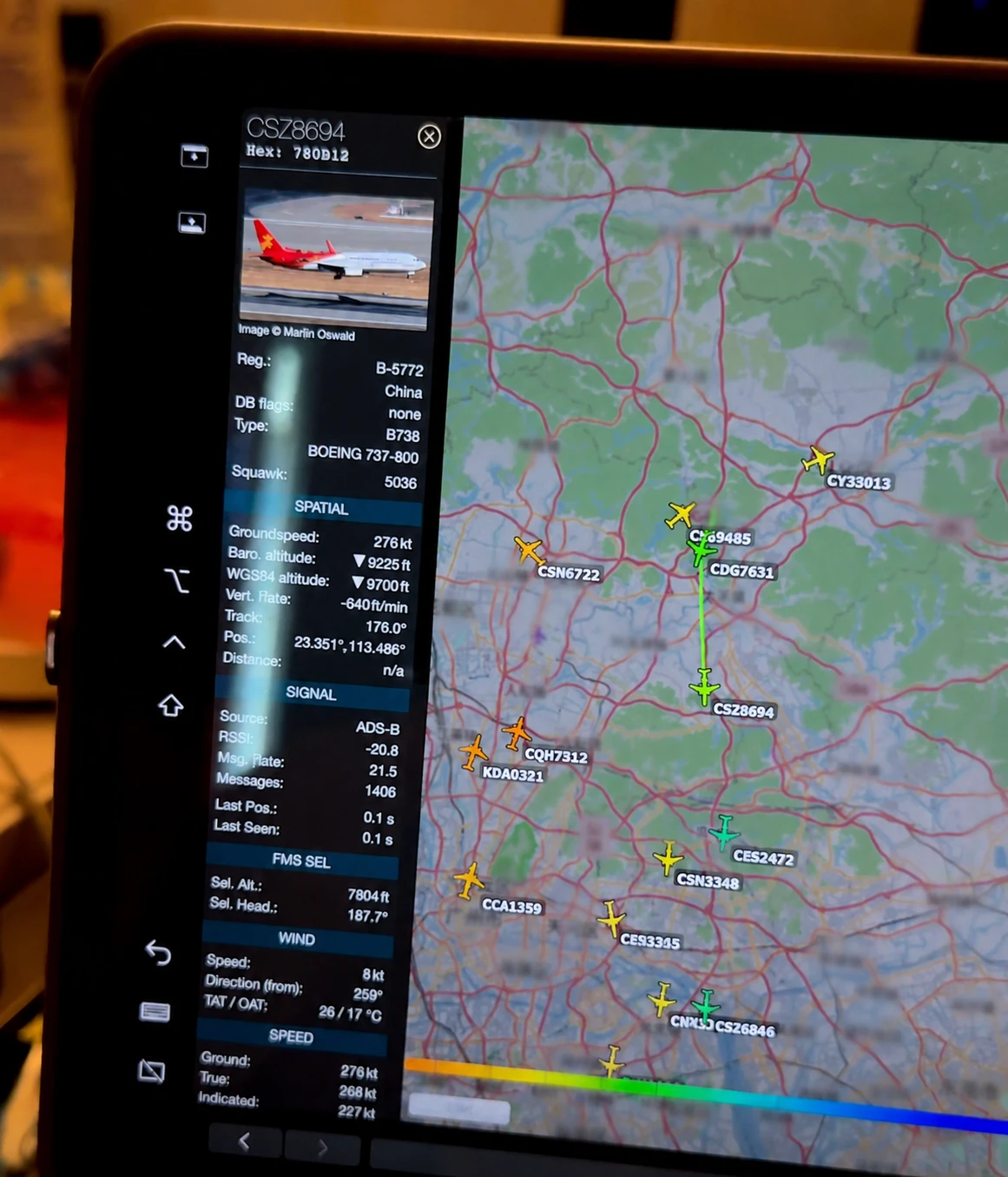
ADS-B is another popular SDR project. Aircraft transmit position and flight data on 1090 MHz in many regions. With a suitable SDR receiver, antenna and decoding software, users can learn how RF reception, decoding and real-time data visualization work together.
This is a good project because it connects radio signals with visible real-world movement. You receive a signal, decode data and see aircraft positions on a map. For many beginners, this is the moment when SDR becomes more than just listening.
Weather satellite and RF signal monitoring
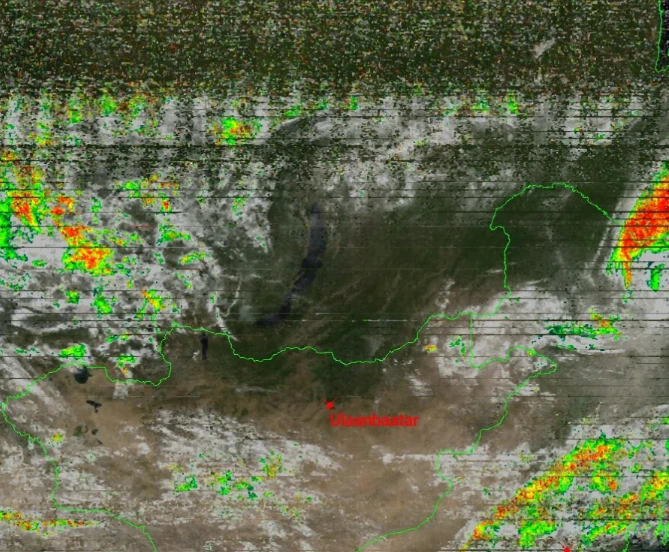
Weather satellite reception is a more advanced but rewarding SDR project. It requires timing, antenna setup and the right software workflow. Users can learn about satellite passes, signal fading, antenna direction and image decoding.
For RF learners, this type of project is valuable because it introduces real-world variables. Signal quality depends not only on the SDR board, but also on antenna type, cable loss, environmental noise and correct software settings.
Legal RF research and lab experiments
Users interested in cybersecurity or wireless research should focus on legal and controlled experiments. SDR can be used to study your own devices, lab test signals, open protocols and authorized transmissions. It should not be used to intercept private communications, bypass encryption, interfere with systems or transmit where you are not permitted.
For controlled research, HackRF One is often attractive because it is a wide-range half-duplex transceiver. It can receive and transmit in supported ranges, making it useful for learning RF concepts in lab conditions. However, that flexibility also means users must understand local laws, power limits and transmission rules before transmitting anything.
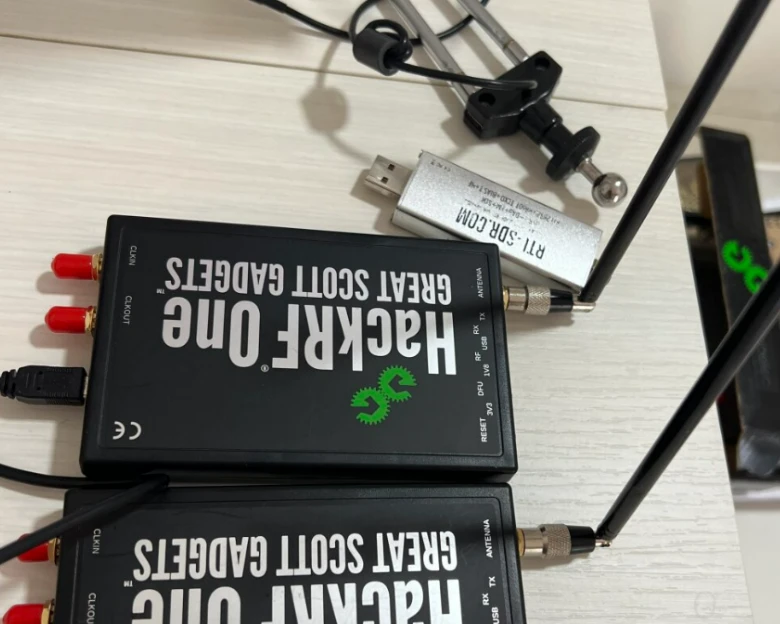
Important safety note: HackRF One can transmit, but beginners should not connect an antenna and transmit into open air unless they are licensed, authorized and operating within local radio regulations. For lab experiments, use a dummy load, attenuators or an RF shielded test box whenever possible. Unauthorized transmissions may interfere with aviation, GPS, cellular, emergency or other licensed radio services.
4. HackRF vs RTL-SDR: Which One Should You Choose?
One of the most common SDR questions is whether to buy an RTL-SDR or HackRF One. The right answer depends on what you want to do.
One important detail beginners often miss is bit depth. HackRF One uses 8-bit I/Q samples, which helps keep the platform flexible and affordable, but it also limits dynamic range. In practical terms, strong nearby signals may overload the receiver more easily, and weak-signal reception may depend heavily on proper gain settings, filters, antennas and low-noise amplifiers.
RTL-SDR Blog V4 is also an 8-bit receiver, so it is not “higher bit depth” than HackRF. However, receive-only SDRs are often optimized for simple monitoring tasks, and higher-resolution receivers such as 12-bit or 14-bit SDRs may perform better when weak-signal reception and overload resistance are the main priorities.
| Feature | RTL-SDR Type Receiver | HackRF One SDR |
|---|---|---|
| Best for | Low-cost receiving and beginner listening projects | Wide-range RF learning, testing and transceiver experiments |
| Transmit support | Receive-only | Half-duplex transmit and receive |
| Bit depth / dynamic range | Common RTL-SDR Blog receivers are also 8-bit, but they are receive-only and simple to use for monitoring tasks. | 8-bit I/Q samples; excellent frequency coverage and TX/RX flexibility, but more sensitive to overload without proper filters and gain control. |
| Learning curve | Easier for beginners | More flexible, but requires more setup knowledge |
| Typical projects | FM radio, ADS-B, public broadcasts, simple signal monitoring and scanner-style listening | Most RTL-SDR receive projects, plus GNU Radio experiments, controlled lab signal generation, RF testing and PortaPack portable SDR workflows |
| Accessory ecosystem | Antennas, filters, adapters and low-cost kits | PortaPack modules, clock accessories, antennas, LNAs, filters and RF cables |
When RTL-SDR makes sense
RTL-SDR is a good starting point if your main goal is listening and learning. It is affordable, widely supported and easier to set up for common receive-only projects. If you want to monitor FM radio, ADS-B, public broadcasts or simple local signals, an RTL-SDR type receiver may be enough.
It is also less intimidating for beginners. Many tutorials, plug-ins and community examples are built around RTL-SDR devices, so new users can usually get results quickly.
When HackRF One makes sense
HackRF One makes more sense when you want a wider and more flexible SDR platform. It is especially useful if you want to study RF concepts beyond basic listening, build GNU Radio experiments, work with wider frequency coverage or explore controlled transmit-and-receive workflows.
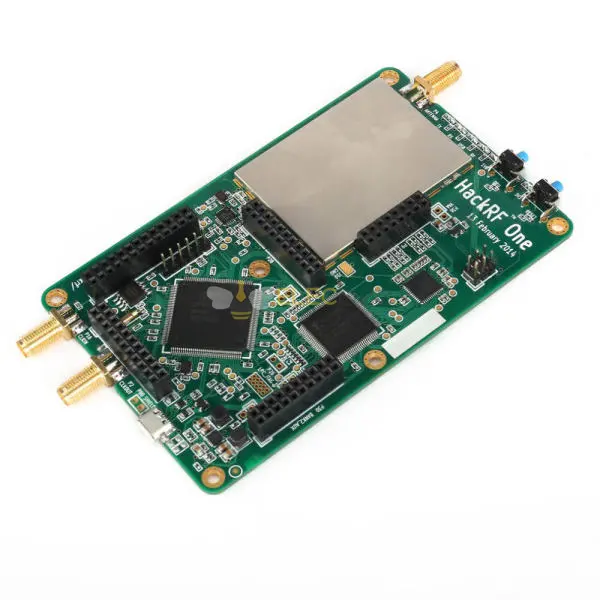
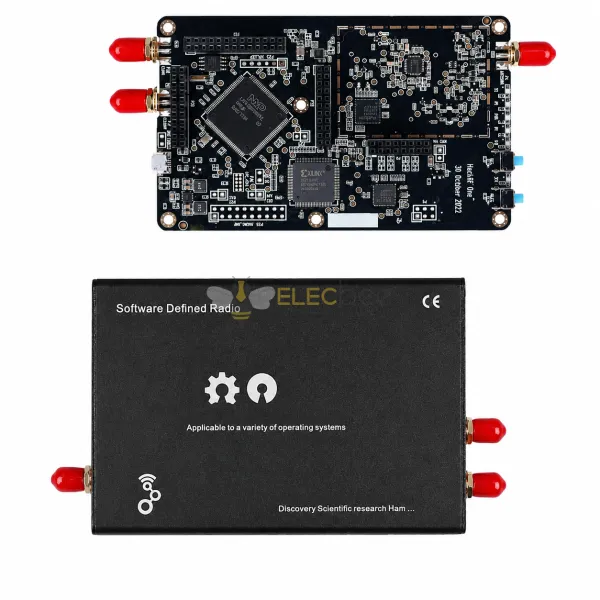
If you already know you want a HackRF-based setup, you can browse Elecbee’s HackRF One SDR Platform Accessories page for HackRF One boards, PortaPack modules and related SDR add-ons.
However, HackRF One should not be treated as the strongest possible weak-signal receiver. Its 8-bit sampling depth means good filtering, antenna choice and gain control matter a lot. If your main goal is only weak-signal listening, a receive-focused SDR with higher bit depth or better front-end filtering may be a better choice.
HackRF One is a strong choice if you want to build a more expandable SDR setup. With PortaPack, antennas, clock modules and RF accessories, it can become a portable and modular platform for learning and testing.
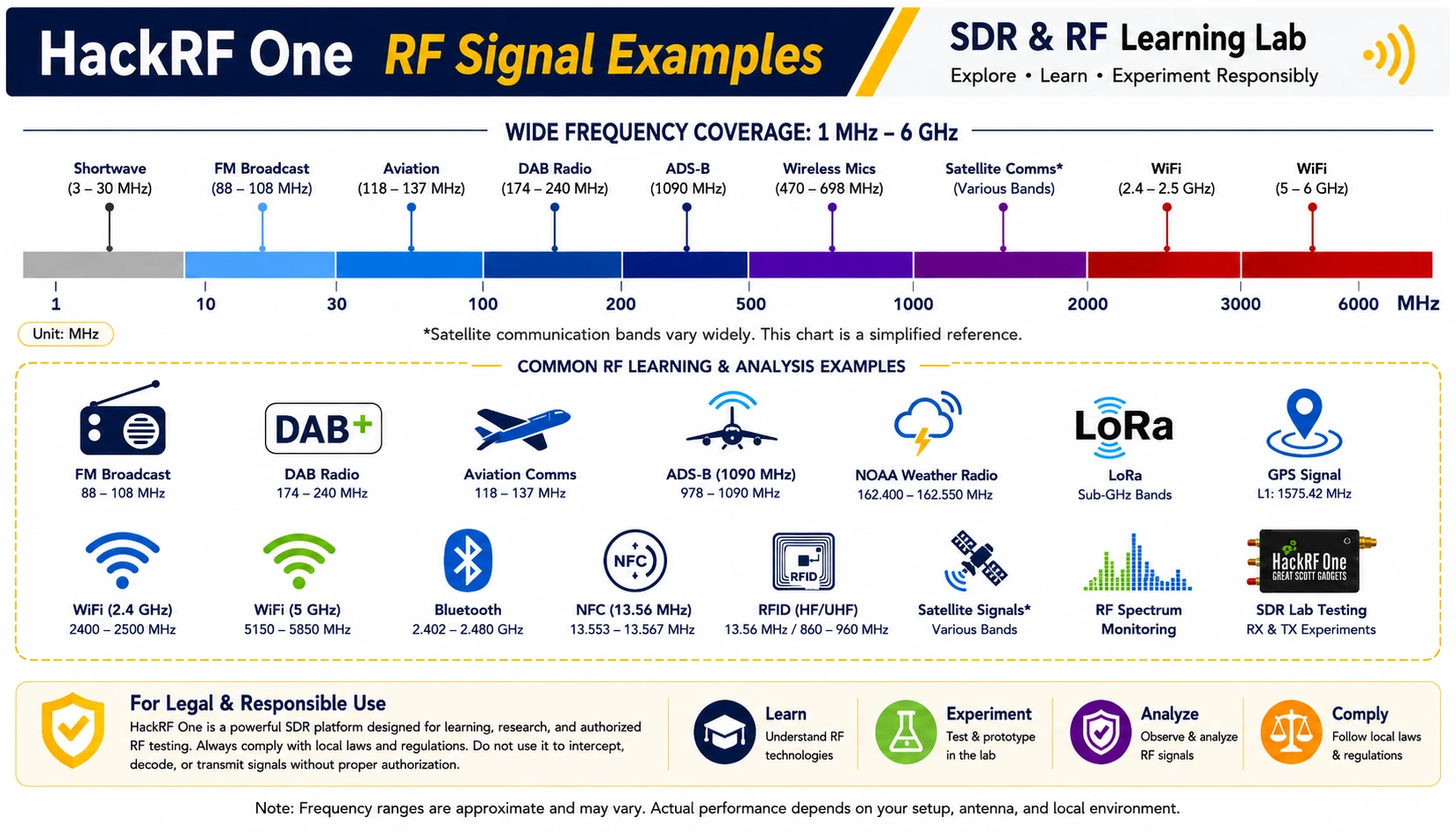
Why many users eventually use both
Many SDR users eventually own both a low-cost receiver and a HackRF-style platform. This is practical because HackRF One is half-duplex, meaning it cannot transmit and receive at the same time. Pairing HackRF with a separate receiver can make certain lab workflows easier.
For example, you can use HackRF One for a controlled test signal and use another SDR receiver to observe it. This type of setup is useful in legal lab environments, RF education and controlled experiments.
Build a Complete SDR Learning & RF Testing Kit
Not sure what to buy with your SDR board? Explore HackRF One boards, PortaPack modules, SDR antennas, LNAs, filters, attenuators, dummy loads and SMA RF cables in one complete RF learning setup.
Shop SDR Kits & RF Accessories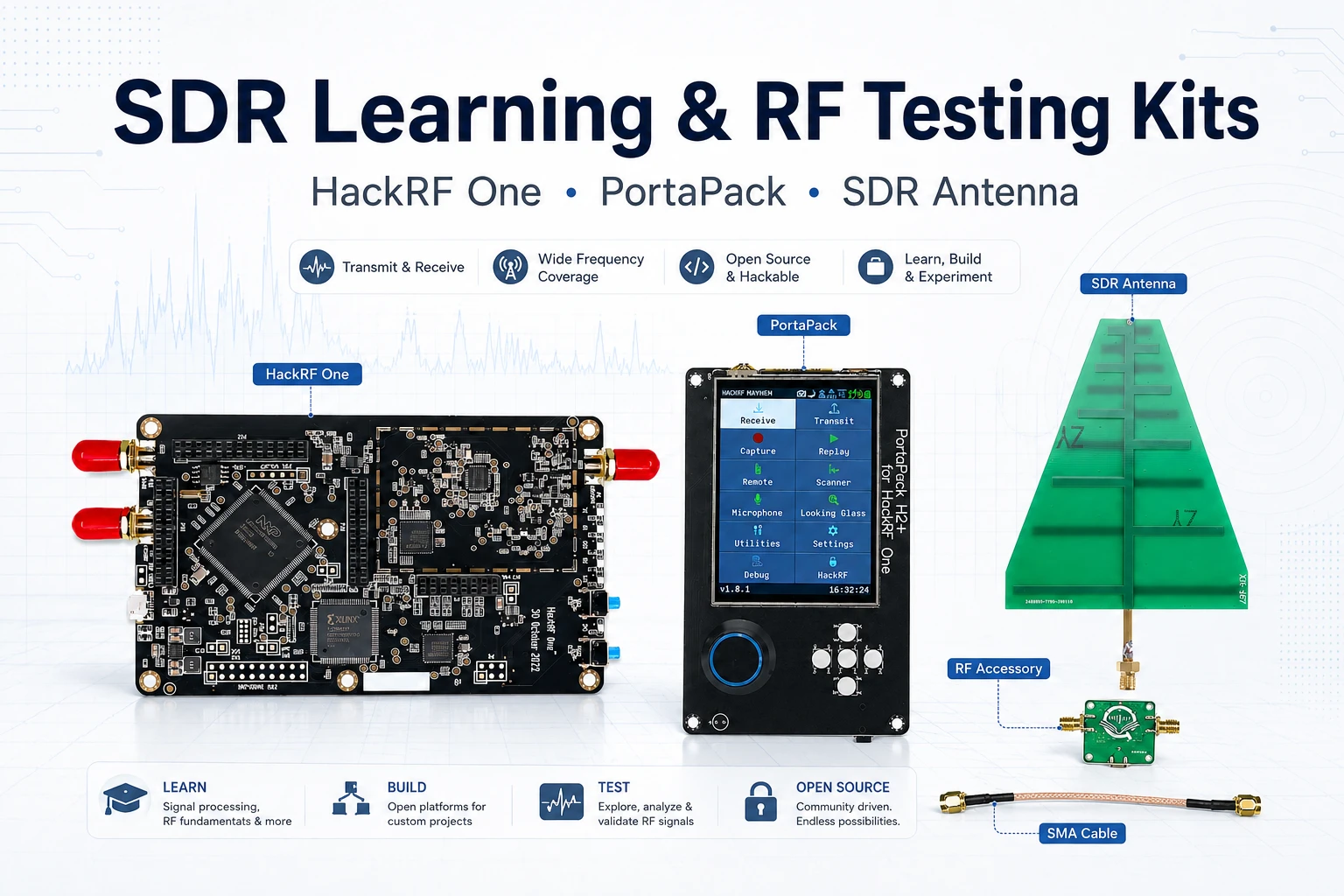
5. How to Choose the Right SDR Board
Frequency range
Start by asking what frequencies you actually need. If your projects are mainly FM radio, ADS-B, VHF or UHF listening, a receive-only SDR may be enough. If you need broader coverage for RF testing and experimental workflows, HackRF One becomes more attractive.
Do not buy based only on the largest frequency range. A wide range is useful, but sensitivity, filtering, antennas, dynamic range and software support also matter.
Receive-only vs transceiver
A receive-only SDR can listen, monitor and decode signals. A transceiver SDR can both receive and transmit, although not always simultaneously. HackRF One is a half-duplex transceiver, so it can either transmit or receive at one time.
If your goal is only to listen and learn, receive-only hardware is simpler. If your goal includes lab signal generation, controlled protocol experiments or more advanced RF research, a transceiver platform gives you more room to grow.
Software support and learning curve
Software can decide whether your SDR experience feels smooth or frustrating. Beginner-friendly tools such as SDR#, SDR++, Gqrx and SDRangel can help users get started quickly. GNU Radio is more powerful, but it also requires more learning.
Before buying any SDR board, check whether it is supported by the software you want to use. Some devices may need extra drivers or configuration steps. For beginners, a board with strong community support is usually the safest choice.
Accessories: antennas, PortaPack, clocks and filters
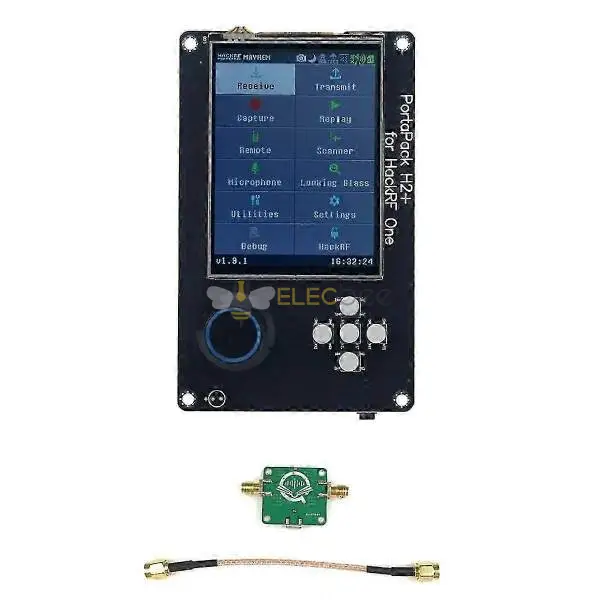
An SDR board is only one part of the system. Antennas, cables, adapters, filters and amplifiers can strongly affect performance. For HackRF users, PortaPack modules are also popular because they make the device more portable and easier to use without relying only on a computer.
If you are planning a HackRF setup, consider these accessory categories:
- Wideband antennas for general exploration
- Band-specific antennas for better performance on target frequencies
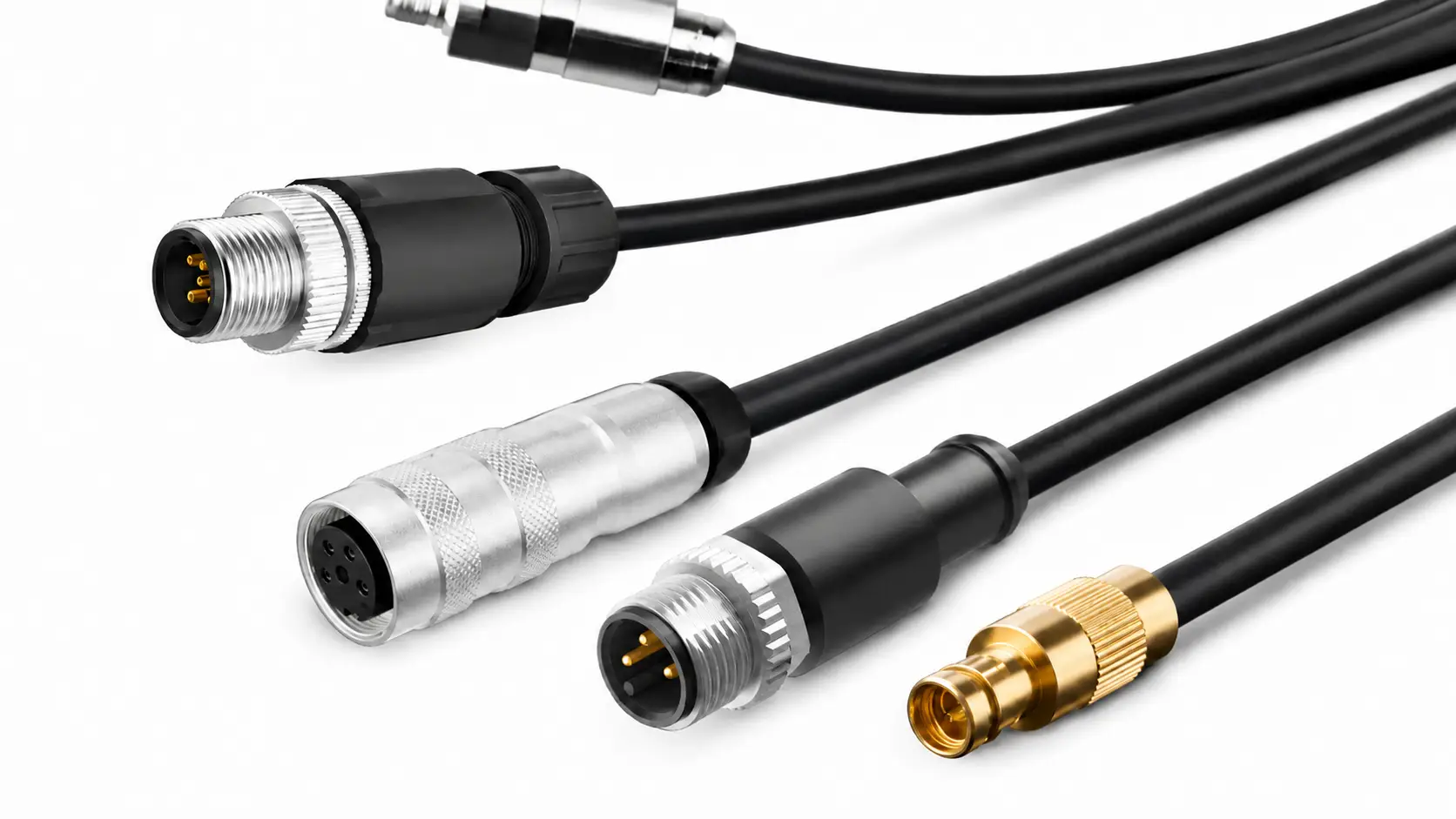
- SMA adapters and RF cables for flexible connection
- LNA modules for weak-signal receiving scenarios
- Band-pass or low-pass filters to reduce overload from strong nearby signals
- Clock modules for synchronization and stability needs
- Dummy loads, attenuators or RF shielded test boxes for controlled lab transmission tests
- PortaPack H2 or H3 modules for portable SDR workflows
For users planning a HackRF-based setup, Elecbee’s HackRF SDR boards and accessories collection can help compare boards, PortaPack modules, antennas, RF cables and expansion accessories in one place.
6. How to Identify Signals You Find with SDR
Another common beginner question is: “I found a signal on the waterfall. How do I know what protocol it is?” Signal identification is part research, part pattern recognition and part experience. The more you explore, the better you become at recognizing what you see and hear.
Start with frequency and band plans
The first clue is frequency. Different regions allocate frequency bands for different services. If you know the approximate frequency, you can check local band plans and public frequency references to narrow down possible signal types.
For example, a signal near an aircraft band, amateur radio band or ISM band already gives you a starting point. You still need to confirm what it is, but frequency context helps reduce guesswork.
Compare waterfall patterns and audio
Different signals have different visual and audio characteristics. Wide FM broadcast signals look different from narrow voice signals. Digital bursts look different from continuous carriers. Over time, you learn to recognize common patterns.
A useful learning method is to capture screenshots of signals you find, write down the frequency, bandwidth, time and modulation mode, then compare them with known examples. This builds your own signal reference library.
Use decoding tools carefully and legally
Some signals can be decoded with public tools. Others may be encrypted, private or legally restricted. Always respect local laws. Do not attempt to decrypt private communications, interfere with systems or transmit without authorization.
A safe beginner workflow is:
- Start with public broadcast or clearly legal receive-only signals.
- Record the frequency, bandwidth and signal appearance.
- Check the local band plan and public signal references.
- Compare waterfall and audio patterns with known signal examples.
- Use decoding tools only for signals you are legally allowed to receive and process.
7. Recommended HackRF SDR Setup and FAQ
Suggested HackRF learning setup
If you are moving beyond a basic receiver and want a more capable SDR learning platform, a practical HackRF setup may include:
- HackRF One SDR board
- PortaPack H2 or H3 module for portable operation
- Wideband antenna for general signal exploration
- Band-specific antennas for better performance
- SMA adapters and RF cables
- Optional LNA or filter modules depending on the frequency band
- Dummy load, attenuators or RF shielded test box for safe lab transmission experiments
- GNU Radio, SDR++, SDRangel or other compatible SDR software
This setup gives beginners and RF learners enough flexibility to explore receiving, waterfall analysis, signal processing and controlled lab experiments. It also gives engineers and advanced users a modular path for future expansion.
Common mistakes to avoid
| Mistake | Why It Matters | Better Approach |
|---|---|---|
| Buying only by frequency range | A wide range does not guarantee strong reception on every band | Match the board, antenna and accessories to your target use case |
| Ignoring bit depth and dynamic range | 8-bit SDRs can overload more easily around strong signals | Use proper gain settings, filters, LNAs and receive-focused SDRs when needed |
| Ignoring the antenna | Poor antennas often cause weak or noisy signals | Use band-appropriate antennas and place them away from interference |
| Using too much gain | Too much gain can overload the receiver and hide useful signals | Adjust gain gradually while watching the noise floor |
| Transmitting with an antenna before understanding the rules | Unauthorized RF transmission can interfere with licensed services | Use dummy loads, attenuators or shielded lab setups unless you are authorized |
| Assuming all signals are legal to decode | Private or encrypted communications may be legally restricted | Focus on public, permitted and controlled lab signals |
| Expecting HackRF to be the easiest first device | HackRF is flexible but may require more setup | Start with simple projects before moving into advanced workflows |
FAQ
What is SDR used for?
SDR is used for radio signal receiving, spectrum monitoring, modulation learning, amateur radio study, ADS-B aircraft tracking, weather satellite reception, RF testing and controlled wireless research. The exact use depends on the SDR hardware, software and local regulations.
Is SDR good for learning radio basics?
Yes. SDR is excellent for learning practical radio basics because it lets you see and hear signals in real time. It is especially useful for understanding frequency, bandwidth, modulation, filtering and I/Q sampling. However, users should also study antennas, analog radio concepts and legal operating rules.
Is HackRF better than RTL-SDR?
HackRF is not simply “better” in every situation. RTL-SDR type receivers are often easier and cheaper for receive-only beginner projects. HackRF One is better suited for users who need wider frequency coverage, transceiver capability, GNU Radio experiments or expandable RF lab workflows. For pure weak-signal receiving, bit depth, filtering and antenna setup may matter more than frequency range alone.
Can HackRF One transmit and receive at the same time?
HackRF One is a half-duplex transceiver, which means it can transmit or receive, but not both at the same time. For workflows that need simultaneous observation, some users pair HackRF with a separate receive-only SDR.
Can I transmit with HackRF One?
HackRF One has transmit capability, but transmitting is regulated. Beginners should not connect an antenna and transmit into open air unless they are licensed, authorized and operating within local rules. For lab testing, use a dummy load, attenuators or an RF shielded test environment whenever possible.
Do I need PortaPack for HackRF One?
You do not need PortaPack to use HackRF One with a computer. However, PortaPack can make HackRF more portable and convenient for certain standalone workflows. It is a popular upgrade for users who want a handheld SDR experience.
What should I buy with a HackRF One?
A good starter setup includes suitable antennas, SMA adapters, RF cables and compatible SDR software. Depending on your goals, you may also consider PortaPack H2 or H3, LNA modules, filters, clock accessories, dummy loads and attenuators.
Conclusion: Start with the Signal, Then Choose the SDR
Software defined radio is one of the most practical ways to learn about RF signals. It helps beginners see the spectrum, understand modulation, test antennas and explore real signals. It also gives engineers and researchers a flexible platform for signal analysis and controlled wireless experiments.
If your goal is simple listening, a low-cost receive-only SDR can be a smart starting point. If your goal is broader RF learning, HackRF One SDR experiments, GNU Radio workflows, PortaPack portability or expandable lab testing, HackRF is a more flexible choice.
At the same time, it is important to understand HackRF’s limits. Its 8-bit dynamic range means filters, antennas, gain settings and external accessories can make a major difference. For pure weak-signal receiving, a receive-focused SDR may sometimes be the better tool. For flexible RF learning and controlled lab work, HackRF One remains a highly useful platform.
The best SDR setup is not always the most expensive one. It is the one that matches your frequency range, software workflow, antenna setup, dynamic range needs and legal use case.
Ready to build your SDR setup? Explore HackRF One boards, PortaPack modules, antennas and RF accessories from Elecbee.