

 0
0
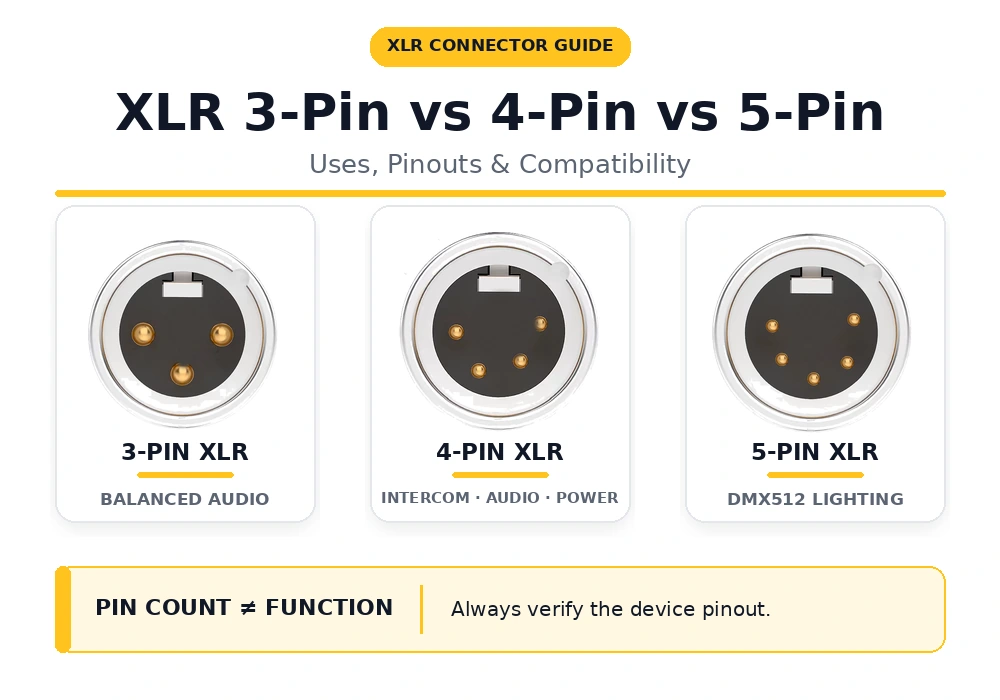
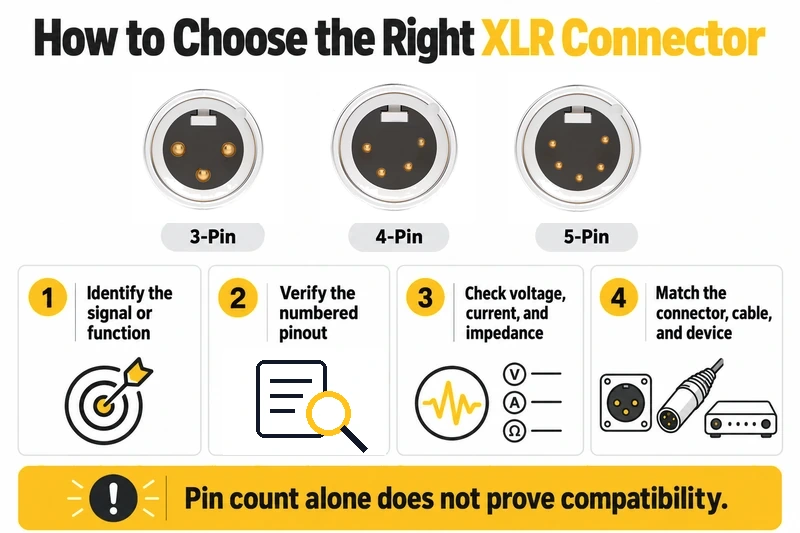
Quick answer: A 3-pin XLR commonly carries balanced analog audio; a 4-pin XLR may be used for an intercom headset, balanced headphones, or DC power; and a 5-pin XLR is the standard connector for DMX512 lighting control. These are common applications, not universal pin assignments. Before connecting two devices, check what each port carries, its numbered pinout, the cable specification, and its electrical ratings.
| Connector | Common application | What to verify | Important exception |
|---|---|---|---|
| 3-pin XLR | Balanced microphone or line-level audio | Audio pinout, input/output level, phantom power if applicable | Some lighting equipment uses 3-pin connectors for DMX. |
| 4-pin XLR | Intercom headsets, balanced headphones, or DC power | Device-specific pinout, signal level, voltage and polarity | There is no single pinout shared by all three applications. |
| 5-pin XLR | DMX512 stage-lighting data | DMX pinout, rated cable, adapter and termination | Some stereo microphones and headsets also use 5-pin XLR. |
The most useful distinction is between connector shape, electrical function, and cable construction. A plug that fits a socket has passed only the first test. The examples below show how to identify the connection you actually need.
1. What Does the XLR Pin Count Tell You?
Pin count identifies contacts, not a signal standard
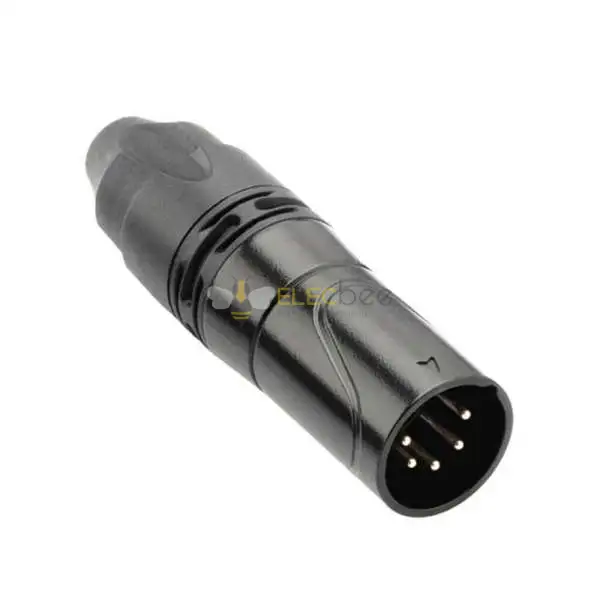
“XLR” names a family of locking connectors. Three-, four-, and five-contact versions provide different numbers of possible electrical paths, but the contact count does not say whether the port carries analog audio, digital lighting data, a headphone signal, or power. For example, a 3-pin microphone lead and a 3-pin DMX lead can have mechanically similar ends while being specified for different signals.
Check full-size XLR, mini XLR, and connector gender
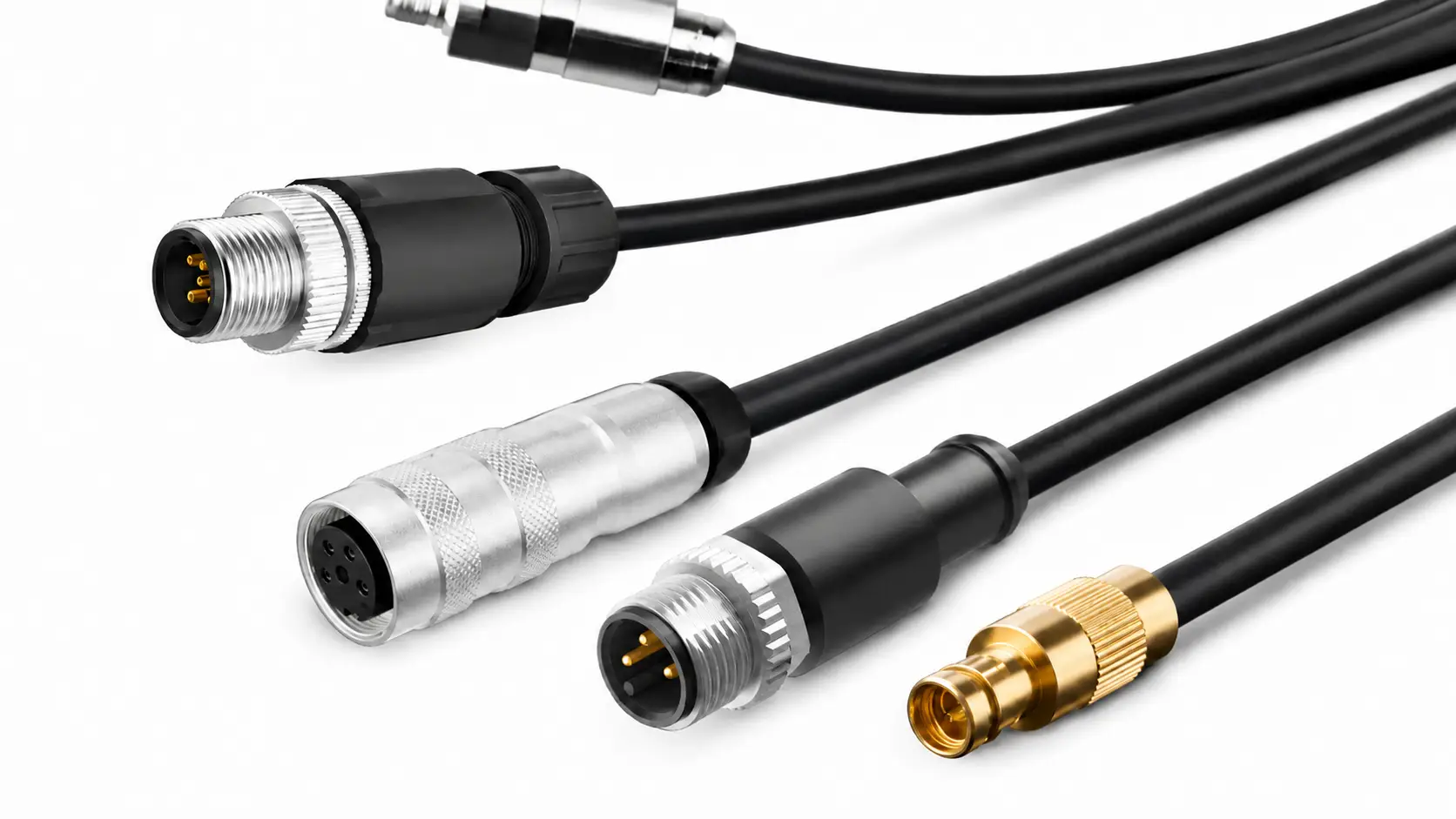
Check the body size as well as the pin count. Mini XLR is a different connector format from full-size XLR; a mini 3-pin plug does not become compatible with a full-size 3-pin socket simply because both have three contacts. Also confirm male versus female ends, cable versus panel mounting, and the view used in a wiring diagram: the mating-face view and the solder-side view are mirrored. You can compare available contact counts and mounting styles in Elecbee's XLR Connectors category.
2. Where Is a 3-Pin XLR Used?
Balanced microphone and line-level audio
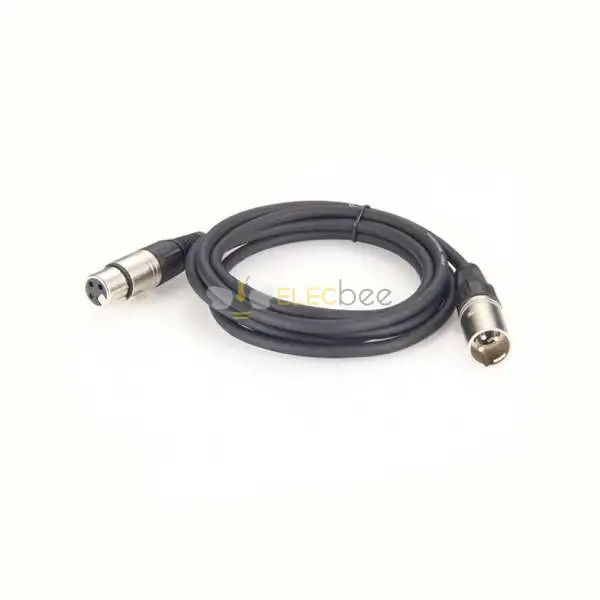
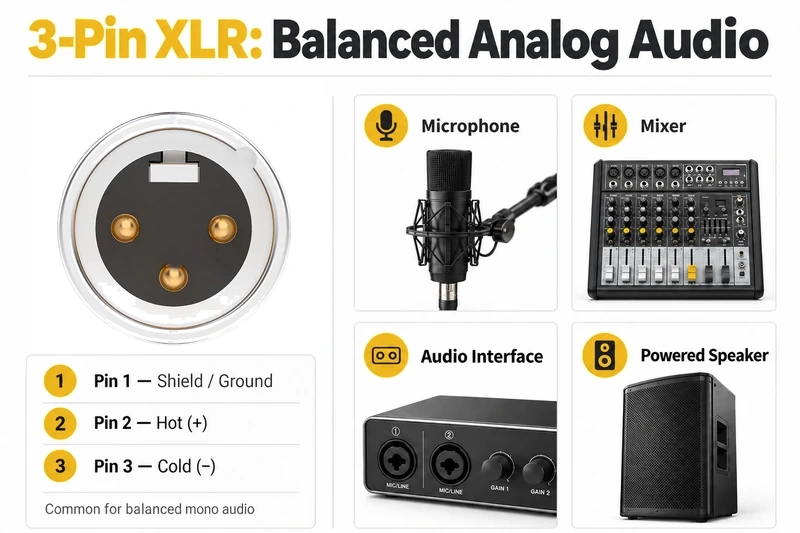
The familiar studio example is a microphone connected to a mixer or audio interface with a 3-pin XLR cable. For conventional balanced analog audio, pin 1 is shield/ground, pin 2 is hot (+), and pin 3 is cold (−). The receiving equipment uses the difference between the two signal conductors to reject noise picked up along the run. A single 3-pin balanced microphone connection normally carries one audio channel; three pins do not mean left, right, and ground. For more help with connector construction and selection, see Elecbee's Ultimate Guide to XLR Connectors.
Before connecting a microphone, check whether it needs phantom power and whether the destination is a microphone input or a line input. An XLR-shaped port is not automatically a microphone input.
Why some 3-pin sockets carry DMX instead
Many lighting fixtures use 3-pin XLR-style connectors for DMX512. In that context, the contacts carry a digital control link, not microphone audio. The connector's contact count does not turn an ordinary microphone cable into a DMX-rated cable. Use cable specified for DMX, and only adapt a 3-pin port to a 5-pin port after confirming that both devices use compatible DMX pin assignments. This is why a venue should label its audio and DMX cables separately, even when the ends look alike.
3. Where Is a 4-Pin XLR Used?
Intercom headsets: microphone and earpiece circuits
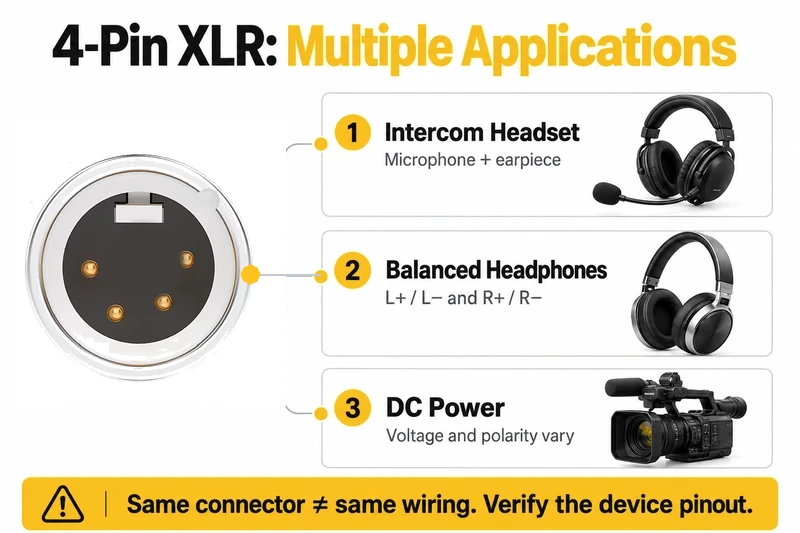
A 4-pin intercom headset can carry a microphone circuit and a headphone circuit through one connector. A common arrangement assigns two contacts to the microphone and two to the earpiece, but the exact numbering and grounding scheme depend on the equipment. Verify the manuals for the actual headset and beltpack before building or ordering an adapter.
One of the supplied Reddit discussions asks whether a 4-pin intercom headset output can be wired directly into a camera's 3-pin XLR input. The real issue extends beyond matching pin numbers: the headset output may be at a different level from the camera input, and the microphone circuit has its own requirements. A passive lead cannot be assumed to solve level, grounding, or interface differences.
Balanced headphone outputs
Some headphone amplifiers use a 4-pin XLR for separate left and right headphone conductors. This is a headphone output, not the same interface as a four-contact intercom headset with a microphone. Confirm the amplifier and headphone cable pin assignments before connecting them.
DC power: verify voltage and polarity before connection
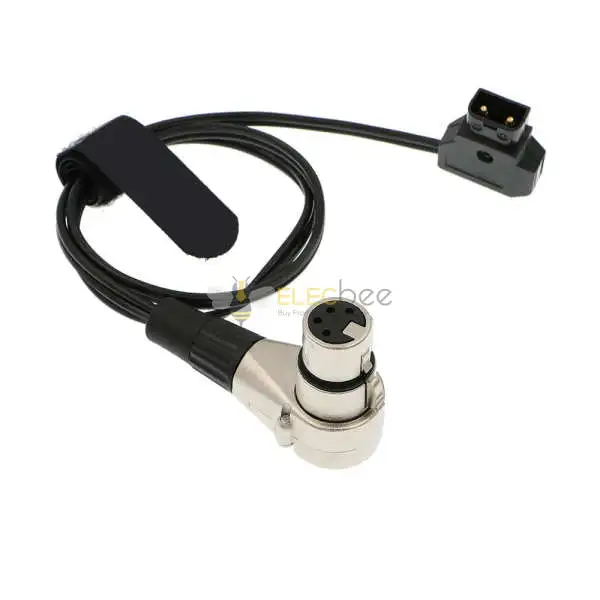
Four-pin XLR connectors also appear on power supplies and professional video equipment. There is no safe universal “4-pin XLR power pinout.” Different products may place DC voltage and ground on different contacts or use the remaining contacts for device-specific functions. Match the exact device's voltage, polarity, current requirement, and pinout; never substitute an intercom or headphone lead based on its four-pin shape.
4. Where Is a 5-Pin XLR Used?
DMX512 lighting control and the primary data pair
For stage lighting, the ANSI E1.11-2024 DMX512-A standard specifies a 5-pin XLR connection for its usual user-accessible pluggable equipment ports. The primary DMX link uses pin 1 for data-link common, pin 2 for Data 1−, and pin 3 for Data 1+. Pins 4 and 5 are associated with an optional secondary data link and are unused in many ordinary DMX runs. Always follow the device documentation where extra contacts are involved.
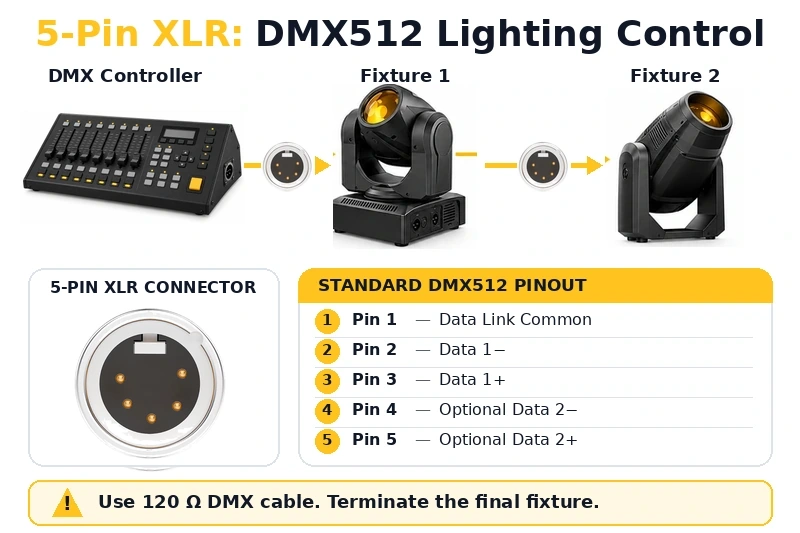
RDM clarification: Remote Device Management communicates over the primary DMX data pair; it does not require pins 4 and 5. Those optional contacts should not be confused with RDM traffic. This corrects a recurring misconception in lighting discussions.
Can 3-pin and 5-pin DMX equipment be adapted?
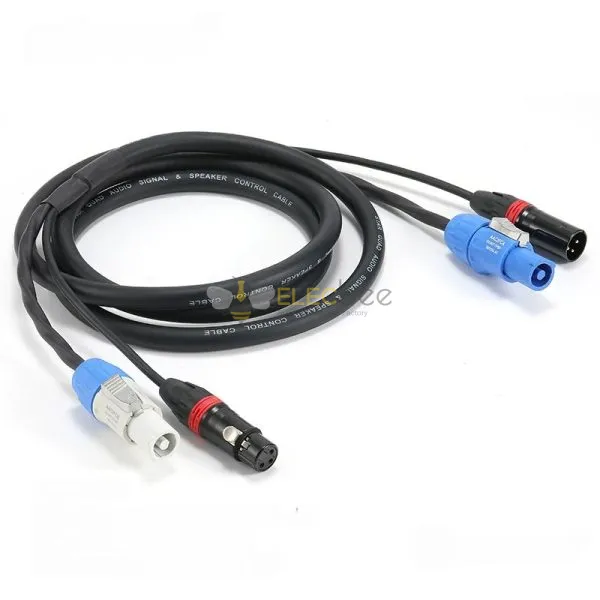
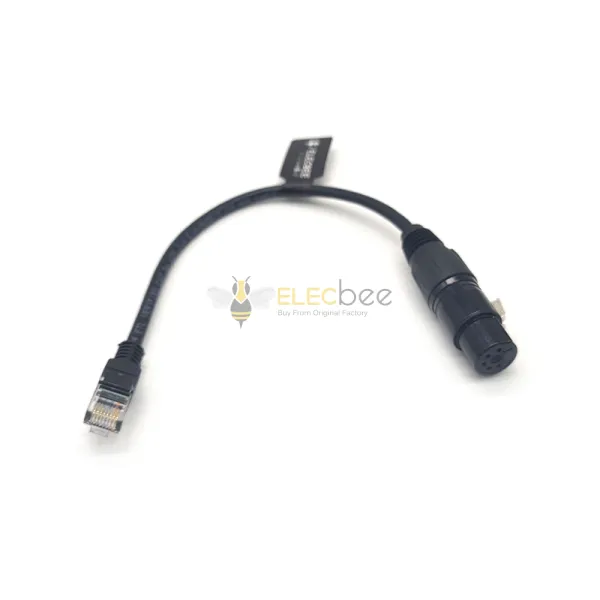
Yes, when both ports really carry DMX and their pin assignments are verified. A purpose-made 3-pin-to-5-pin DMX adapter maps the primary connection between compatible lighting devices. It does not convert microphone audio into DMX, change the electrical specification of an unsuitable cable, or carry optional contacts that the adapter leaves unwired. Choose the correct male/female orientation and browse Elecbee's Between Series Adapter Cables when a connector-format transition is required.
Five pins do not always mean DMX
A 5-pin XLR can also carry other signals. Some stereo microphones use a single XLR-5 output for two balanced audio channels. A stereo microphone's 5-pin output must not be treated as a DMX port. Read the equipment label and manual, not just the contact count.
5. How Do You Choose the Right XLR Cable or Adapter?
A five-step compatibility check
- Identify the devices and ports. Record the model numbers, intended input/output direction, full-size or mini XLR format, pin count, and male/female ends.
- Read both pinout diagrams. Match the numbered contacts by function. Confirm whether each port carries microphone audio, line audio, headphone audio, DMX data, or DC power; do not infer the function from the connector alone.
- Compare electrical requirements. Check voltage, polarity and current for power; mic or line level and phantom power for audio; and the stated data interface for lighting.
- Select the cable specification. Use a suitable balanced audio cable for the documented audio application or a DMX-rated data cable for a DMX run. A gender-changing or pin-count adapter does not change the cable's electrical properties. Elecbee's XLR Cable Guide explains cable structure, use cases, and assembly considerations.
- Test before powering the setup. For a custom assembly, verify continuity, shorts and the exact pin-to-pin map against the approved drawing. Power connections need their specified polarity checked before use. For a non-standard cable assembly, use Elecbee's Custom Cable Service to define connector ends, wiring, and cable requirements. For DMX installations, follow the equipment instructions for termination at the end of the line.
Two scenarios: a lighting adapter and an intercom recording feed
Lighting desk to fixture: A desk has a 5-pin DMX output; a fixture has a 3-pin DMX input. Confirm both ports are DMX, select the correctly oriented 5-to-3-pin DMX adapter and DMX-rated cable, and check termination at the final device. Missing or incorrect termination can contribute to intermittent flicker and other control problems.
Intercom beltpack to camera: A beltpack has a 4-pin headset socket; the camera has a 3-pin audio input. First identify the beltpack's headset pinout and output level, then the camera input type and required level. A correctly designed interface or adapter may be needed. Copying a 4-to-3 pin mapping from another system can create hum, distortion, or no usable signal.
Common mistakes to avoid
- Assuming all 3-pin XLR connectors carry audio, all 4-pin connectors carry power, or all 5-pin connectors carry DMX.
- Using an ordinary microphone cable as a planned DMX run simply because a short test happened to work.
- Treating pins 4 and 5 on a 5-pin DMX connector as necessary for RDM.
- Using a passive 3-to-5-pin DMX adapter as though it converts audio into lighting data.
- Guessing a 4-pin power connector's polarity from a different manufacturer's pinout.
6. FAQs About 3-, 4-, and 5-Pin XLR
Can I use a microphone cable for a 3-pin DMX fixture?
A microphone cable may appear to work in a short test, but that does not establish that it meets the requirements for a reliable DMX installation. Use cable specified for DMX data, even when the fixture has a 3-pin XLR port. Connector format and cable specification are separate choices.
Does RDM require all five contacts of a 5-pin XLR?
No. Normal RDM traffic uses the primary DMX link on pins 1–3; pins 4 and 5 are not required for that function. The console, fixture, splitters and other devices in the chain still need to support RDM.
Can a 4-pin intercom headset cable connect to a 4-pin power port?
No compatibility follows from the matching connector count. Compare the two actual pinouts and electrical functions. A power port may put voltage on contacts that a headset system uses for its microphone or earpiece.
Is a 5-pin XLR always compatible with a 5-pin DMX cable?
No. A 5-pin port could carry stereo microphone audio or another device-specific signal. Confirm both endpoints are DMX before using a DMX cable or adapter, and check whether the device needs any additional wired contacts.
In short: choose an XLR connection by its documented job and wiring, then check its cable rating and electrical limits. Pin count is the starting clue, not the compatibility verdict.
Related Guides
- The Ultimate Guide to XLR Connectors: Everything You Need to Know
- XLR Cables: The Ultimate Guide to Their Structure, Uses, and DIY Tips
- Why Every Audio Professional and Enthusiast Needs the XLR Male to Female Microphone Cable