

Search for products...


Payment Terms
All orders require 100% prepaid payment to ensure smooth processing and shipment.
Available Payment Methods
Elecbee offers the following secure and convenient payment options:
| Credit Card | Our platform accepts credit card payments via major networks, including Visa, Mastercard, UnionPay, and American Express. All credit card transactions are processed through Payoneer, supporting over 150 global currencies such as USD, EUR, GBP, JPY, AUD, and HKD. |
| PayPal | Supports over 19 currencies for global transactions, covering major international and regional markets. Key currencies include: USD, EUR, GBP, JPY, CAD, AUD, CHF, HKD, SGD, NZD. |
| Bank Transfer | The currencies supported by bank transfers depend on the specific bank and its cooperative channels, including international currencies such as USD, EUR, SGD and some regional currencies. |
| Digital Wallet | Supports fast and secure checkout through Apple Pay and Google Pay on compatible devices and browsers, providing a seamless payment experience for eligible transactions. |
| Flexible Payment | Klarna supports flexible installment and deferred payment options in supported regions, helping customers manage purchases more conveniently during checkout. |
Future Enhancements
We are continuously expanding our payment options to improve your experience. Stay tuned for updates on additional methods for seamless, localized transactions.
Need Help?
For payment-related inquiries, such as currency support or transfer troubleshooting, please feel free to contact us.
Invoices and Proforma Invoice (PI)
1.Invoice:
Step 1: Locate the relevant order in your order history by either visiting the Order History page or clicking "Order Status & History" when hovering over the Account icon.

Step 2: On the Order History page, locate the order for which you need an invoice by using one of the following methods:
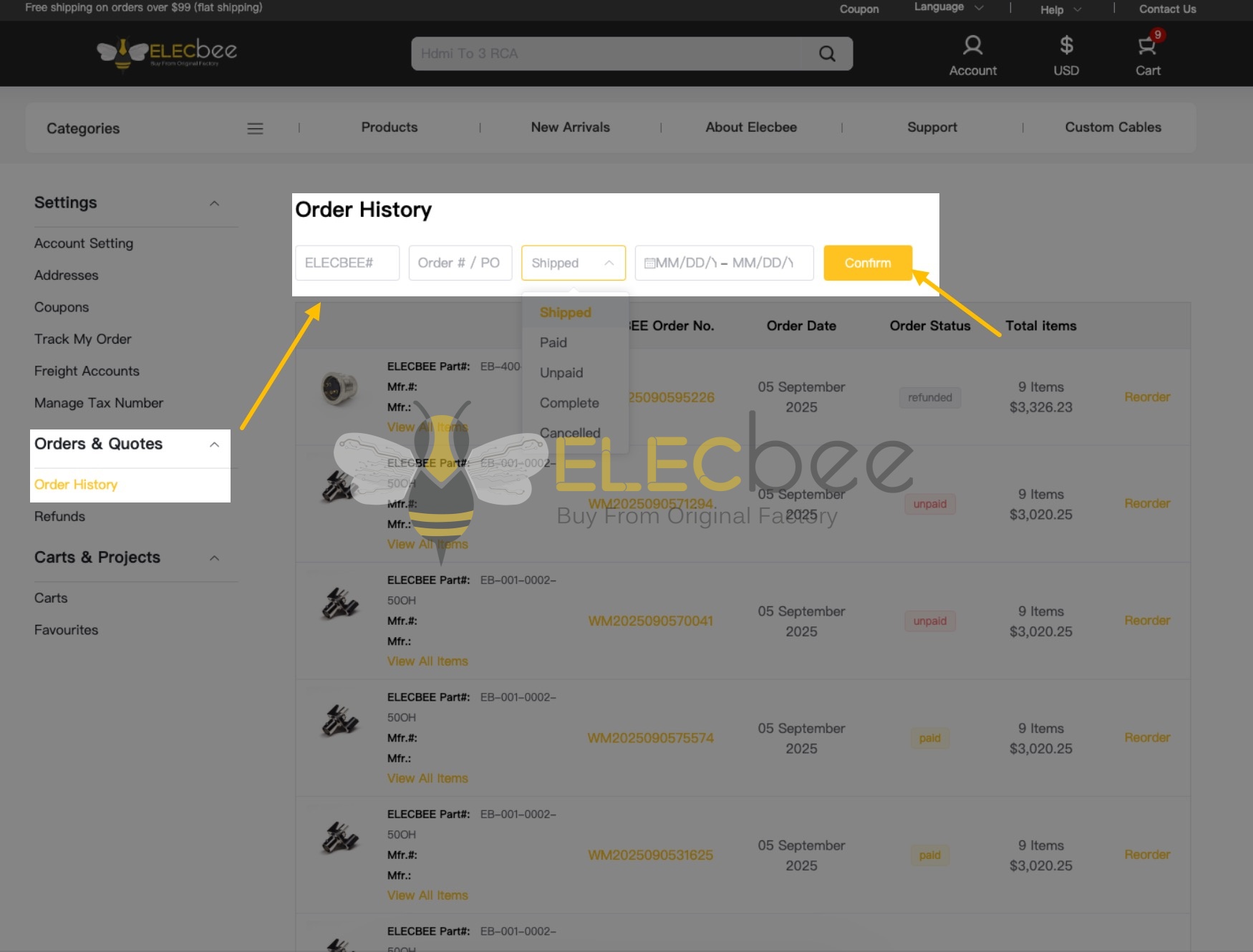
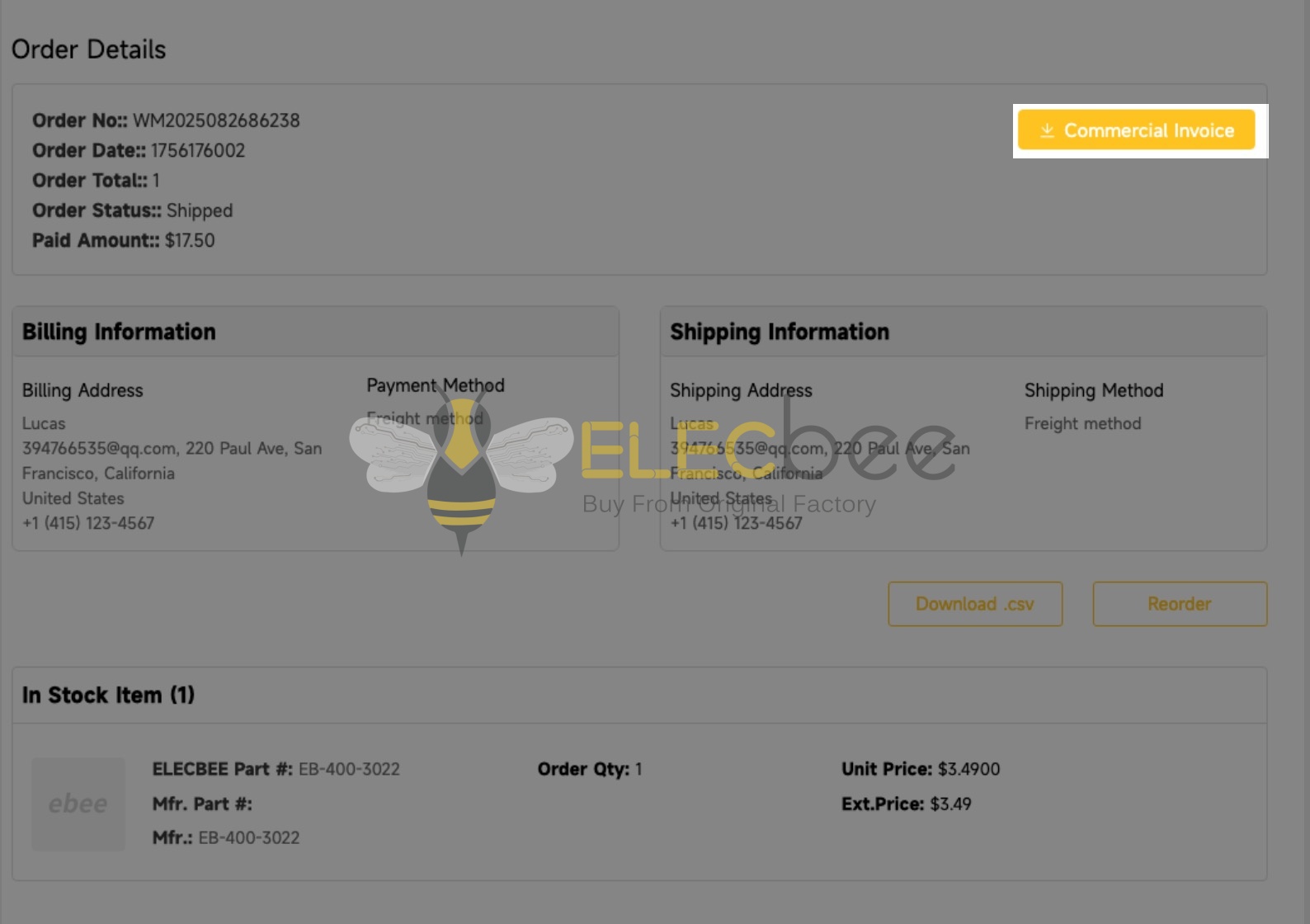
Step 3: Access the Order Details page and download the invoice by clicking the button in the top-right corner.
2.Proforma Invoice:
To obtain a Proforma Invoice (PI), please feel free to contact help@elecbee.com directly. Our representatives will assist in generating and sending the PI to you promptly.
Please note: invoices will only be available after shipment.
Elecbee supports over 150 global currencies, including major options such as USD, EUR, GBP, JPY, CAD, AUD, CHF, HKD, SGD, NZD, etc.
To select a preferred currency, click the currency icon in the top-right corner of the homepage.
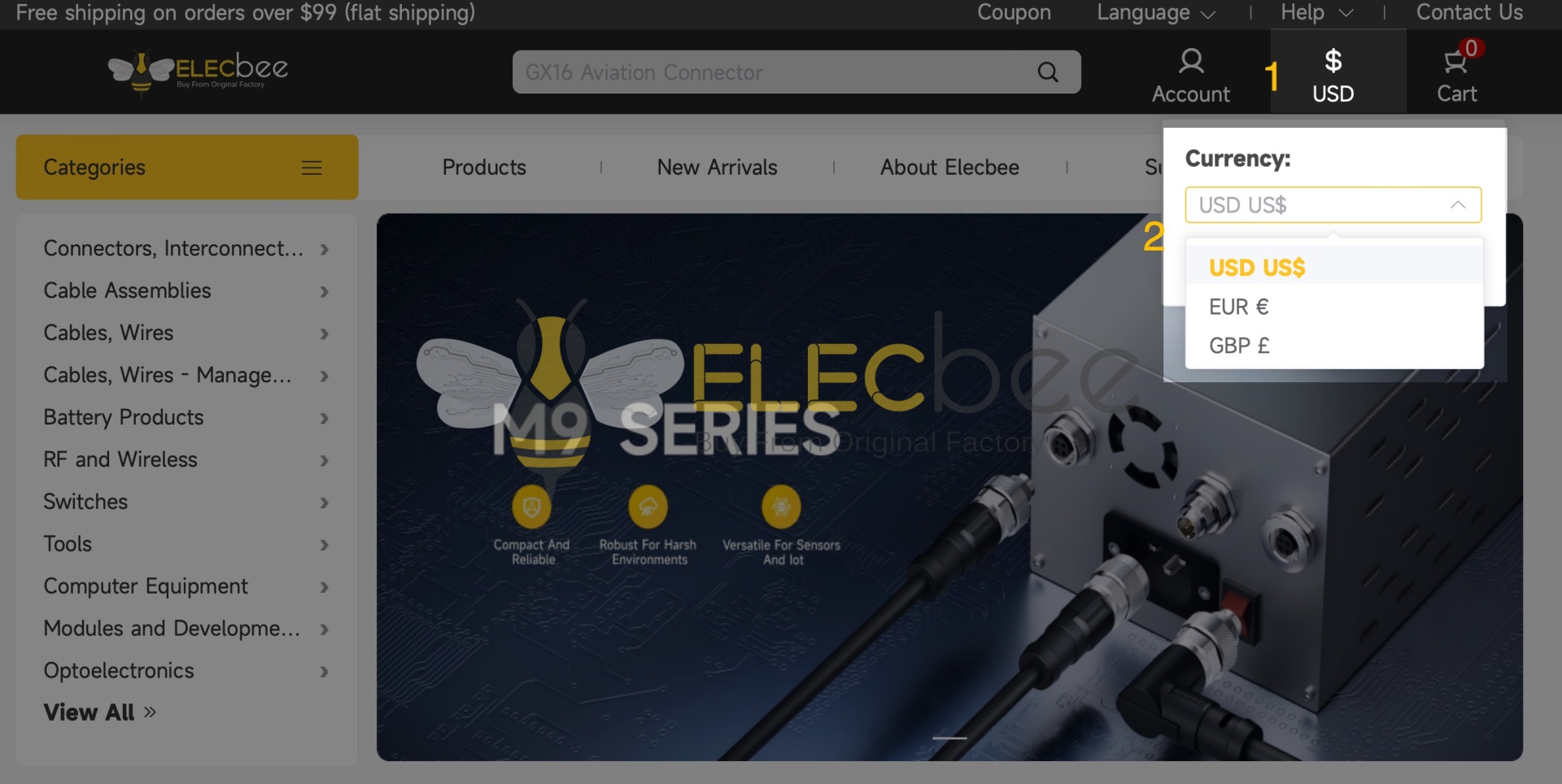
Important Notes: The currency cannot be modified after order submission. If you need to change the payment currency, please cancel the existing order and place a new one.
If your payment is declined or checkout shows an error, please check your order status before trying again. This helps you avoid placing a duplicate order or making a second payment for an order that has already been paid.
Check Your Order Status
Sign in and check the relevant order in Order History. Also check your bank or payment account to see whether the amount was charged or is still pending.
Review Your Payment Details
If no payment was made, check the following before trying again:
You may then try another payment method available to you at checkout. Available methods may vary by country, device and transaction.
If You Were Charged but Your Order Is Unpaid
Please do not make another payment or place a duplicate order until the transaction has been checked. Contact us with your Elecbee order number, payment amount, approximate payment time and any transaction reference available to you.
If you include a screenshot, hide sensitive financial information first. Never send your full card number, security code or banking password.

 0
0