Search for products...
 Login
Login$USD
 0Login0
Key Features:
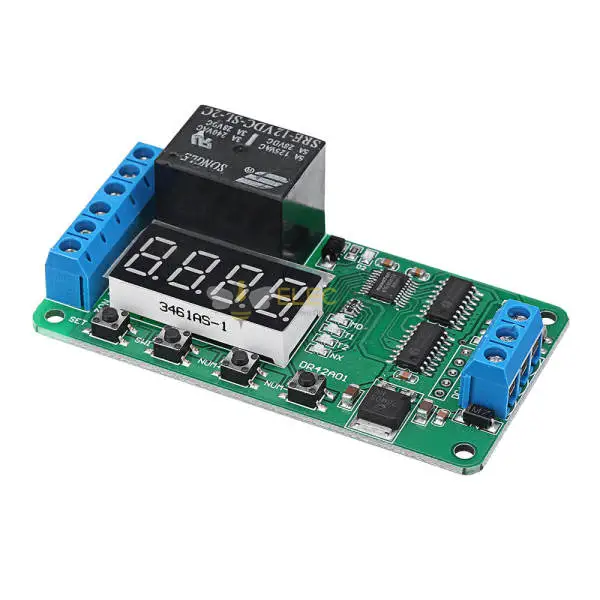
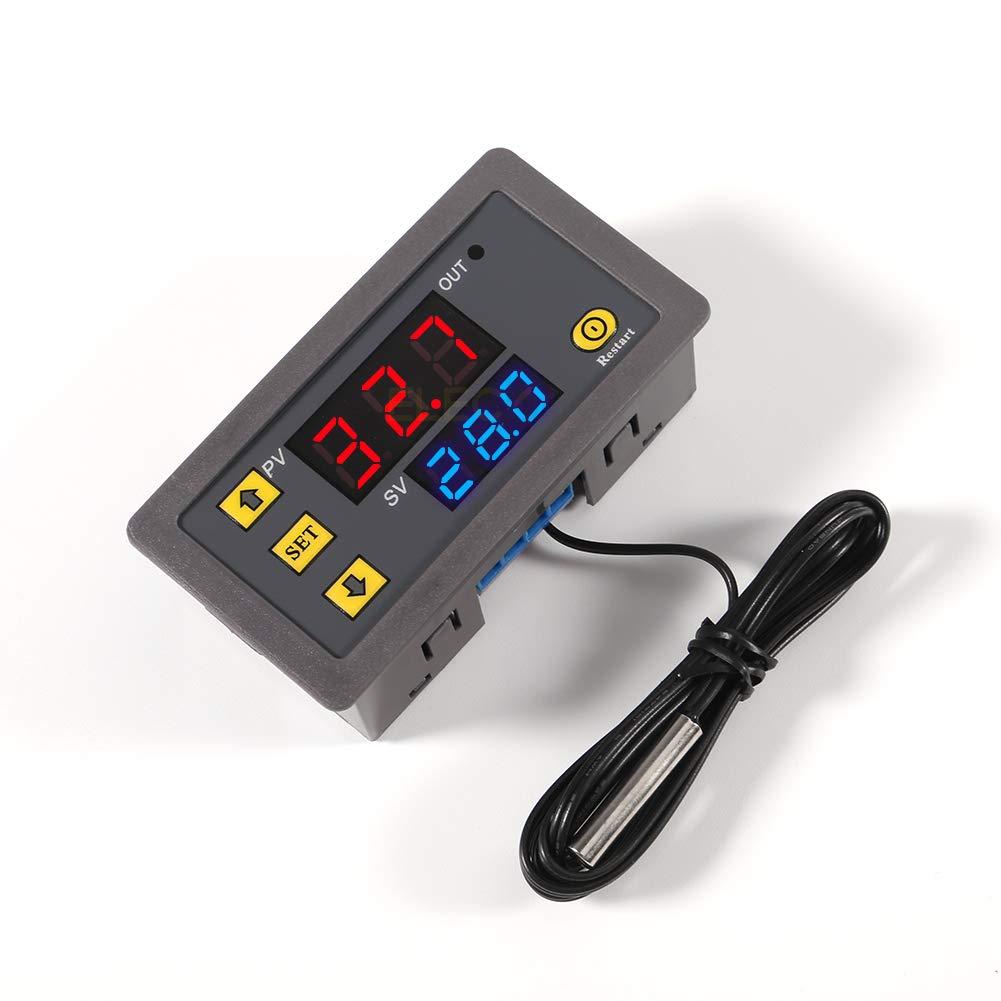
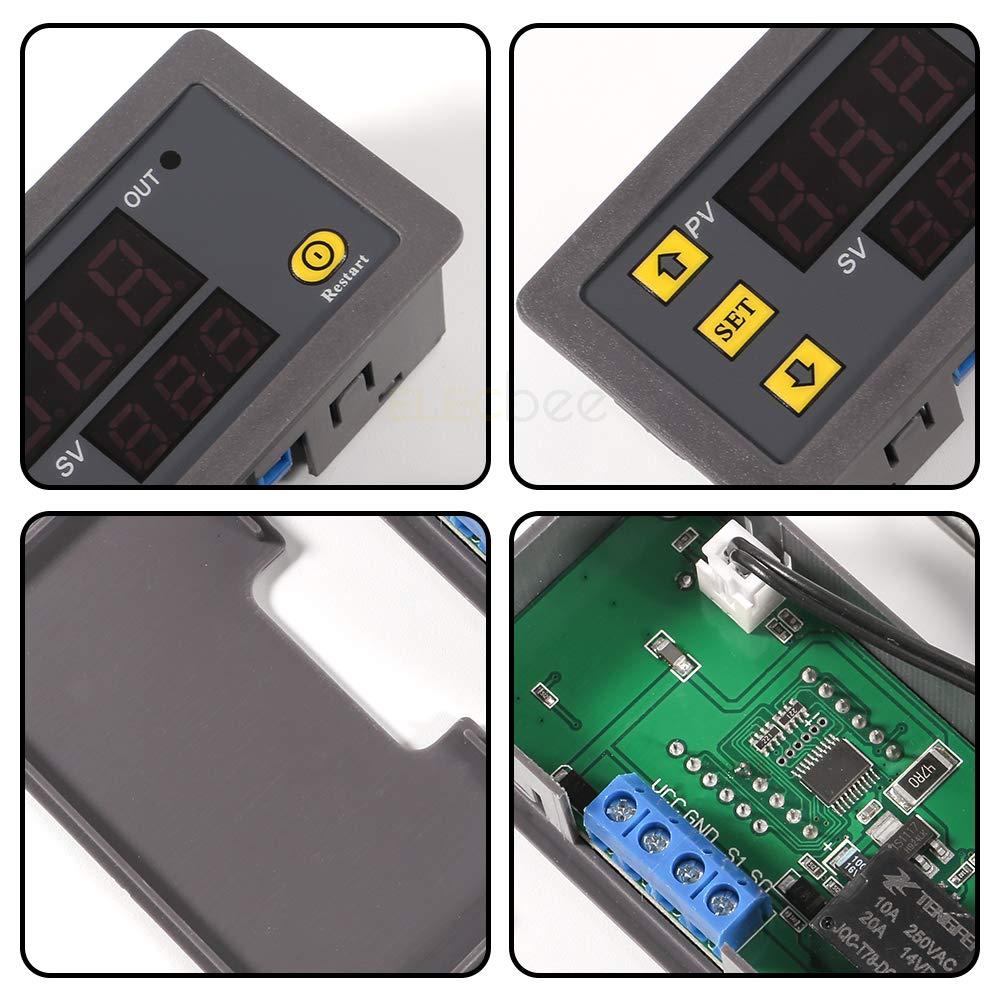
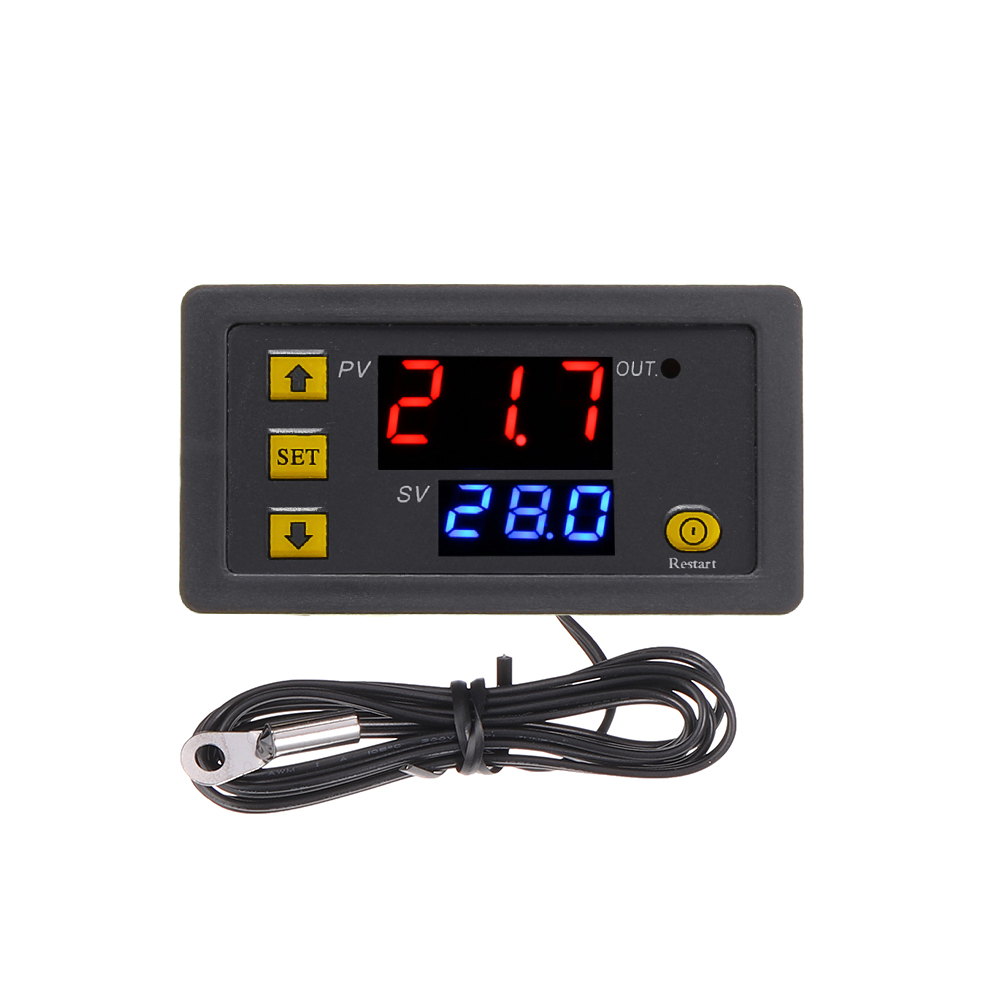
After connecting the power supply and equipment, you can power the controller. At this time, the measured temperature is displayed. Press the SET key once and the temperature on the display will flash. Press +- to set the desired temperature (press and hold +- to quickly increase or decrease the temperature). After completion, press SET to confirm and return. At this time, the controller automatically switches on and off the relay according to the setting. The output of the thermostat is a 20A relay, which can meet various high-power loads. After connecting the control circuit, it can power the thermostat. The display shows the ambient temperature.
description
1:Flashing:cooling/heating start, solid light:closed
2:LL is displayed, the sensor is open circuit.HH is displayed, forcefully disconnect the relay when it exceeds the measurement range; displayedis---, it indicates a high temperature alarm
3:Press and hold SET for 5 seconds to enter the main menu, press +- to switch P0-6, Press and hold SET or 10 seconds will automatically confirm and return
Specification:
Temperature Control Range:-55°-120°
Power Supply:12V DC/24V DC/110V-220V AC
Resolution Ratio: 0.1°C(-9.9-99.9); 1°C(other range)
Measurement accuracy: ±0.1°C
Control accuracy: 0.1°C
Sensor: NTC10K Waterproof sensor ;wire: 1 meter
Output: Relay Contact Capacity 10A 220V / 20A 12V / 20A 24V
Environmental requirements: -10-60°C , humidity 20%-85%RH
Dimension:79mm *43mm*26mm
Cutting Size:73mm*39mm
Features:
Wide temperature measuring range. Heating or cooling control.
Heating or cooling control.
With clear LED display for better readability.
All parameters setting can be saved after short circuit.
Relay output.
High Control precision 0.1 centigrade
PO cooling and heating mode:
Press and hold SET for 5 seconds to display P0. Press SET once to set the working mode. Press +- to switch [H is heating mode] [c is cooling mode]. Press SET once to return. Press and hold SET or there is no button action for 10 seconds. The controller automatically confirms completion.
In cooling mode: when the temperature measurement value ≥ temperature set point, the refrigeration relay is closed and the refrigerator starts; when the temperature measurement value ≤ temperature set point - hysteresis, the refrigeration relay is disconnected and the refrigerator is turned off.
In heating mode: when the temperature measurement value ≤ temperature set point, the heating relay is closed and the heater starts; when the temperature measurement value ≥ temperature set point + hysteresis, the heating relay is disconnected and the heater is turned off.
P1 hysteresis setting:
Press and hold SET for 5 seconds to display P0, press +- to switch to P1, press SET once to set the hysteresis value, press +1 to set the hysteresis to 0.1-15, press SET once to return after completion, long press SET or there is no key action for 10 seconds The controller automatically confirms completion.
In cooling mode: when the temperature measurement value ≥ the set value, the relay is closed and the refrigerator starts; when the temperature measurement value ≤ the set value - the return difference value, the relay is disconnected and the refrigerator is turned off.
For example, if the environment is 30°C, the setting value is 25°C, and the hysteresis is set to 2°C. After powering on, the relay closes and the refrigerator starts. When the cooling reaches 23°C, the relay opens and the refrigerator closes. At this time, the refrigerator has been disconnected. The opening temperature begins to rise. When it rises to the set value of 25°C, the relay closes and the refrigerator starts again.
Move, repeat this cycle to control the temperature not to be higher than 25°C.
In heating mode: when the temperature measurement value ≤ set value, the relay is closed and the heater starts; when the temperature measurement value ≥ set value + hysteresis value, the relay is disconnected and the heater is turned off.
For example, the environment is 10°C and the setting value is 25°C, and the hysteresis is set to 2°C. After powering on, the relay is closed and the
The heater starts. When heated to 27°C, the relay is disconnected and the heater is turned off. At this time, the heater has
After disconnection, the temperature begins to drop. When it drops to the set value of 25°C, the relay closes and the heater starts again.
Move, repeat this cycle to control the temperature not lower than 25℃.
P2 maximum temperature setting upper limit:
In order to avoid the danger of excessively high set temperature caused by misoperation by others, this thermostat has a maximum setting upper limit function, which limits the setting range of the maximum temperature set point controlled by the thermostat. Press and hold SET for 5 seconds to display P0, press +- to switch to P2, press SET once to set the maximum limit, press +1 to set the highest settable temperature, the maximum value is 110, press SET once to return after completion, press and hold SET or 10 seconds The controller automatically confirms completion without pressing a button.
For example: if the temperature set point is set to 60, it can only be set to a maximum of 60°C. If you want the temperature set point to be higher and the temperature range to be expanded, you need to adjust the upper limit setting value first.
P3 lowest temperature setting lower limit
In order to avoid misoperation by others causing ice blockage due to low temperature, this thermostat has a minimum setting upper and lower limit function, which limits the setting range of the minimum temperature set point controlled by the thermostat. Press and hold SET for 5 seconds to display P0, press +- to switch to P3, press SET once to set the minimum lower limit, press +1 to set the lowest settable temperature, the lowest value is -50, press SET once to return after completion, press and hold SET or 10 The controller automatically confirms the completion of the action without pressing a button for seconds.
For example: if the temperature set point is set to 2, it can only be set to a minimum of 2°C. If you want the temperature set point to be lower,
To expand the temperature range, you need to adjust the lower limit setting first.
P4 temperature correction
When the measured temperature deviates from the standard temperature or the user's hardware has special needs, you can use this function to correct. The corrected temperature = the temperature before correction + the corrected value. The valid range is -7.0~7.0. Press and hold SET for 5 seconds to display P0, press +- to switch to P4, press SET once to correct, press +- to set the correction value, press SET once to return after completion, long press SET or no button action for 10 seconds, the controller will automatically confirm completion.
For example, the normal display is 25 degrees; when the temperature correction is 0, it displays 25 degrees; when the temperature correction is 1.5, it displays
26.5 degrees; when the temperature is corrected to -1.5, it displays 23.5.
P4 temperature correction
When the measured temperature deviates from the standard temperature or the user's hardware has special needs, you can use this function to correct. The corrected temperature = the temperature before correction + the corrected value. The valid range is -7.0~7.0. Press and hold SET for 5 seconds to display P0, press +- to switch to P4, press SET once to correct, press +- to set the correction value, press SET once to return after completion, long press SET or no button action for 10 seconds, the controller will automatically confirm completion.
For example, the normal display is 25 degrees; when the temperature correction is 0, it displays 25 degrees; when the temperature correction is 1.5, it displays
26.5 degrees; when the temperature is corrected to -1.5, it displays 23.5.
P5 delayed start time (unit: minutes)
When there is a need to delay the operation of the refrigerator or heater, the delay function can be turned on to protect the life of the equipment.
Press and hold SET for 5 seconds to display PO, press +- to switch to P5, press SET once to set the delay start time unit is minutes, press +- to set 0-10 minutes, press SET once to return after completion, press and hold SET or 10 seconds without The key action controller automatically confirms completion
In cooling mode: When the power is turned on for the first time, if the current temperature ≥ the set value, the refrigerator will not start cooling immediately and needs to run for the set delay time.
In heating mode: When the power is turned on for the first time, if the current temperature ≤ the set value, the heater will not start heating immediately and needs to run for the set delay time before starting.
When the downtime between two consecutive starts of the refrigerator or heater is greater than the delay start time setting value, the refrigerator will start immediately.
When the shutdown interval between two consecutive starts of the refrigerator or heater is less than the delay start time setting value, the equipment can only be started after the set delay start time of the refrigerator has been run. The delay time is calculated from the moment of shutdown.
For example, in the cooling state, set the delay to 5 minutes. After the power is turned on, the refrigerator will start with a delay. After 5 minutes, the refrigerator will be turned on. When the required temperature is reached, the refrigerator will stop. At this time, the timer will start. When the next time the refrigerator start time is completed, it will immediately start. Work, if the timing is not completed, it will not work until the timing is over. The LED indicator light flashes during the delay.
When the delay start is set to 0, it is equivalent to turning off the delay function.
P6 restore factory settings
Due to some human reasons, the internal settings of the thermostat are confused, and it is time-consuming to set them one by one. In this case, you can use this function to restore the factory settings.
The specific method is: in the off state, press and hold the + and - buttons at the same time, and then turn on the phone. All the above parameters will be restored to factory settings.

Shipping | Delivery Period | For in-stock parts, orders are estimated to ship out in 3 days. Elecbee ships orders once a day at about 5pm except Sunday. Once shipped, estimated delivery time depends on the below carriers you chose. DHL Express: 3-7 business days DHLeCommerce: 12-22 business days FedEx International Priority: 3-7 business days EMS: 10-15 business days Registered Air Mail: 15-30 business days | |
| Shipping Rates | Shipping rates for your order can be found in the shopping cart. | ||
| Shipping Options | Shipping rates for your order can be found in the shopping cart. | ||
| Shipping Tracking | We will notify you by email with tracking number once order is shipped. You can track your order using the “Track My Order” feature. | ||
| Returning/Warranty | Returning | Returns are normally accepted when completed within 30 days from date of shipment, please contact customer service for a return authorization. Parts should be unused and in original packaging. Customer has to take charge for the shipping | |
| Warranty | All Elecbee purchases come with a 30-day money-back return policy, plus 1-year Elecbee warranty against any manufacturing defects. | ||
| This warranty shall not apply to any item where defects have been caused by improper customer assembly failure by customer to follow instructions, product modification, negligent or improper operation | |||
| Ordering | How to Buy | Elecbee accepts online orders. | |
| Add to cart > Check out > Submit order > Complete payment > Delivery | |||
| Payment | PayPal, Credit Card includes Visa, Master, American Express, Bank transfer. | ||