

Search for products...

 0
0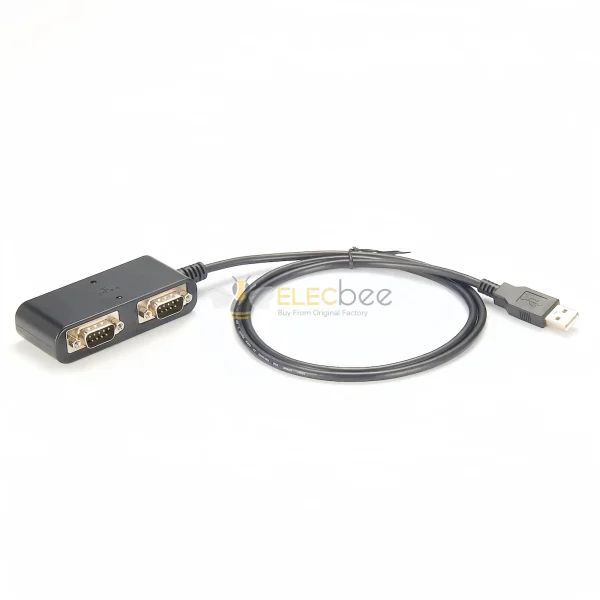
PCM-KW-200 DUAL-PORT CONVERTER: Converts one computer USB-A connection into two DB9 male serial ports for compatible RS422 and RS485 equipment, allowing two industrial serial devices to be connected through one USB interface.
FT232RL AND MAX485 DESIGN: Uses an FE1.1S USB hub controller with FT232RL USB-to-serial and MAX485 differential-transceiver components. Operating-system drivers may be required before the serial ports are available.
RS422 AND RS485 COMMUNICATION: Designed for compatible differential serial equipment used in PLC control, industrial automation, instrumentation, access control and data-acquisition systems. Communication distance depends on baud rate, cable quality, topology and electrical noise.
DUAL DB9 MALE PORTS WITH LEDS: Two DB9 male connectors feature #4-40 front-positioned locking hardware. Green and red LEDs provide visual operating-status indication for installation and troubleshooting.
1M SHIELDED INDUSTRIAL CABLE: Features a 1000 ±20mm UL2725 cable with a 4.5mm black PVC jacket, aluminum and drain-wire shielding, molded USB-A plug and RoHS-compliant construction. Confirm the RS422/RS485 DB9 pinout before connection.
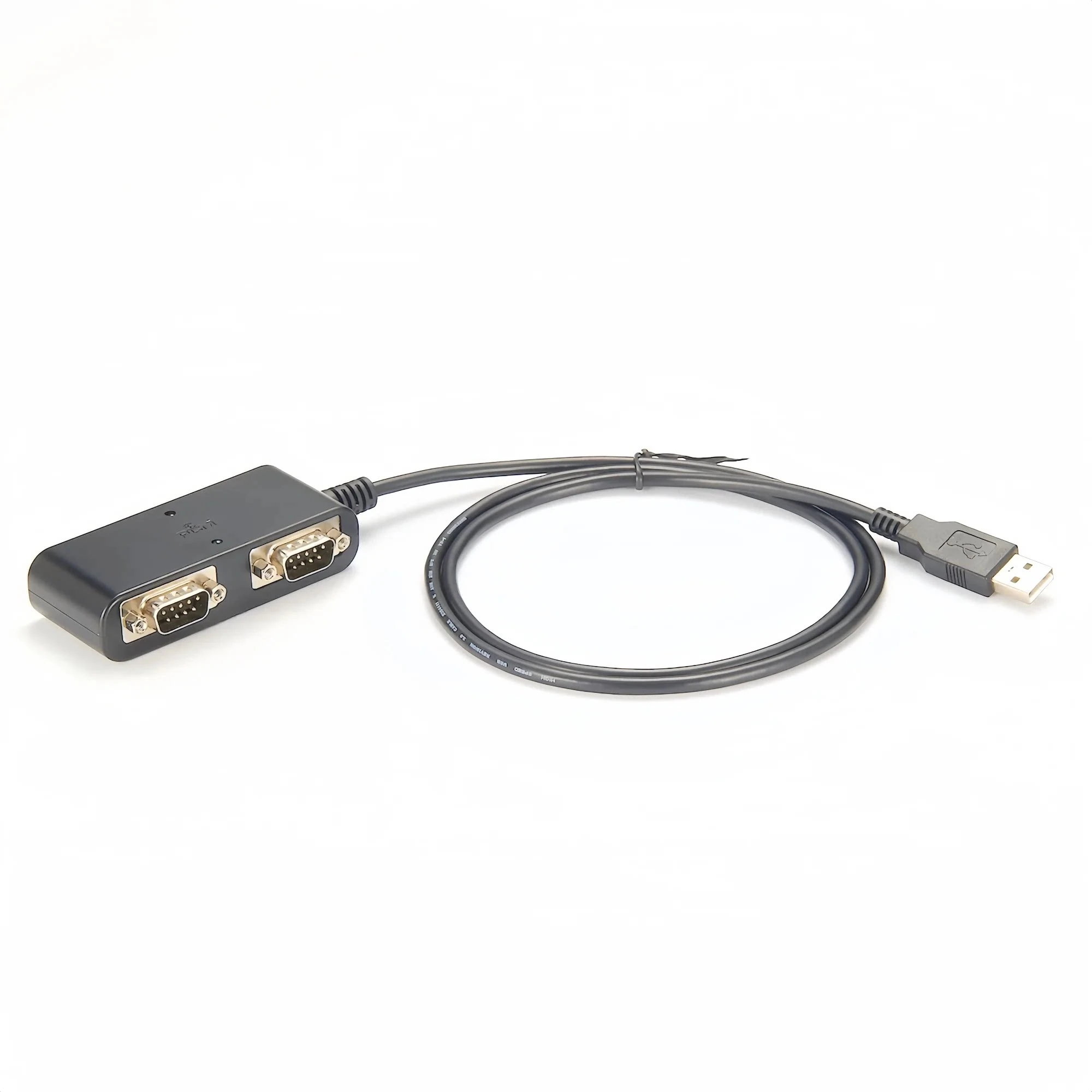
The Elecbee PCM-KW-200 USB to RS422/RS485 converter adds two DB9 male industrial serial ports to a compatible computer through one USB-A connection. It is designed for connecting up to two compatible RS422 or RS485 devices in automation, instrumentation and equipment-control systems.
The converter incorporates an FE1.1S USB hub controller, FT232RL USB-to-serial components and MAX485 differential transceivers. Green and red LEDs provide visual operating-status indication.
Brand: Elecbee
Model: PCM-KW-200
Product Type: Dual-port USB to RS422/RS485 serial converter
Computer Interface: USB-A male
Serial Interfaces: 2 × DB9 male
Supported Serial Standards: RS422 and RS485
PCB Model: KA-876 REV1.0
Listed Chipset: FE1.1S, FT232RL and MAX485
Cable Length: 1000 ±20mm
Cable Type: UL2725
Cable Outside Diameter: 4.5mm
Cable Jacket: Black PVC
Status Indicators: Green and red LEDs
DB9 Fasteners: Front-positioned #4-40 movable nuts
Environmental Standard: RoHS
Open and Short-Circuit Test: 100% tested
Insulation Resistance: At least 5MΩ
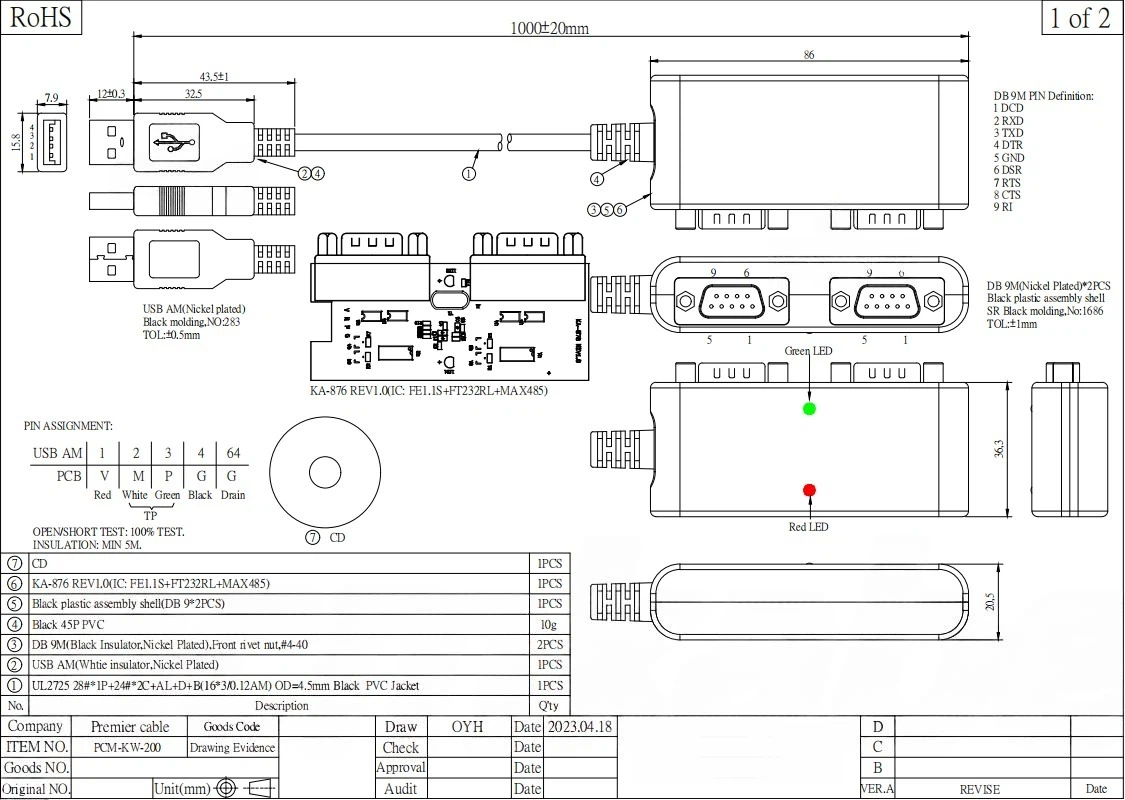
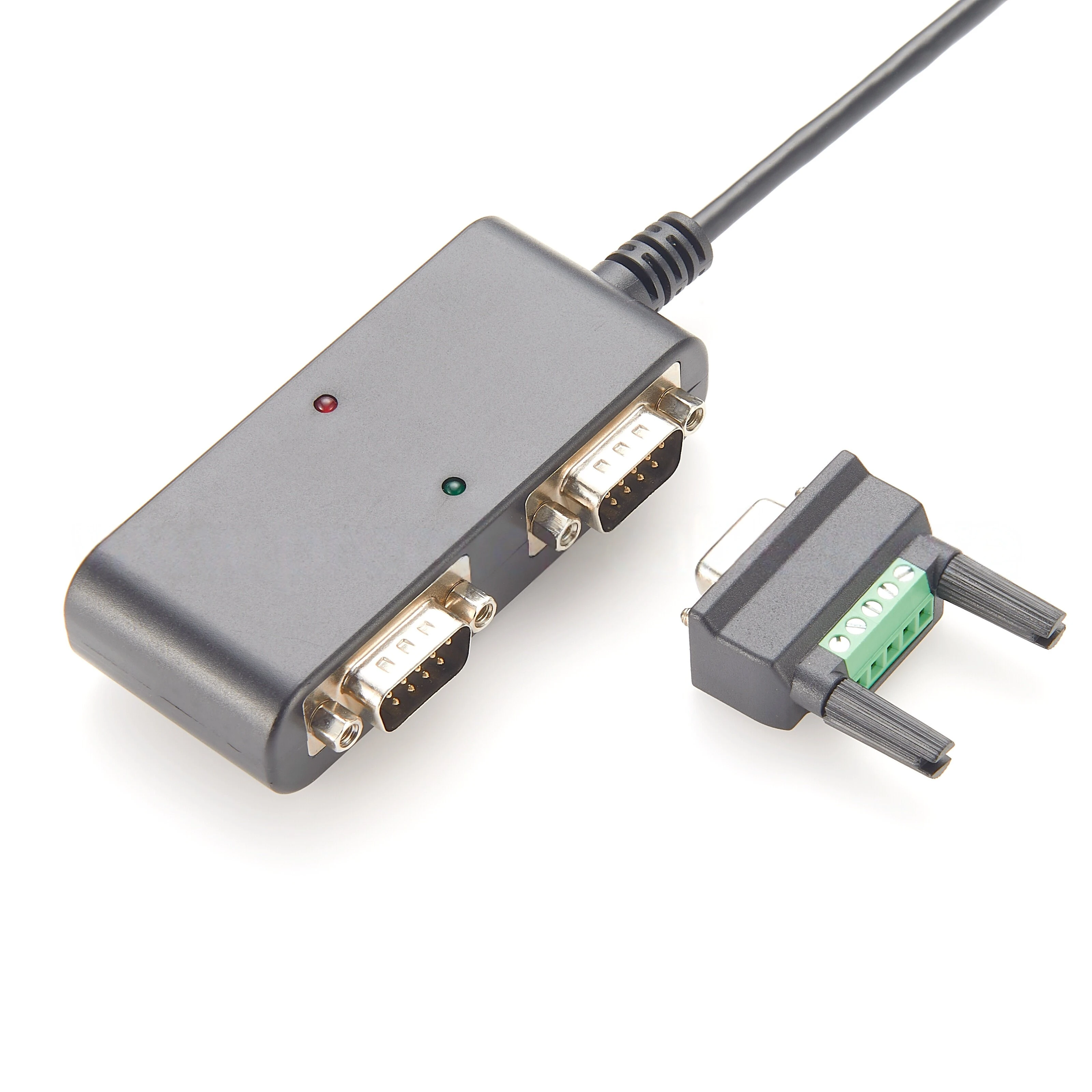
The two DB9 male outputs allow two compatible industrial serial devices to be connected through a single USB port. Each serial device must use a compatible RS422 or RS485 electrical interface and matching signal assignment.
RS422 commonly uses separate differential transmit and receive pairs for full-duplex communication. RS485 installations may use either two-wire half-duplex or four-wire communication, depending on the connected equipment and converter configuration.
Port Configuration: Confirm whether the supplied converter exposes two independent virtual COM ports and configure each port according to the requirements of the connected equipment.
The FE1.1S functions as the internal USB hub controller. FT232RL devices handle USB-to-serial conversion, while MAX485 transceivers provide compatible differential serial signaling.
A compatible FTDI virtual COM port driver may be required. Install the appropriate driver for the host operating system before connecting industrial equipment, then confirm that the expected serial ports appear in the system device manager.
Communication software must be configured with the correct baud rate, data bits, parity and stop bits required by the connected RS422 or RS485 device.
DB9 is the physical connector format and does not define one universal RS422 or RS485 pin assignment. Industrial equipment manufacturers may assign A, B, TX+, TX−, RX+, RX− and ground to different DB9 pins.
The provided engineering table uses labels such as DCD, RXD, TXD, DTR, RTS and CTS, which are normally associated with an RS232 DB9 interface. Do not use that table as an RS422/RS485 wiring guide unless it has been verified specifically for the supplied PCM-KW-200.
Before Connection: Confirm the actual differential-signal pinout from the supplied wiring diagram or by testing the converter. Incorrect wiring may prevent communication or damage connected equipment.
USB Connector: USB-A male with white insulator and nickel-plated shell
DB9 Connectors: Two male connectors with black insulators and nickel-plated shells
USB Overmold: Black No. 283 material specification
Converter Housing: Black assembled plastic housing, No. 1686
Injection Material: Black 45P PVC
Cable: UL2725 with 4.5mm outside diameter
Outer Jacket: Black PVC
Shield/Drain Connection: Ground/drain conductor
The shielded cable structure helps reduce susceptibility to electrical interference. Actual communication reliability and achievable distance still depend on cable routing, grounding, termination, baud rate and the surrounding electrical environment.
The PCM-KW-200 can be integrated with compatible PLC control systems, industrial automation equipment, instruments, access-control systems and serial data-acquisition devices.
It is intended for RS422 and RS485 equipment. It should not be described as a standard USB-to-RS232 adapter merely because it uses DB9 connectors.
Step 1: Install the required USB serial driver on the host computer.
Step 2: Connect the PCM-KW-200 to the computer and confirm that the required serial ports are detected.
Step 3: Verify the DB9 differential-signal pinout for both the converter and connected equipment.
Step 4: Connect the RS422 or RS485 device while all equipment is powered off.
Step 5: Configure the communication parameters and test at a low baud rate before beginning normal operation.
Compatibility Notice: Confirm protocol, pin assignment, duplex mode, termination, grounding and driver availability before purchase or installation.
Shipping | Delivery Period | Elecbee ships orders once a day at about 5pm except Sunday. Once shipped, estimated delivery time depends on the below carriers you chose. Express: 3-7 days. Standard Post: 7-20 days. | |
| Shipping Rates | Shipping rates for your order can be found in the shopping cart. | ||
| Shipping Options | We offer express and standard delivery services. | ||
| Shipping Tracking | We will notify you by email with tracking number once order is shipped. You can track your order using the “Track My Order” feature. | ||
| Returning/Warranty | Returning | Returns are normally accepted when completed within 30 days from date of shipment, please contact customer service for a return authorization. Parts should be unused and in original packaging. Customer has to take charge for the shipping | |
| Warranty | All Elecbee purchases come with a 30-day money-back return policy, plus 1-year Elecbee warranty against any manufacturing defects. | ||
| This warranty shall not apply to any item where defects have been caused by improper customer assembly failure by customer to follow instructions, product modification, negligent or improper operation | |||
| Ordering | How to Buy | Elecbee accepts online orders. | |
| Add to cart > Check out > Submit order > Complete payment > Delivery | |||
| Payment | PayPal, Credit Card includes Visa, Master, American Express, Bank transfer. | ||
