Search for products...
 Login
Login$USD
 0Login0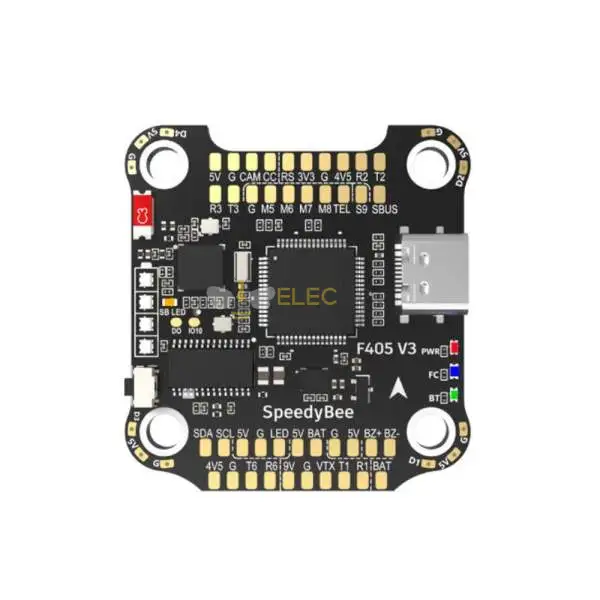
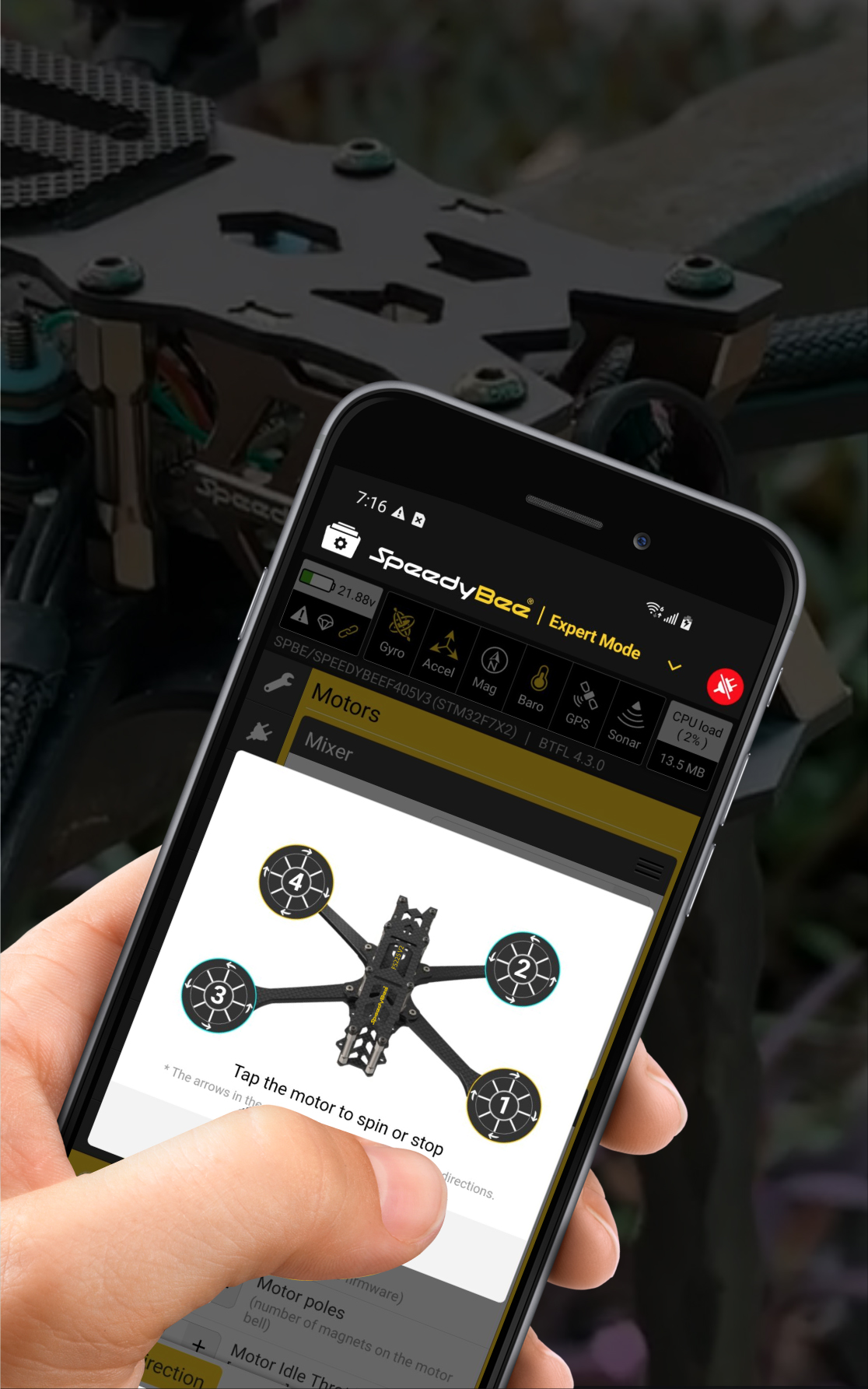
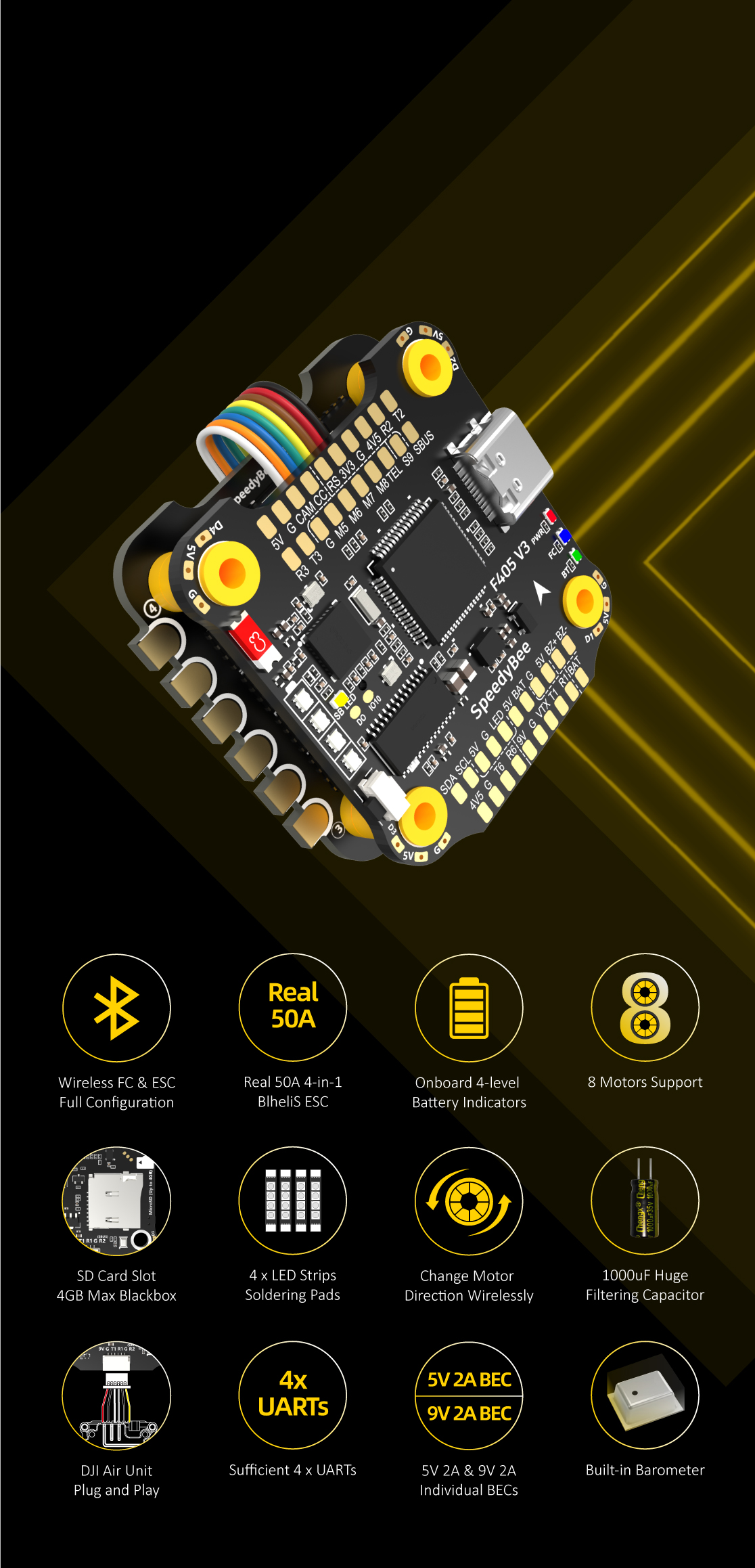
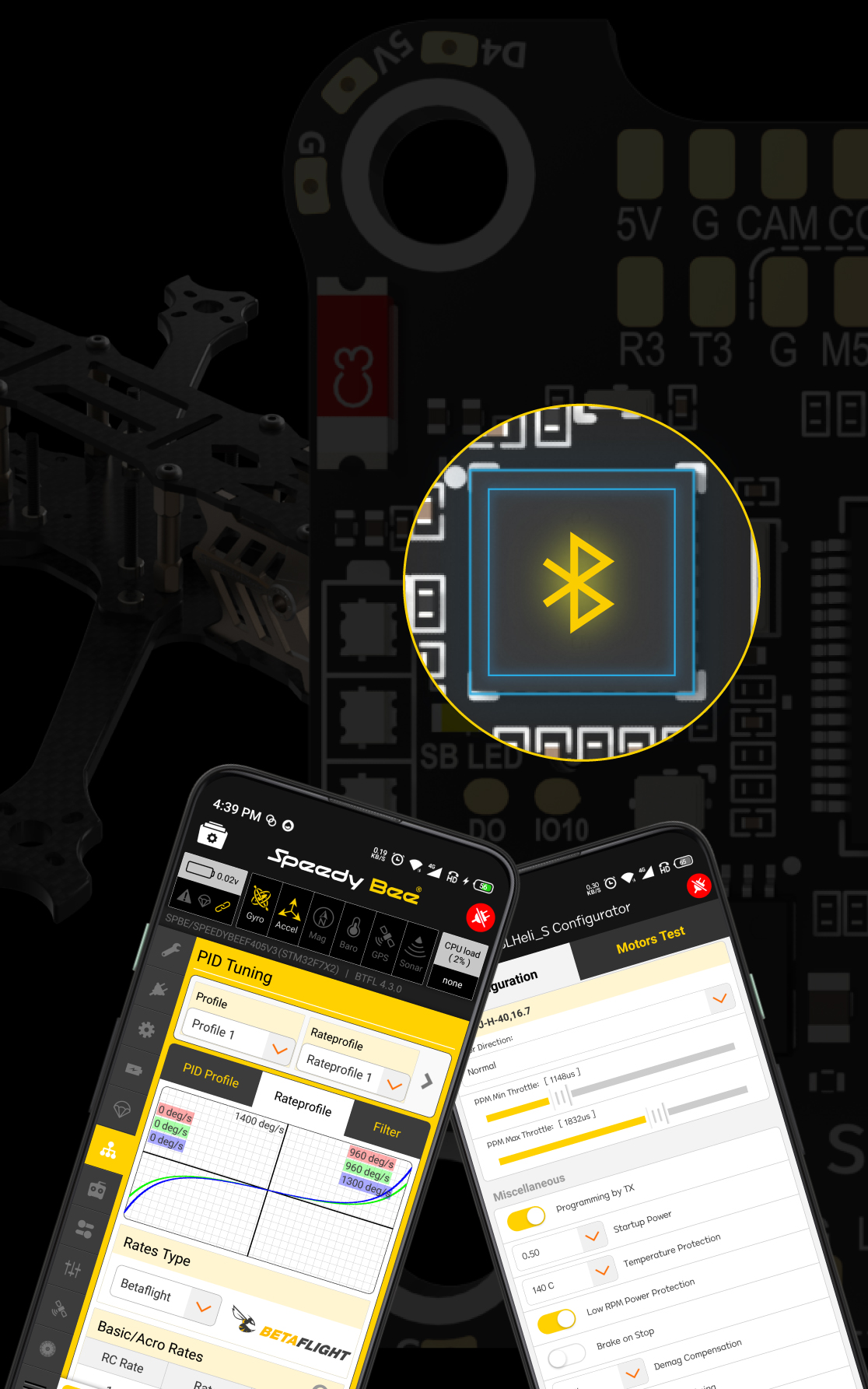
Wireless Tuning Convenience: Built-in Bluetooth allows for seamless parameter configuration via the SpeedyBee App, eliminating the need for cables in the field.
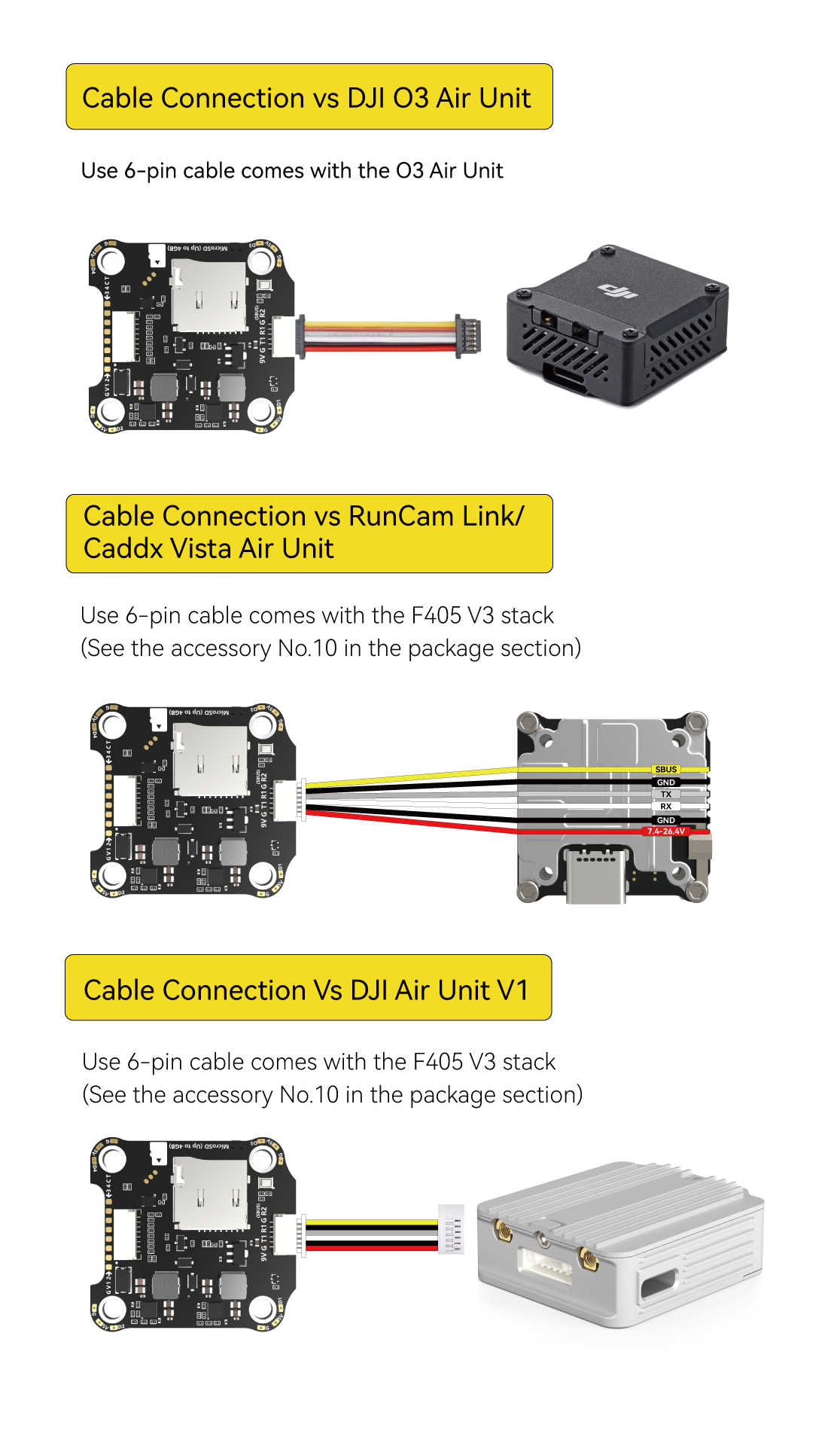
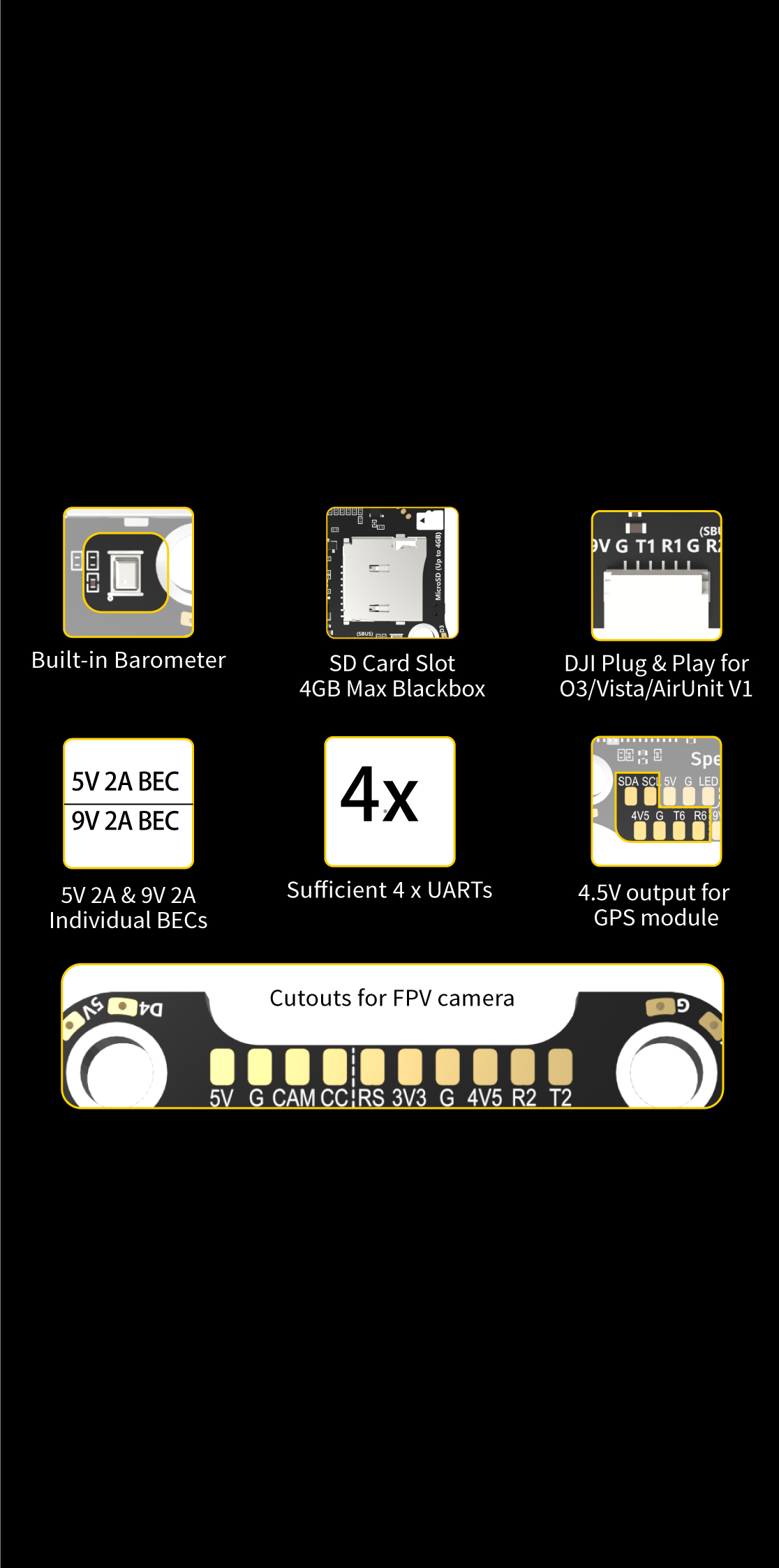
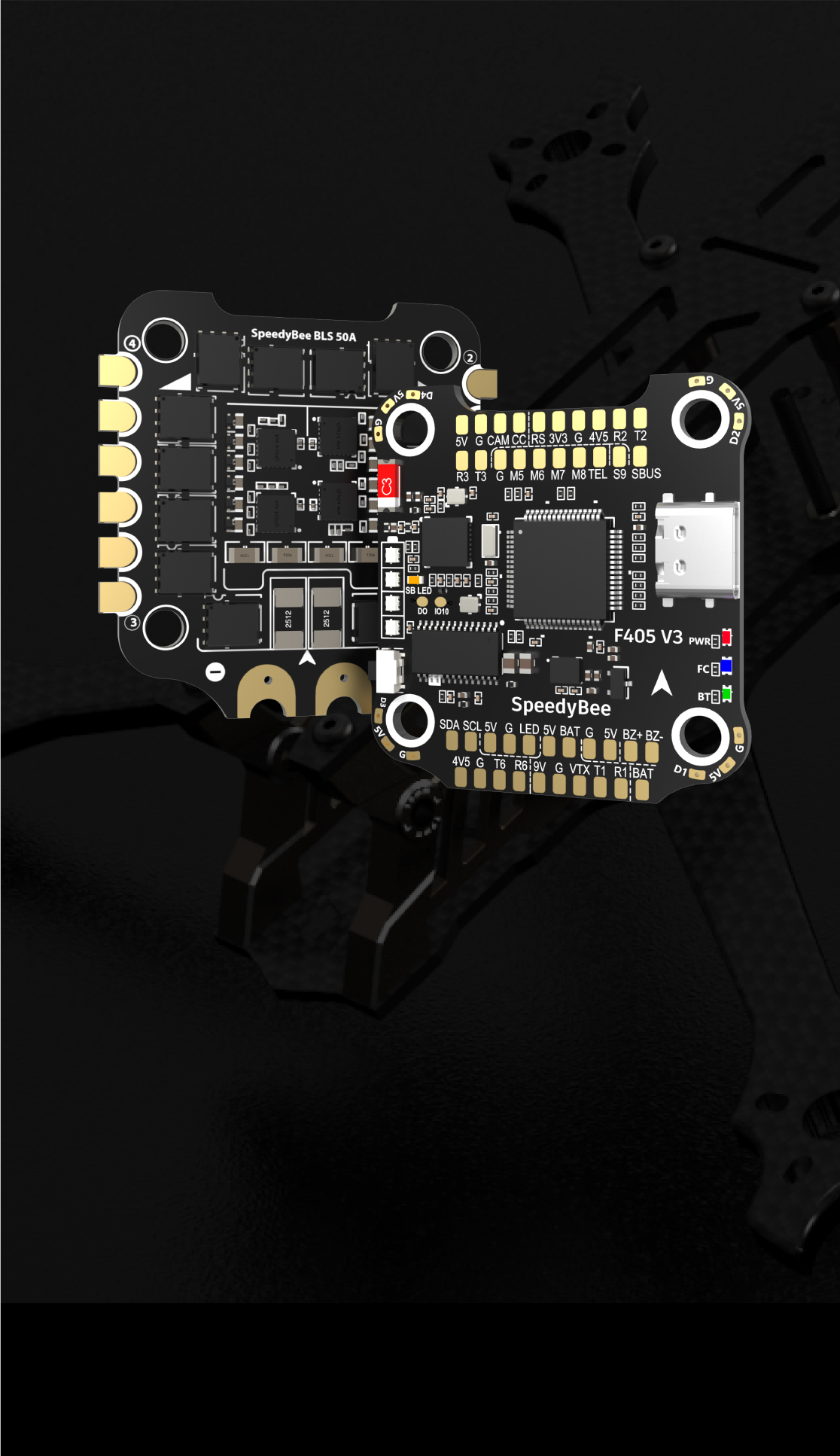
Plug-and-Play DJI Integration: Features a dedicated 6-pin connector for DJI O3, RunCam Link, and Caddx Vista for instant setup without soldering.
Superior Power Management: Supports 3-6S LiPo input with 9 groups of 5V, 9V, 3.3V, and 4.5V outputs to power all your peripherals safely.
Comprehensive Data Logging: Includes a dedicated MicroSD card slot for Blackbox logging (up to 4GB recognized) to analyze and refine your flight performance.
Versatile Expandability: Equipped with 6 full UARTs, I2C support for magnetometers, and a built-in barometer for advanced GPS and long-range builds.
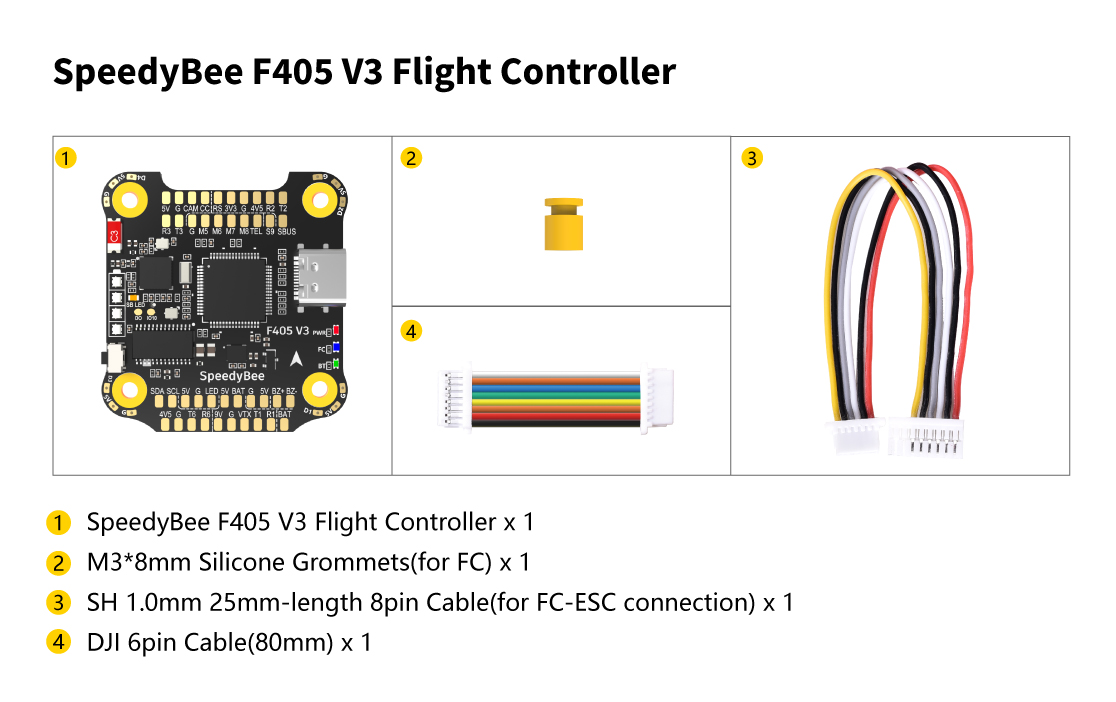
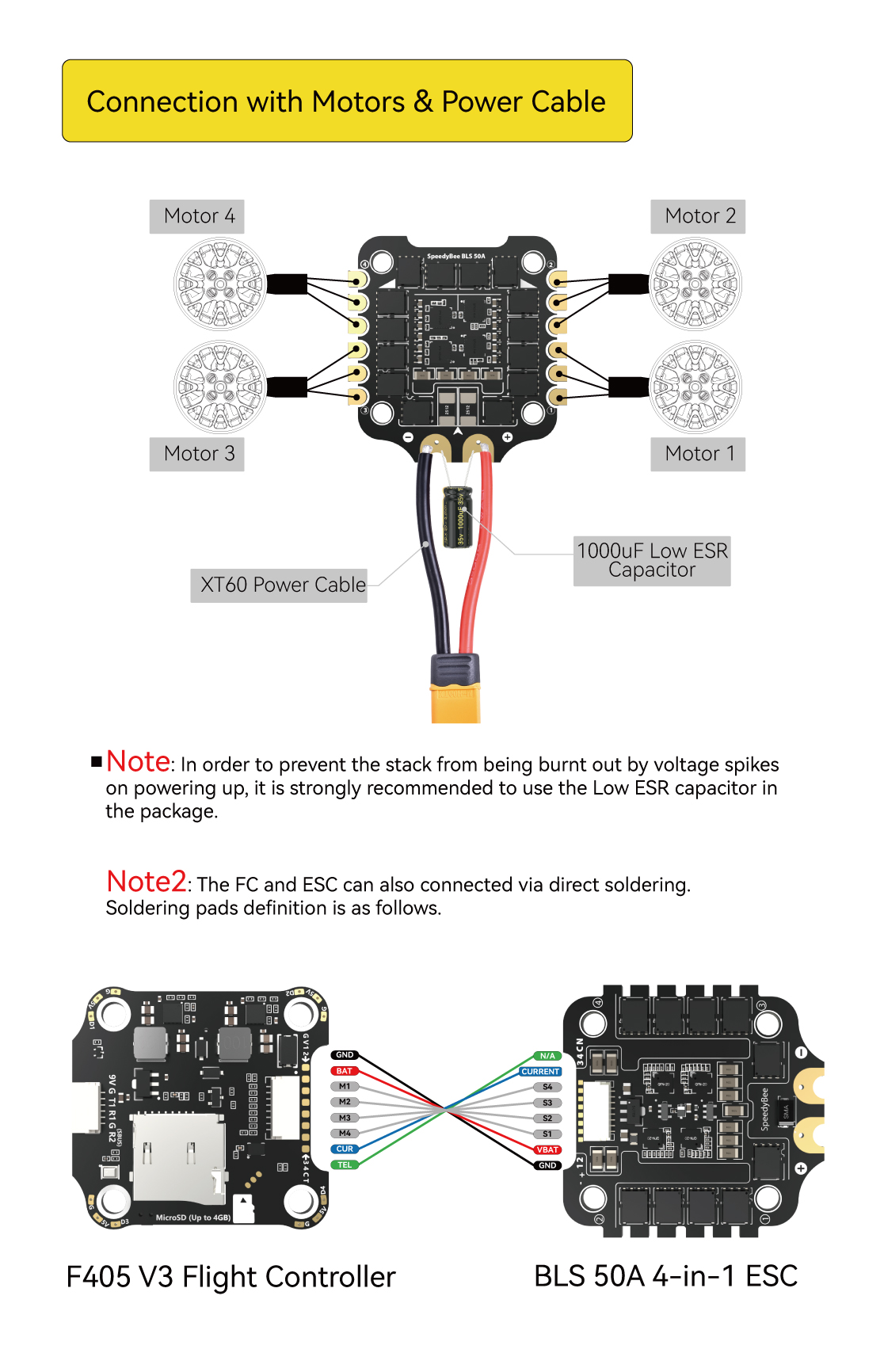
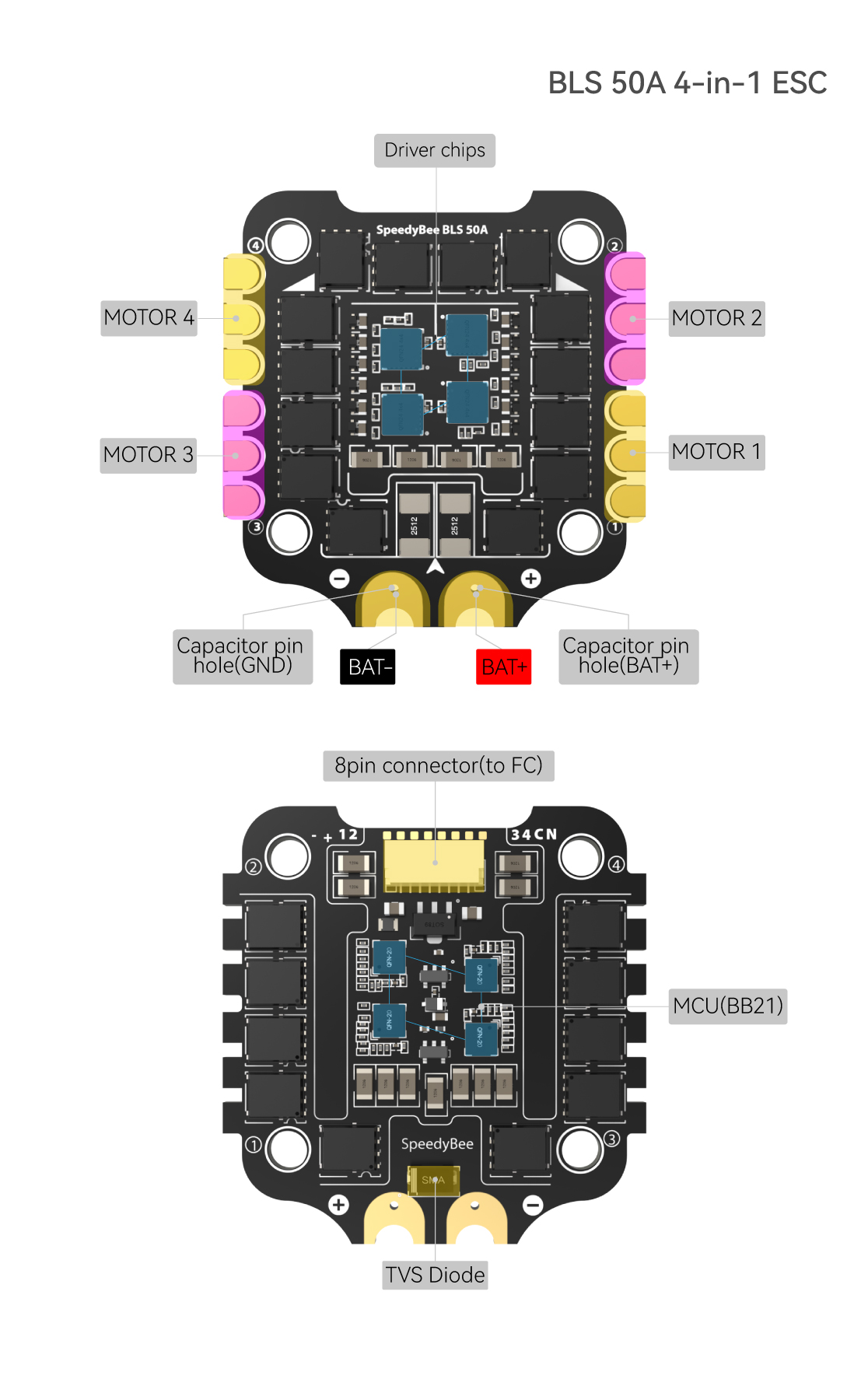
 Specifications
| Product Name | SpeedyBee F405 V3 30x30 Flight Controller |
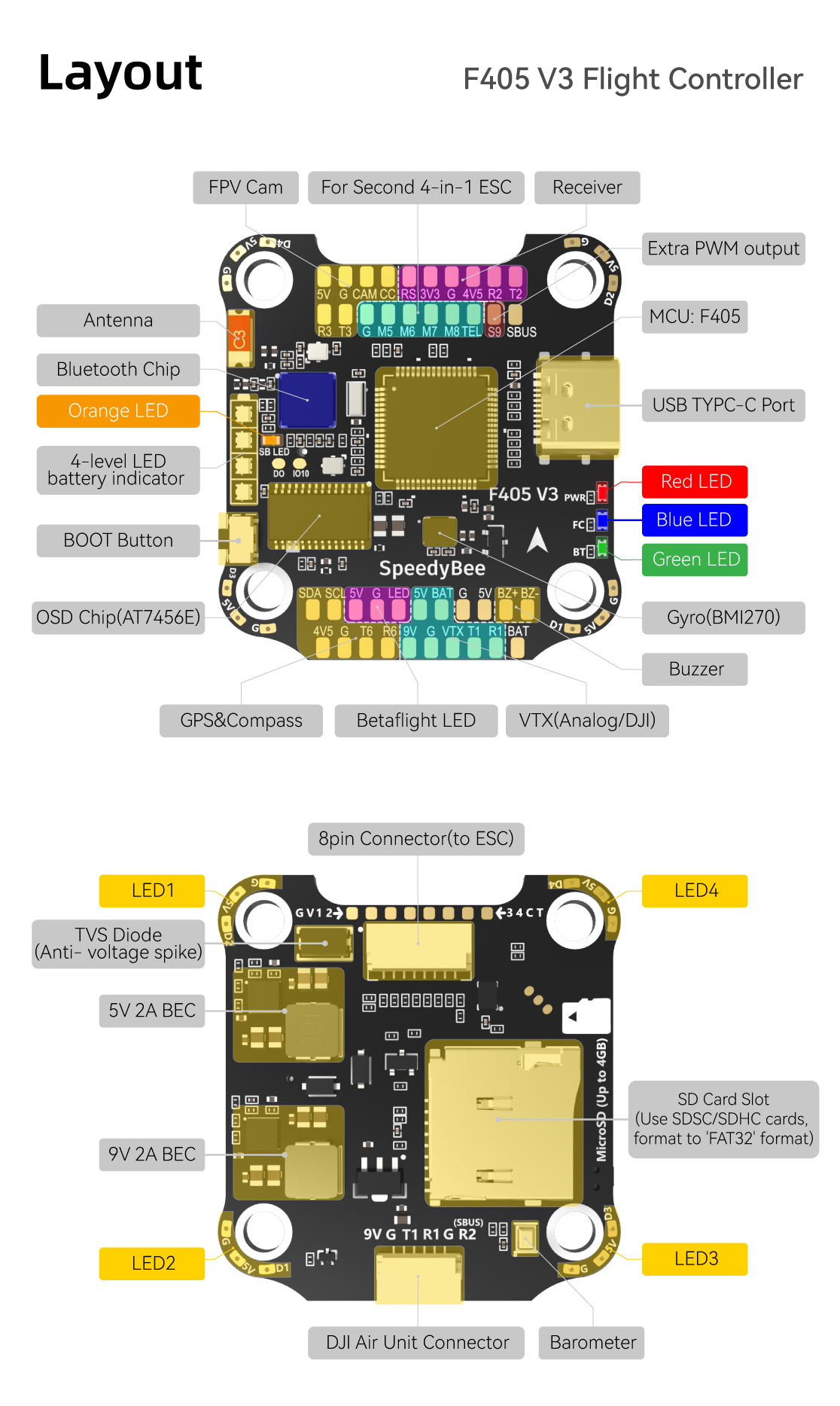
| MCU | STM32F405 |
| IMU(Gyro) | BMI270 |
| USB Port Type | Type-C |
| Barometer | Built-in |
| OSD Chip | AT7456E chip |
| BLE Bluetooth | Supported. Used to connect with the SpeedyBee App for flight controller and ESC parameter configuration. Please make sure the MSP switch on UART 4 is turned on and set to a baud rate of 115200, otherwise Bluetooth functionality will not be available . |
| WIFI | Not supported |
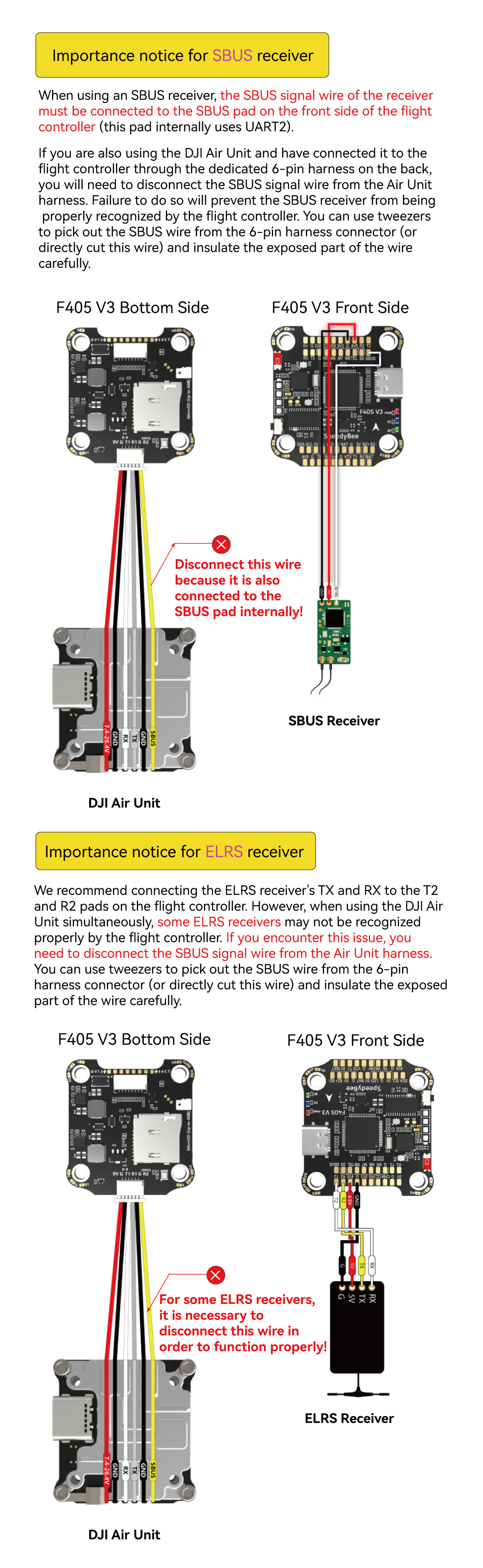
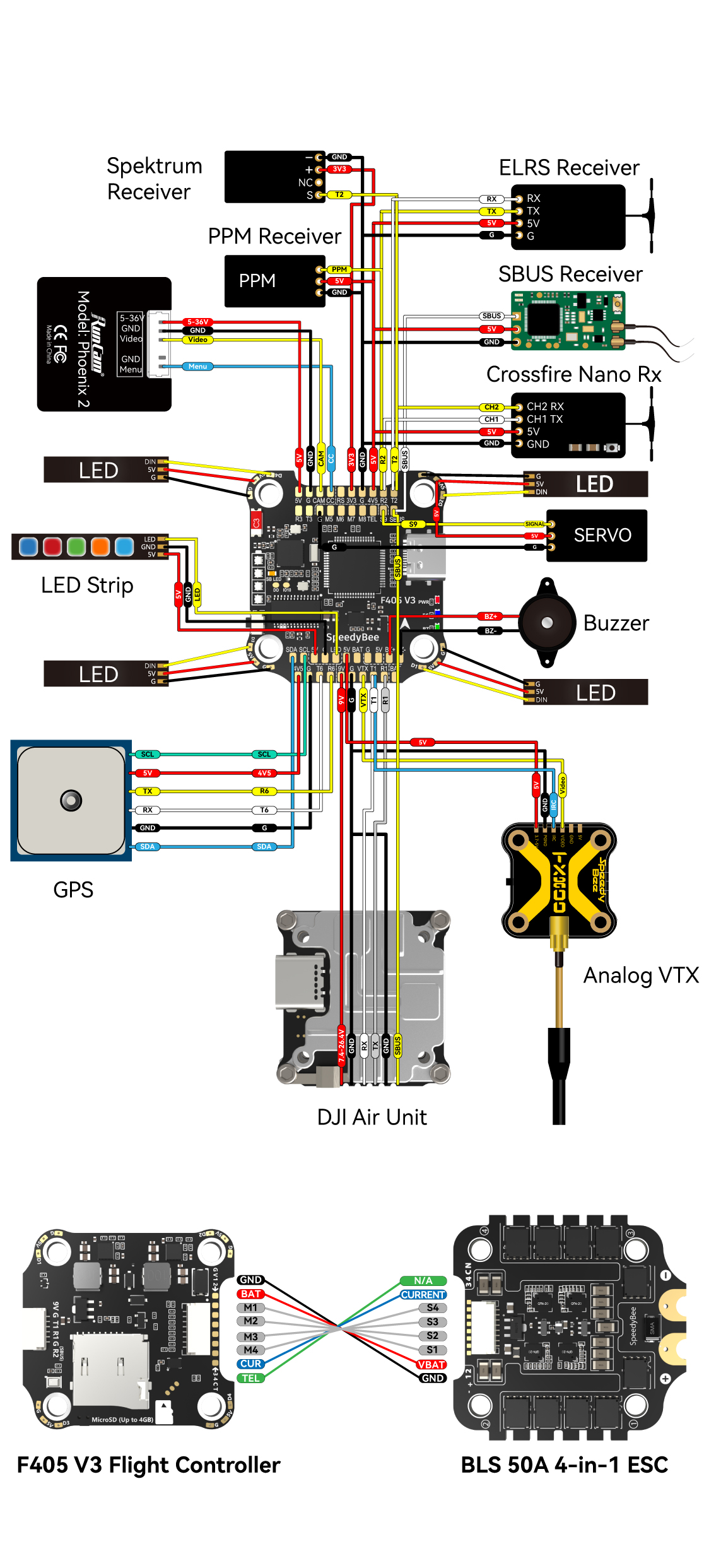
| DJI Air Unit Connection Way | Two ways supported: 6-pin connector or direct soldering. |
| 6-pin DJI Air Unit Plug | Supported. Completely compatible with DJI O3/RunCam Link/Caddx Vista/DJI Air Unit V1, no wire is needed to be changed. |
| Blackbox MicroSD Card Slot | *Betaflight firmware requires the type of the microSD card to be either Standard (SDSC) or High capacity (SDHC), so extended capacity cards (SDXC) are not supported(Many high-speed U3 cards are SDXC). Also the card MUST be formatted with the FAT16 or FAT32 (recommended) filesystems. So, you could use any SD card less than 32GB, but the Betaflight can only recognize 4GB maximum. We suggest you use this 3rd party formatting tool and choose 'Overwrite format' then format your card. Also check out here for the recommended SD cards or buy the tested cards from our store. |
| BetaFlight Camera Control Pad | Yes(CC pad on the front side) |
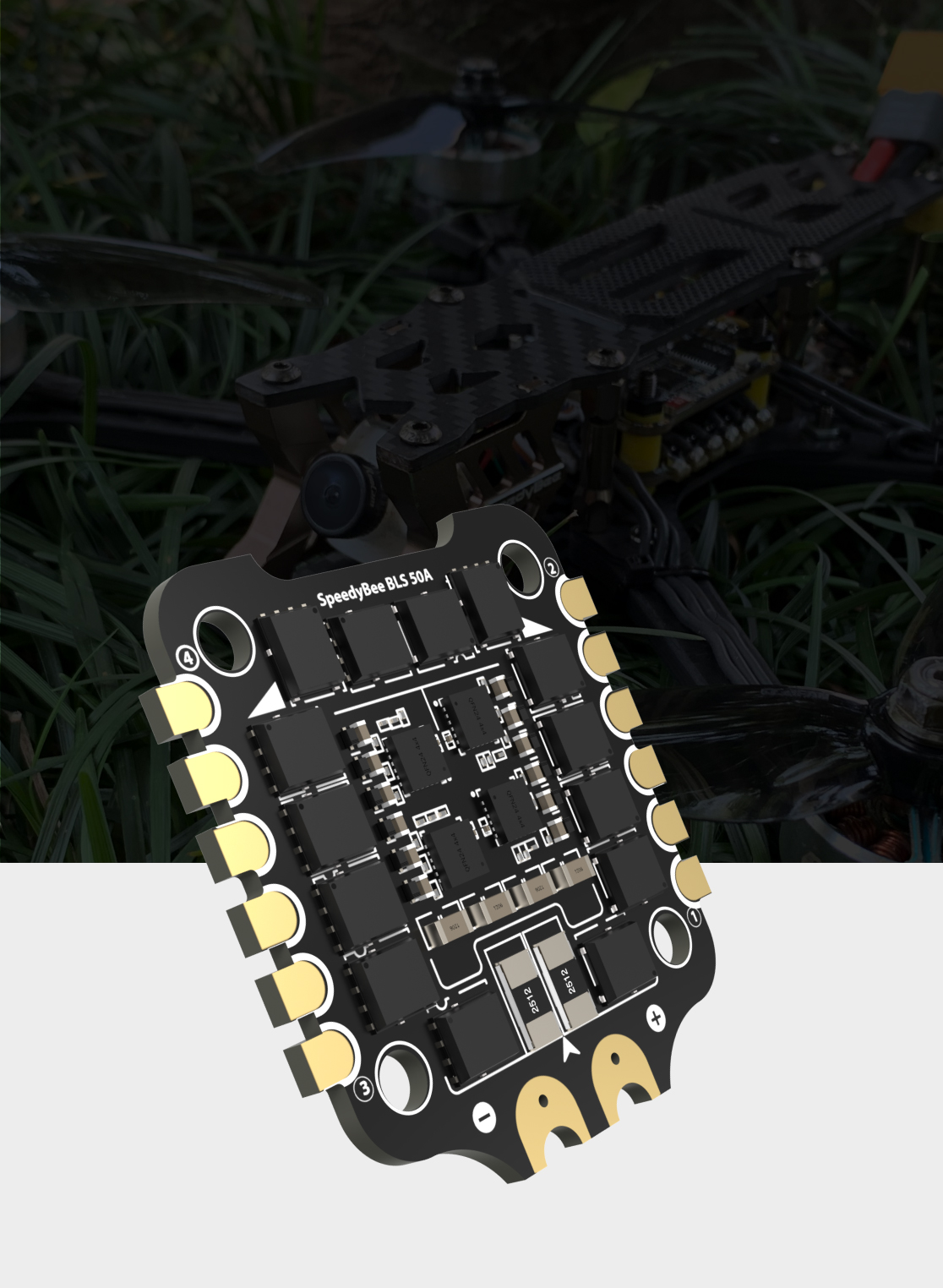
| Current Sensor Input | Supported. For SpeedyBee BLS 50A ESC, please set scale = 386 and Offset = 0. |
| Power Input | 3-6S LiPo. The flight controller is powered through the G, V wires of the 8pin cable or G, V pads from the bottom side of the flight controller. |
| 5V Output | 9 groups of 5V output, four +5V pads and 1 BZ+ pad( used for Buzzer) on front side, and 4x LED 5V pads. The total current load is 2A. |
| 9V Output | 2 groups of 9V output, one +9V pad on front side and other included in a connector on bottom side. The total current load is 2A. |
| 3.3V Output | Supported. Designed for 3.3V-input receivers. Up to 500mA current load. |
| 4.5V Output | Supported. Designed for receiver and GPS module even when the FC is powered through the USB port. Up to 1A current load. |
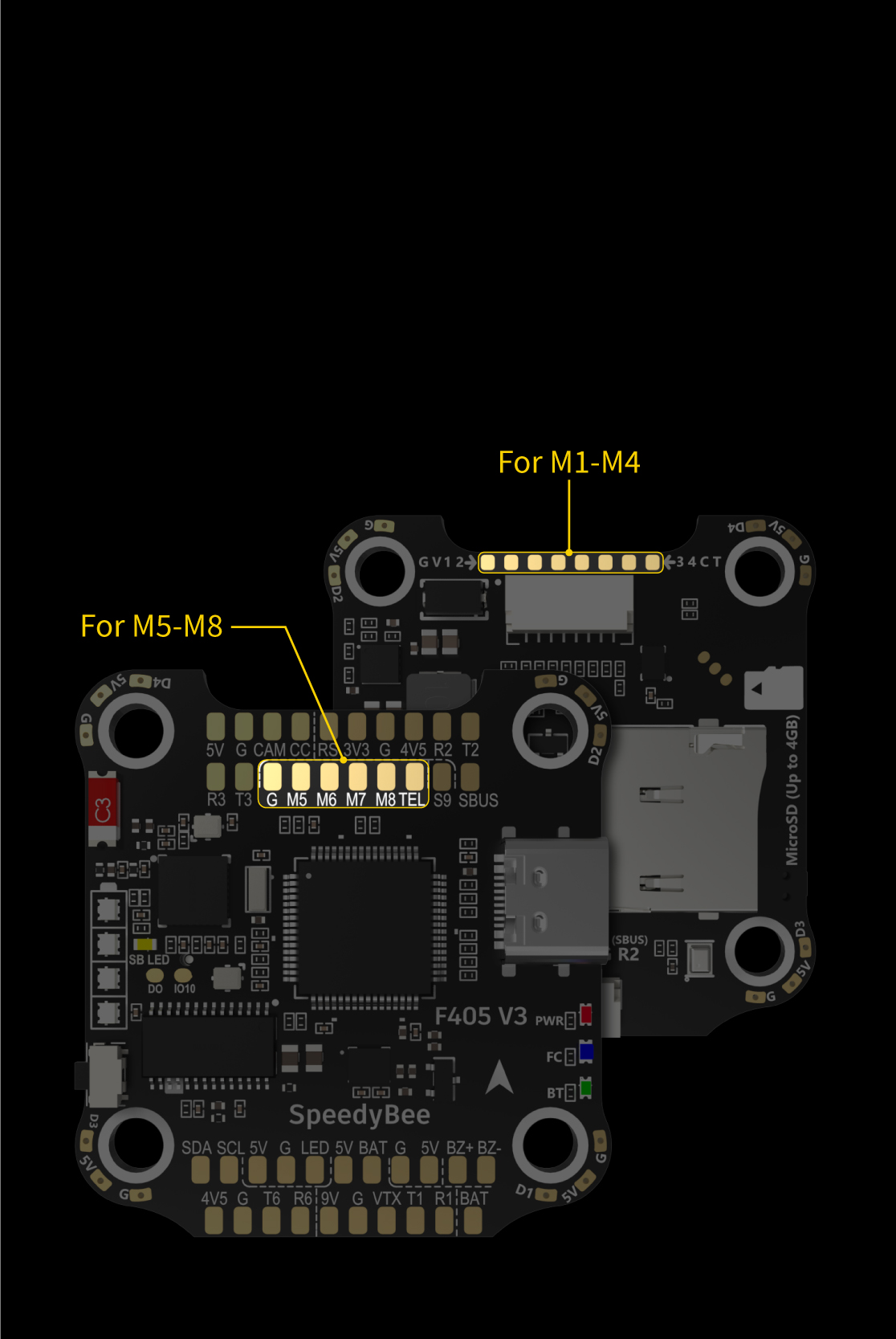
| ESC Signal | M1 - M4 on bottom side and M5-M8 on front side. |
| UART | 6 sets(UART1, UART2, UART3, UART4(Dedicated for Bluetooth connection), UART5(Dedicated for ESC telemetry),UART6 |
| ESC Telemetry | UART R5(UART5) |
| I2C | Supported. SDA & SCL pads on front side. Used for magnetometer, sonar, etc. |
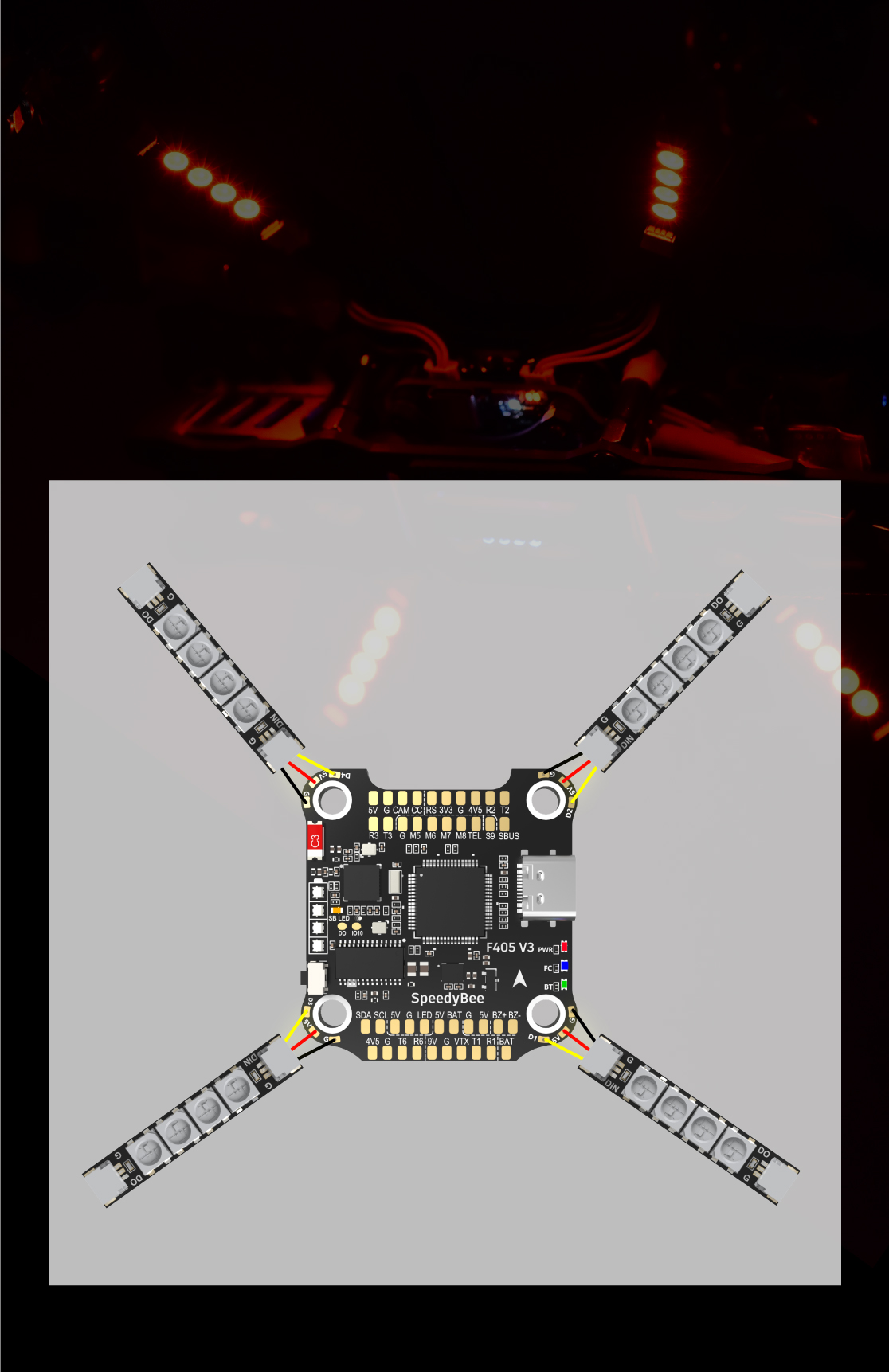
| Traditional Betaflight LED Pad | Supported. 5V, G and LED pads on bottom of the front side. Used for WS2812 LED controlled by Betaflight firmware. |
| Buzzer | BZ+ and BZ- pad used for 5V Buzzer |
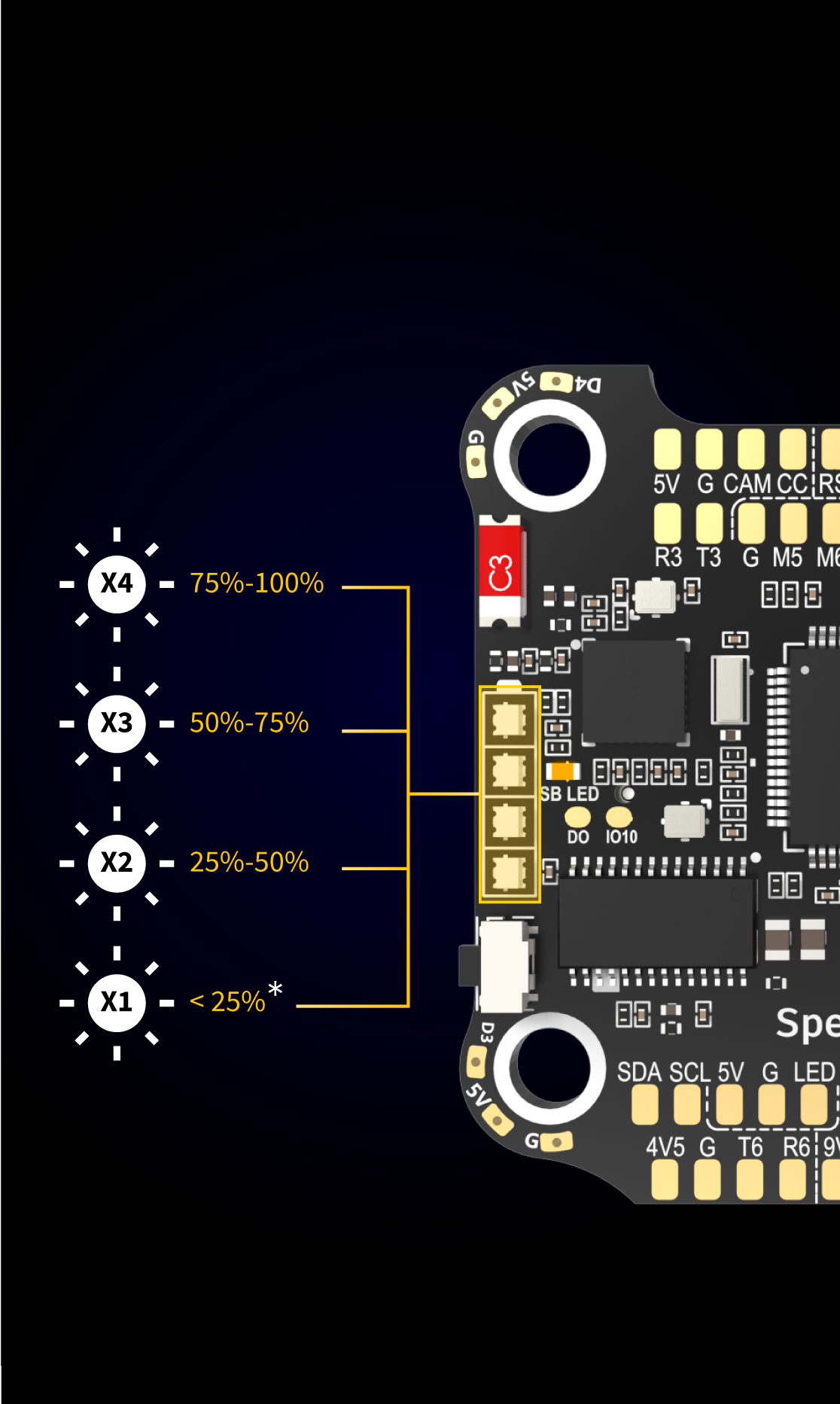
| BOOT Button | Supported. [A]. Press and hold BOOT button and power the FC on at the same time will force the FC to enter DFU mode, this is for firmware flashing when the FC gets bricked. [B]. When the FC is powered on and in standby mode, the BOOT button can be used to controller the LED strips connected to LED1-LED4 connectors on the bottom side. By default, short-press the BOOT button to cycle the LED displaying mode. Long-press the BOOT button to switch between SpeedyBee-LED mode and BF-LED mode. Under BF-LED mode, all the LED1-LED4 strips will be controlled by Betaflight firmware. |
| RSSI Input | Supported. Named as RS on the front side. |
| Smart Port / F.Port | Not supported |
| Supported Flight Controller Firmware | BetaFlight(Default) |
| Firmware Target Name | SPEEDYBEEF405V3 |
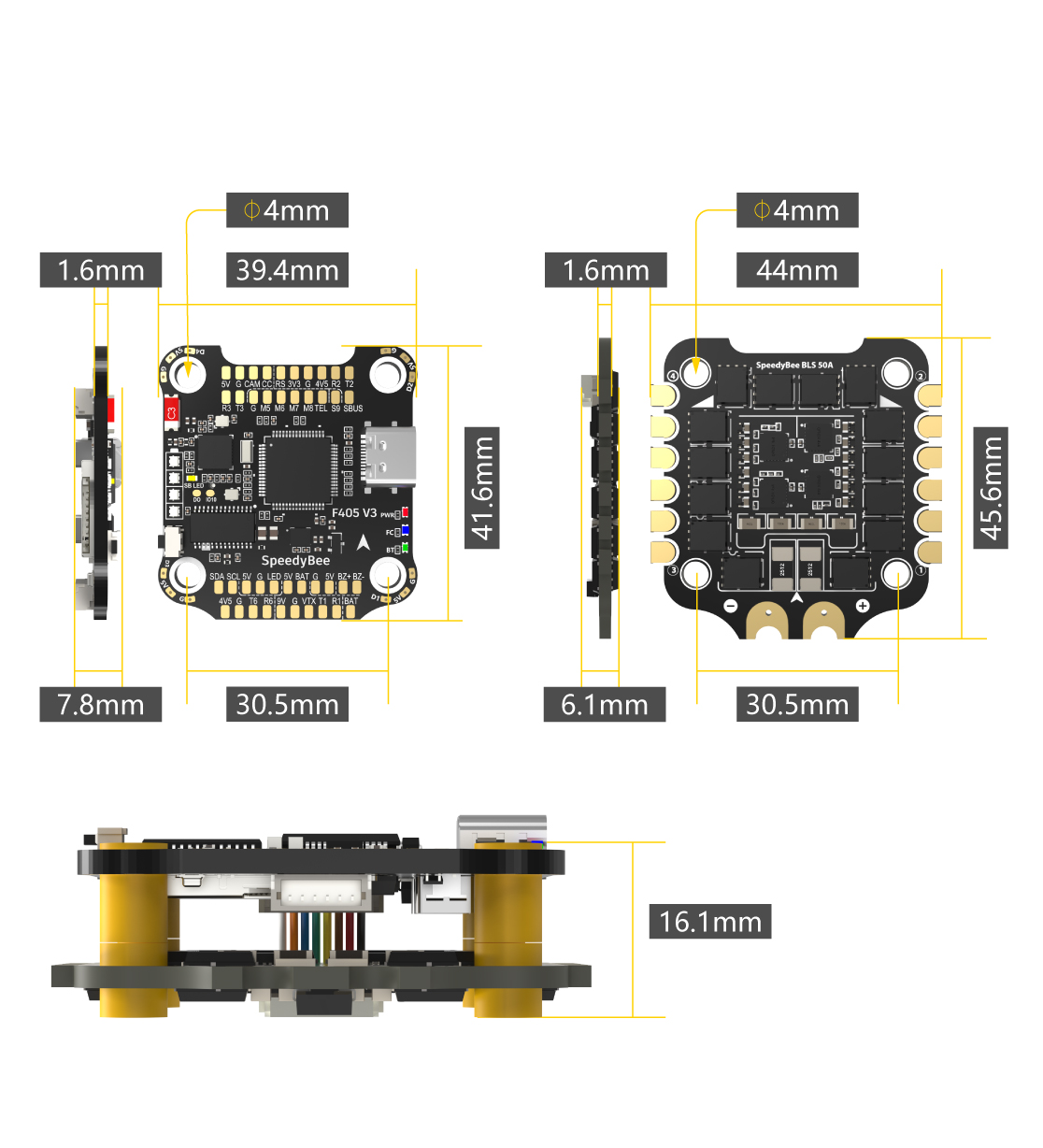
| Mounting | 30.5 x 30.5mm( 4mm hole diameter) |
| Dimension | 41.6(L) x 39.4(W) x 7.8(H)mm |
| Weight | 9.6g |
Shipping | Delivery Period | For in-stock parts, orders are estimated to ship out in 3 days. Elecbee ships orders once a day at about 5pm except Sunday. Once shipped, estimated delivery time depends on the below carriers you chose. DHL Express: 3-7 business days DHLeCommerce: 12-22 business days FedEx International Priority: 3-7 business days EMS: 10-15 business days Registered Air Mail: 15-30 business days | |
| Shipping Rates | Shipping rates for your order can be found in the shopping cart. | ||
| Shipping Options | Shipping rates for your order can be found in the shopping cart. | ||
| Shipping Tracking | We will notify you by email with tracking number once order is shipped. You can track your order using the “Track My Order” feature. | ||
| Returning/Warranty | Returning | Returns are normally accepted when completed within 30 days from date of shipment, please contact customer service for a return authorization. Parts should be unused and in original packaging. Customer has to take charge for the shipping | |
| Warranty | All Elecbee purchases come with a 30-day money-back return policy, plus 1-year Elecbee warranty against any manufacturing defects. | ||
| This warranty shall not apply to any item where defects have been caused by improper customer assembly failure by customer to follow instructions, product modification, negligent or improper operation | |||
| Ordering | How to Buy | Elecbee accepts online orders. | |
| Add to cart > Check out > Submit order > Complete payment > Delivery | |||
| Payment | PayPal, Credit Card includes Visa, Master, American Express, Bank transfer. | ||