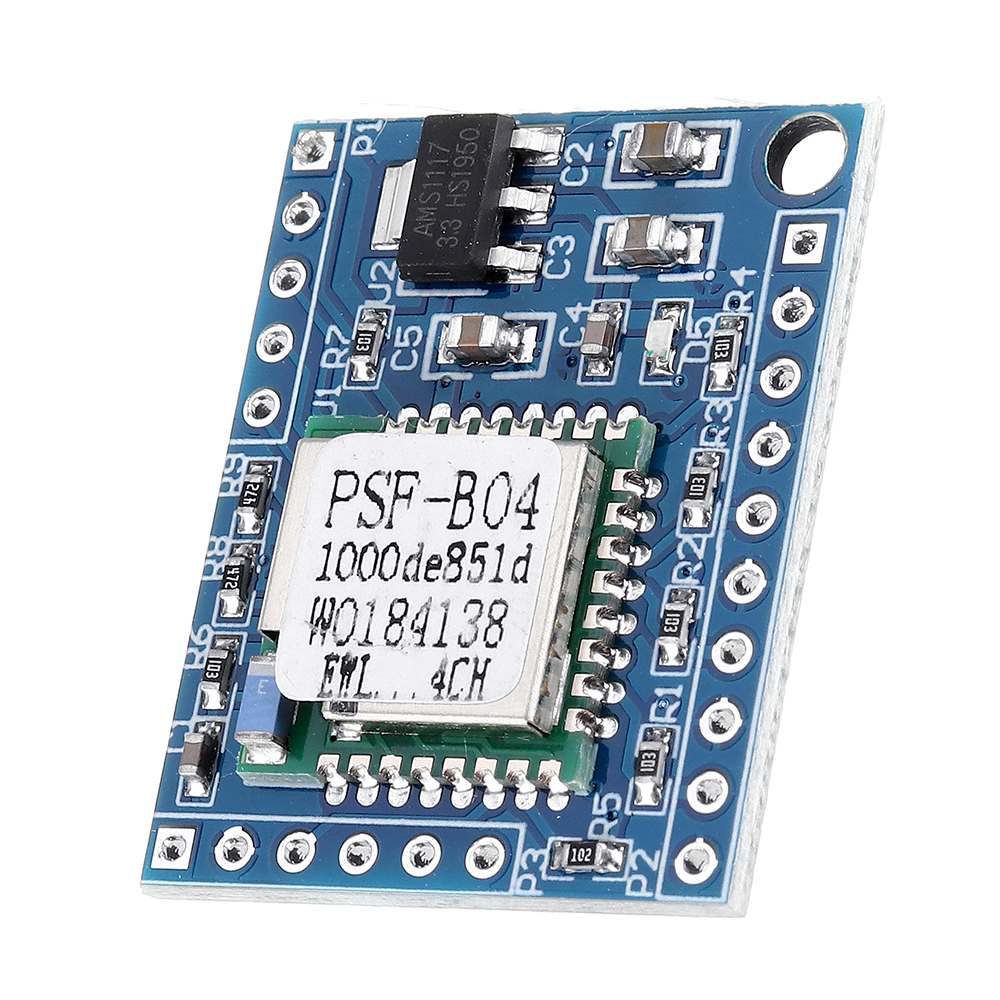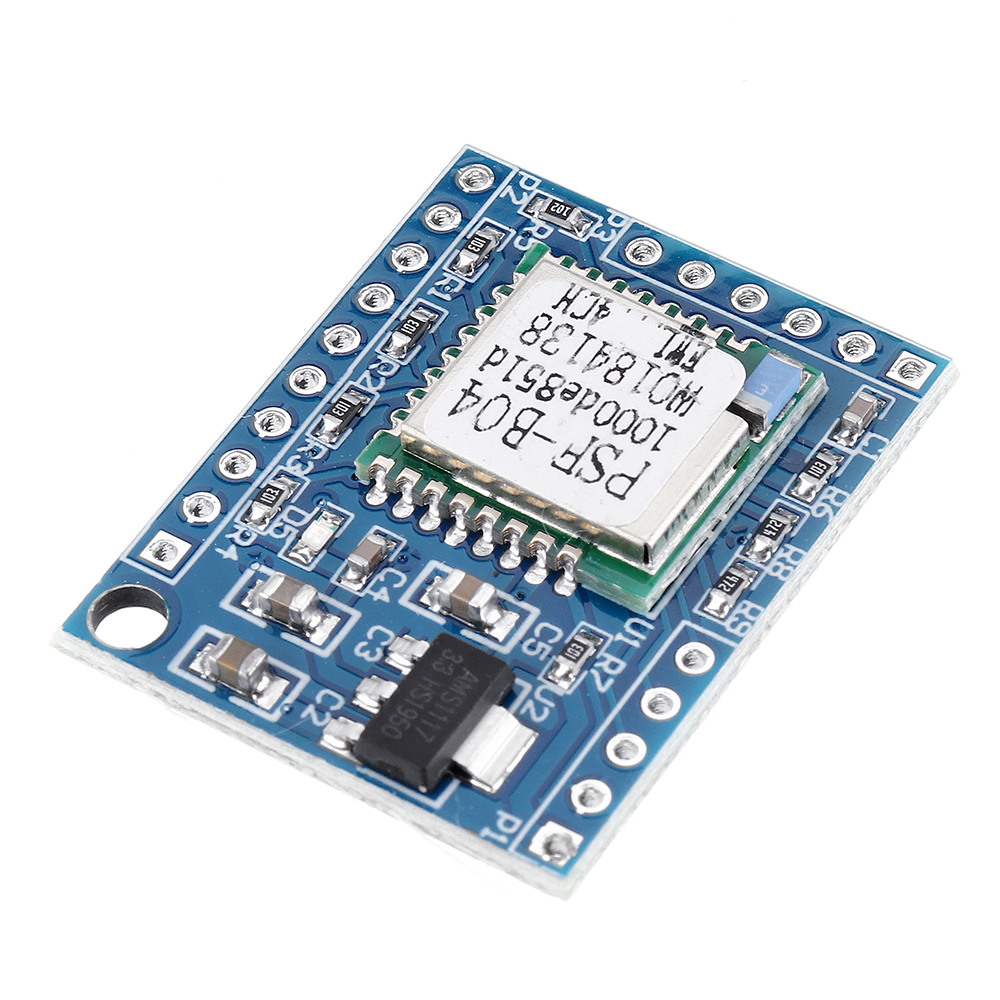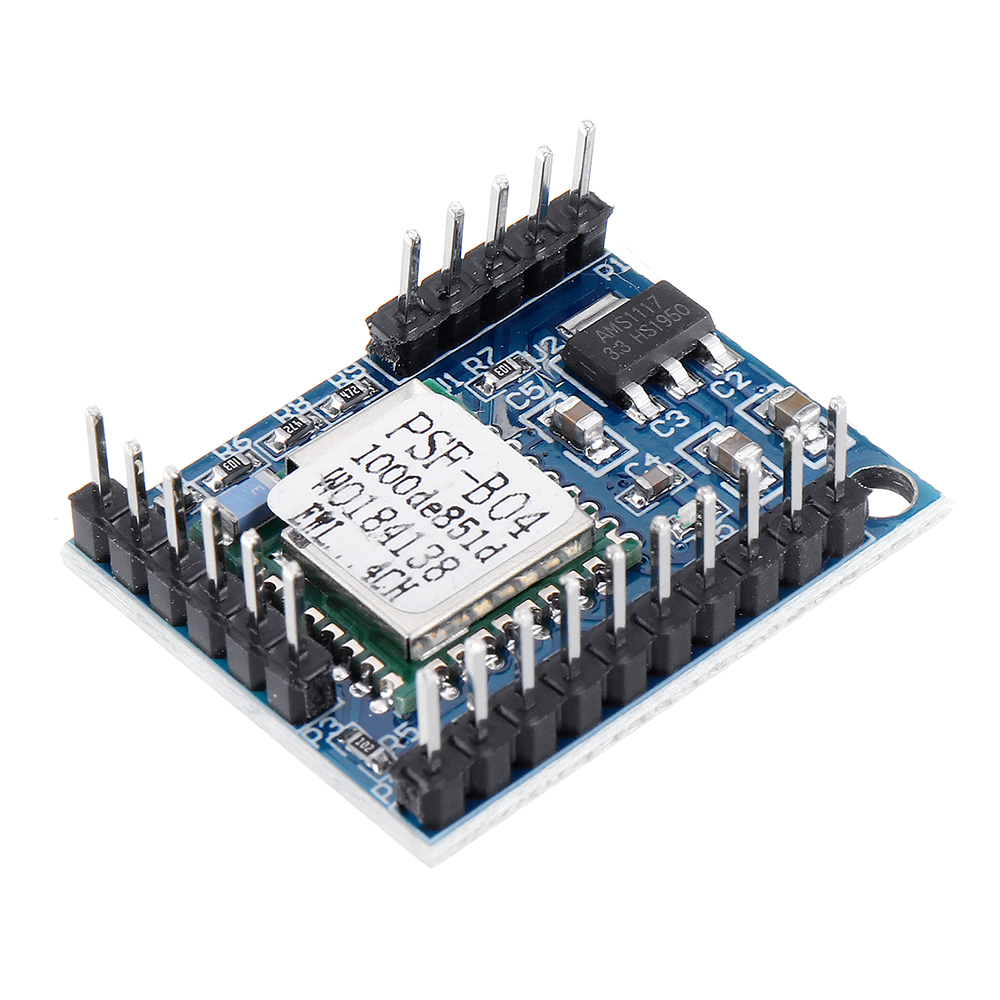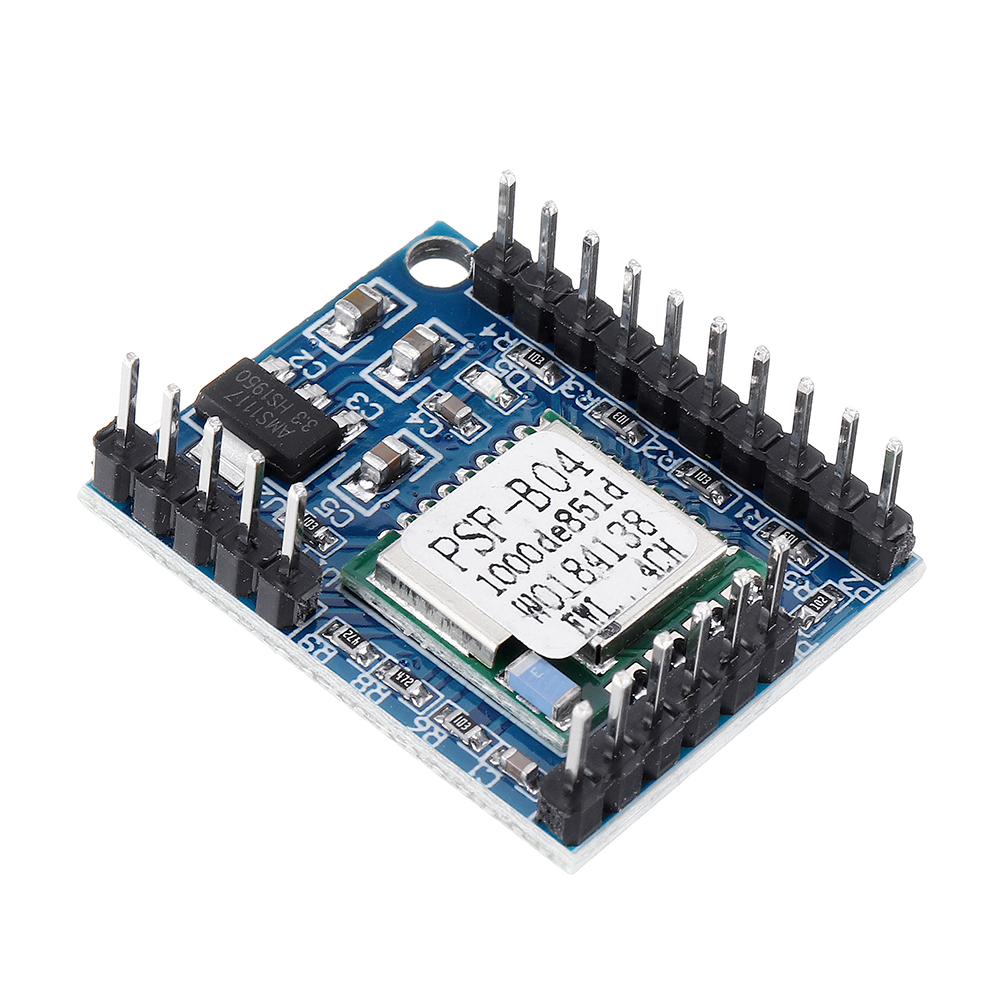

商品图

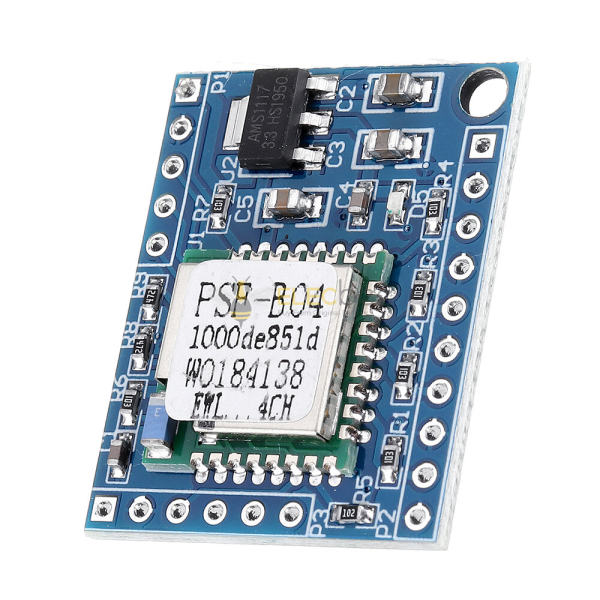
Elecbee 4-way Switch Module Ewelink Phone Remote Control Small Voice DIY SCM Development Modified Board

SKU: EB0047577
Favorites
Key Features
Show More
Attribute
Value
Wireless Capability
Wi-Fi + Bluetooth
Model
KEY1
USB Support
USB
Description


Power supply description:
 
This module uses 5V DC power supply, usable with USB power supply equipment such as mobile phone charger, charging treasure, computer and so on.
 
Enter description:
 
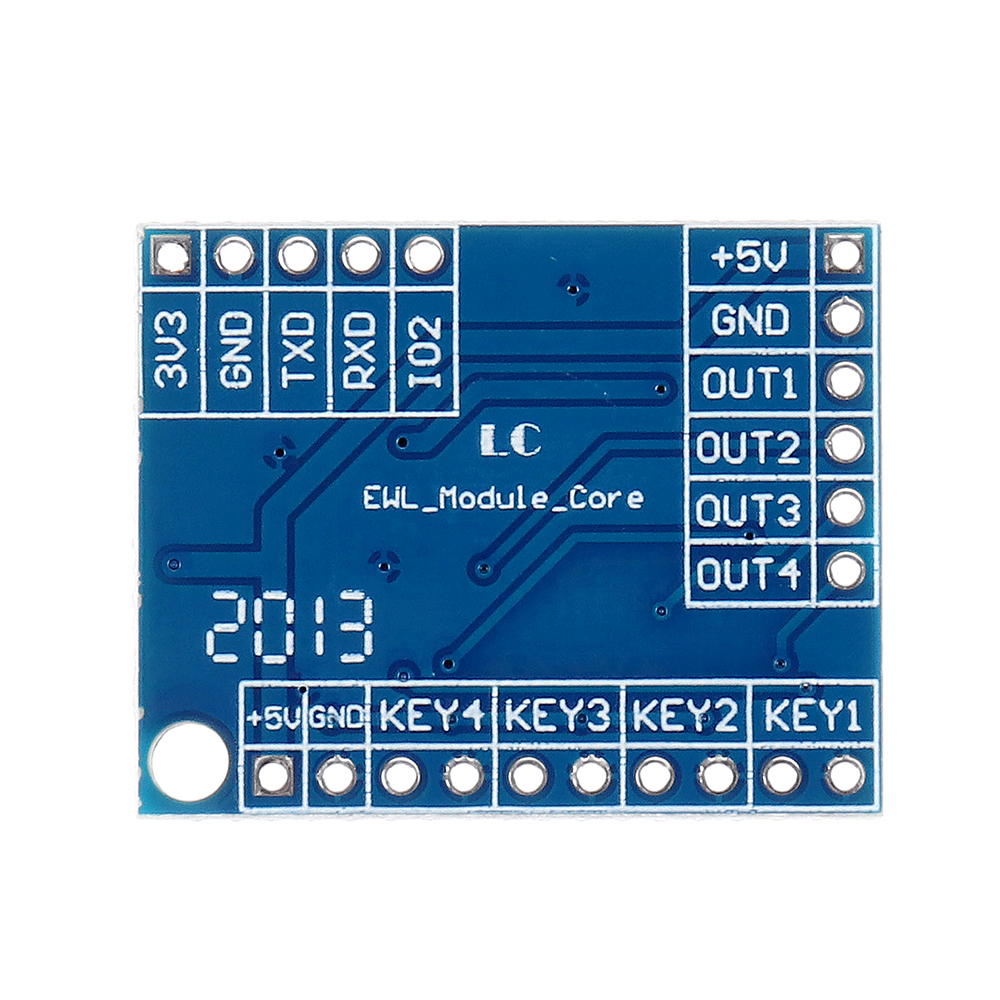
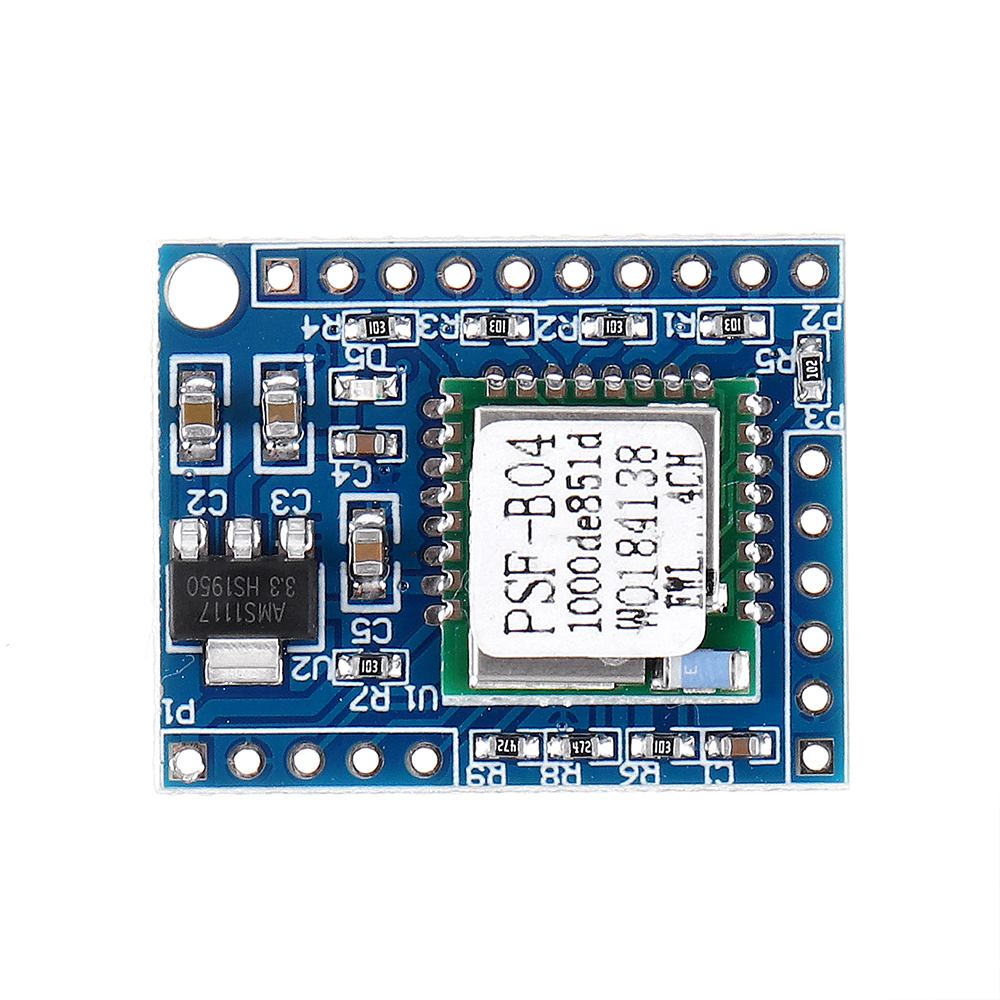
It can be connected with four "mechanical buttons" for control, or it can be controlled by "wet contact signal" (voltage cannot exceed 3.3V), press the switch once to turn it on, then press it again (note that "button" is not a "switch") ; Each "KEY" is a combination of an input pin and GND, the right pin of each "KEY" is GND
 
Output description:
 
It outputs 4 high-level signals. It is high level when it is on and low level when it is off, so it is recommended to use a high-level relay module.
 
Distribution description:
 
Connect the mobile phone to the router, download the ewelink app, power on the module, long press any button (ie: short any key in KEY1-KEY4 and GND) for about 5 seconds, the indicator light flashes quickly, and the module enters the configuration In the Internet mode, open the Yiweilian app and press the "+" key to add the device. After the addition is successful, the mobile phone can be controlled remotely.
Please follow the instructions of the ewelink APP for specific network configuration steps.
 
4-way-Switch-Module-Ewelink-Phone-Remote-Control-Small-Voice-DIY-SCM-Development-Modified-Board-1683513
 
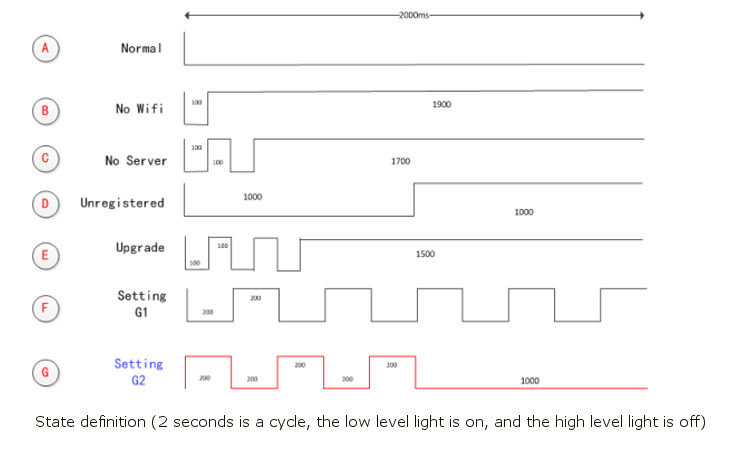
The flashing characteristic of the WIFI status light takes 2 seconds as a cycle. As shown in the figure, the low-level light is on and the high-level light is off. Detailed explanation of each state:
 
A. NORMAL: The device works normally, and the connection to the cloud server is normal. At this time, you can control the device through the APP. In any other mode, the device cannot be controlled through the APP.
B. NO WIFI: The device cannot connect to the wireless router.
C. NO SERVER: The device has been connected to a wireless router, but cannot connect to the server (that is, "Unable to access the Internet" as commonly understood).
D. UNREGISTERED: indicates that the device has not been bound to any account. Generally, the device needs to be bound to the COOLKIT account of Yiweilian to communicate with the cloud server. You can complete the binding operation by adding a device on the "E-Weilink APP".
E. UPGRADE: indicates that the device is upgrading firmware.
F. SETTING G1: The device is in AP mode. The configuration mode is used by the device to obtain the necessary information provided by the mobile terminal APP to join the service network, including the router SSID, PASSWORD, server IP, and port number.
G. SETTING G2: indicates that the device is in ESPTOUCH mode. The configuration mode is used by the device to obtain the necessary information provided by the mobile terminal APP to join the service network, including the router SSID, PASSWORD, server IP, and port number.
 
 
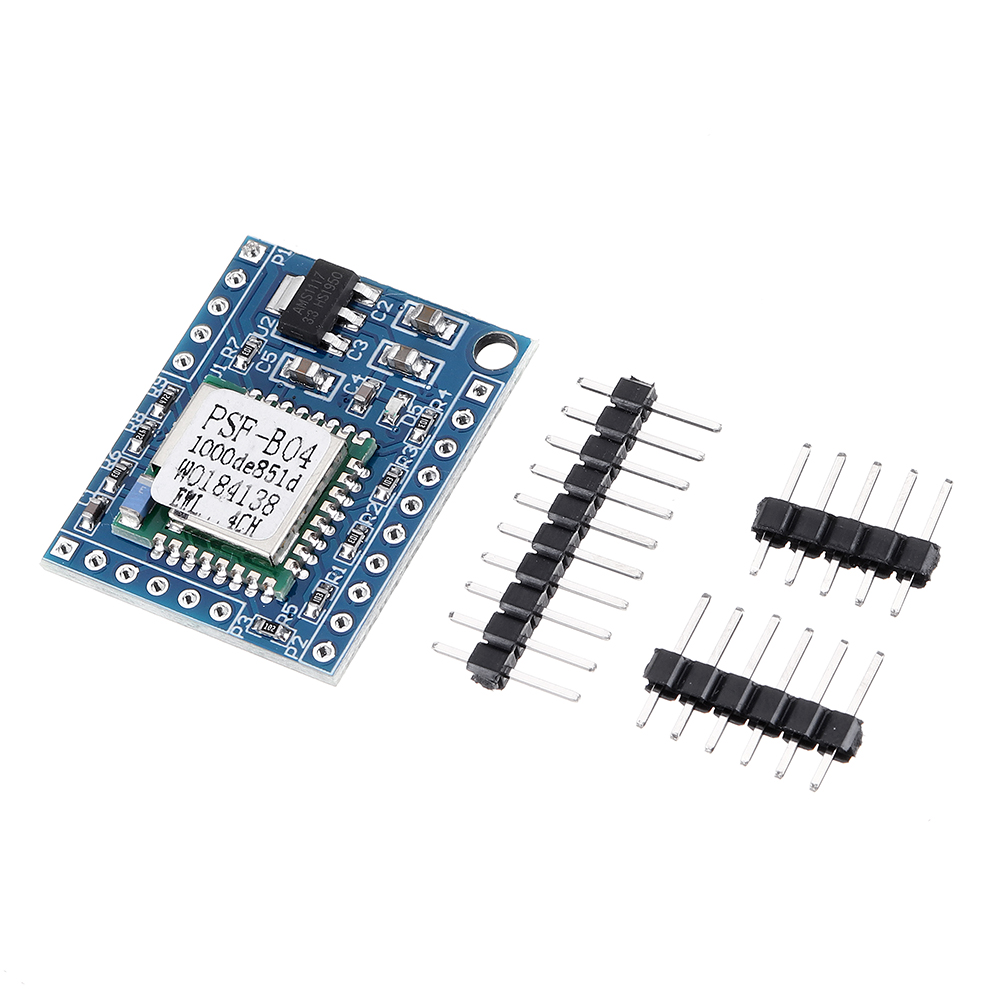
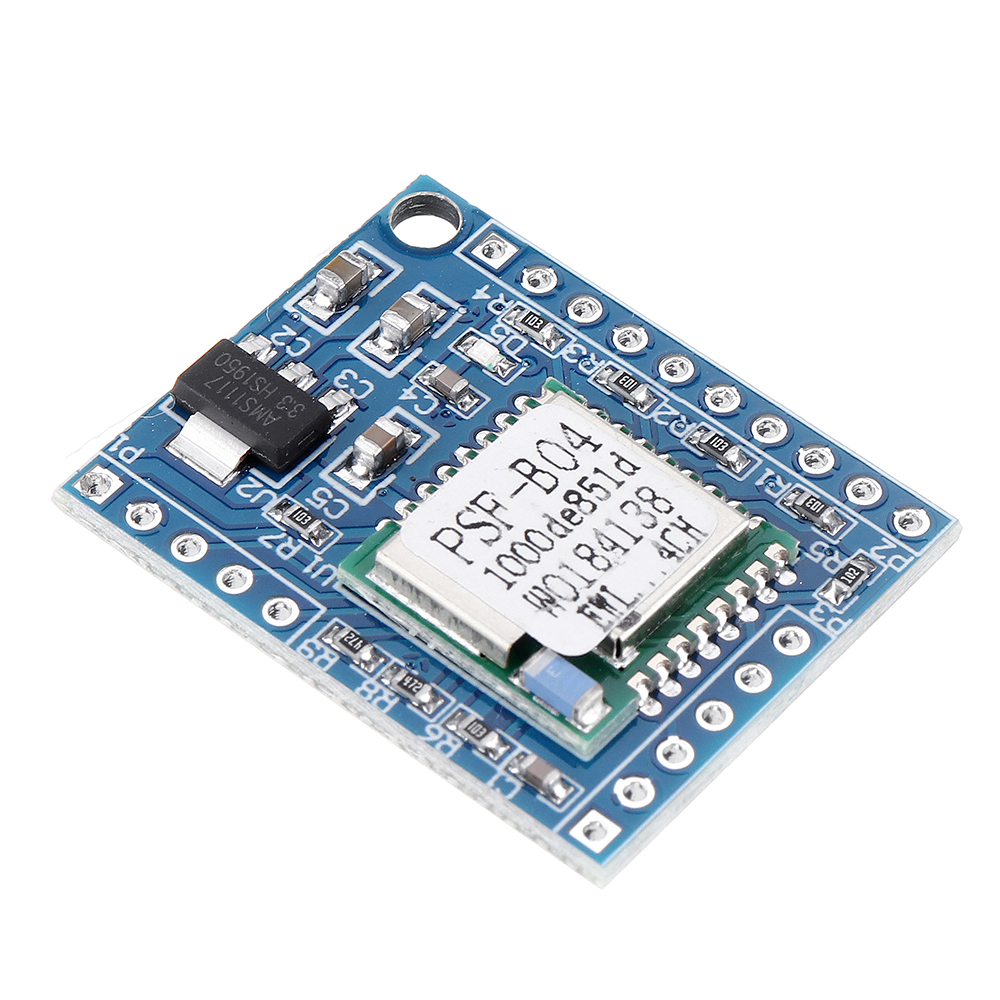
1 x 4-way Switch Module with pin


4-way-Switch-Module-Ewelink-Phone-Remote-Control-Small-Voice-DIY-SCM-Development-Modified-Board-1683513

4-way-Switch-Module-Ewelink-Phone-Remote-Control-Small-Voice-DIY-SCM-Development-Modified-Board-1683513

4-way-Switch-Module-Ewelink-Phone-Remote-Control-Small-Voice-DIY-SCM-Development-Modified-Board-1683513

4-way-Switch-Module-Ewelink-Phone-Remote-Control-Small-Voice-DIY-SCM-Development-Modified-Board-1683513

4-way-Switch-Module-Ewelink-Phone-Remote-Control-Small-Voice-DIY-SCM-Development-Modified-Board-1683513

4-way-Switch-Module-Ewelink-Phone-Remote-Control-Small-Voice-DIY-SCM-Development-Modified-Board-1683513

4-way-Switch-Module-Ewelink-Phone-Remote-Control-Small-Voice-DIY-SCM-Development-Modified-Board-1683513

4-way-Switch-Module-Ewelink-Phone-Remote-Control-Small-Voice-DIY-SCM-Development-Modified-Board-1683513

4-way-Switch-Module-Ewelink-Phone-Remote-Control-Small-Voice-DIY-SCM-Development-Modified-Board-1683513

Shopping Guide
Shipping
Delivery Period
For in-stock parts, orders are estimated to ship out in 3 days.
Elecbee ships orders once a day at about 5pm except Sunday.
Once shipped, estimated delivery time depends on the below carriers you chose.
DHL Express: 3-7 business days
DHLeCommerce: 12-22 business days
FedEx International Priority: 3-7 business days
EMS: 10-15 business days
Registered Air Mail: 15-30 business days
Shipping RatesShipping rates for your order can be found in the shopping cart.
Shipping OptionsShipping rates for your order can be found in the shopping cart.
Shipping TrackingWe will notify you by email with tracking number once order is shipped. You can track your order using the “Track My Order” feature.
Returning/WarrantyReturningReturns are normally accepted when completed within 30 days from date of shipment, please contact customer service for a return authorization. Parts should be unused and in original packaging. Customer has to take charge for the shipping
WarrantyAll Elecbee purchases come with a 30-day money-back return policy, plus 1-year Elecbee warranty against any manufacturing defects.
This warranty shall not apply to any item where defects have been caused by improper customer assembly failure by customer to follow instructions, product modification, negligent or improper operation
OrderingHow to BuyElecbee accepts online orders.
Add to cart > Check out > Submit order > Complete payment > Delivery
PaymentPayPal, Credit Card includes Visa, Master, American Express, Bank transfer.

Recommended For You

Reviews
ELECBEE
All reviews come from verified purchasers
1 stars
0%
2 stars
0%
3 stars
0%
4 stars
0%
5 stars
0%
In-Stock:9997
Qty.
1
Unit Price
$ 10.99
Ext. Price
$ 10.99
$ 10.99
Can Ship in 1-3 Business Days
Qty.
P. Unit.
Ext. Price
10+
$10.44
$ 104.40
20+
$9.89
$ 197.80
100+
$8.79
$ 879.00