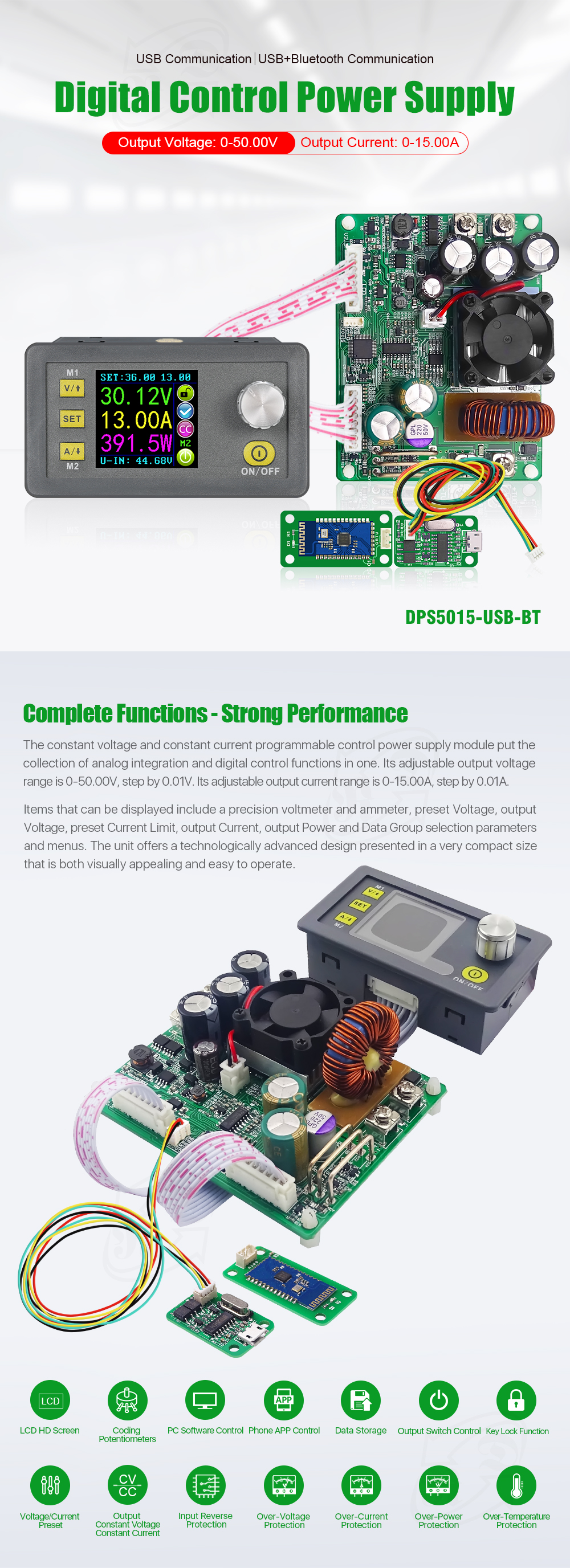
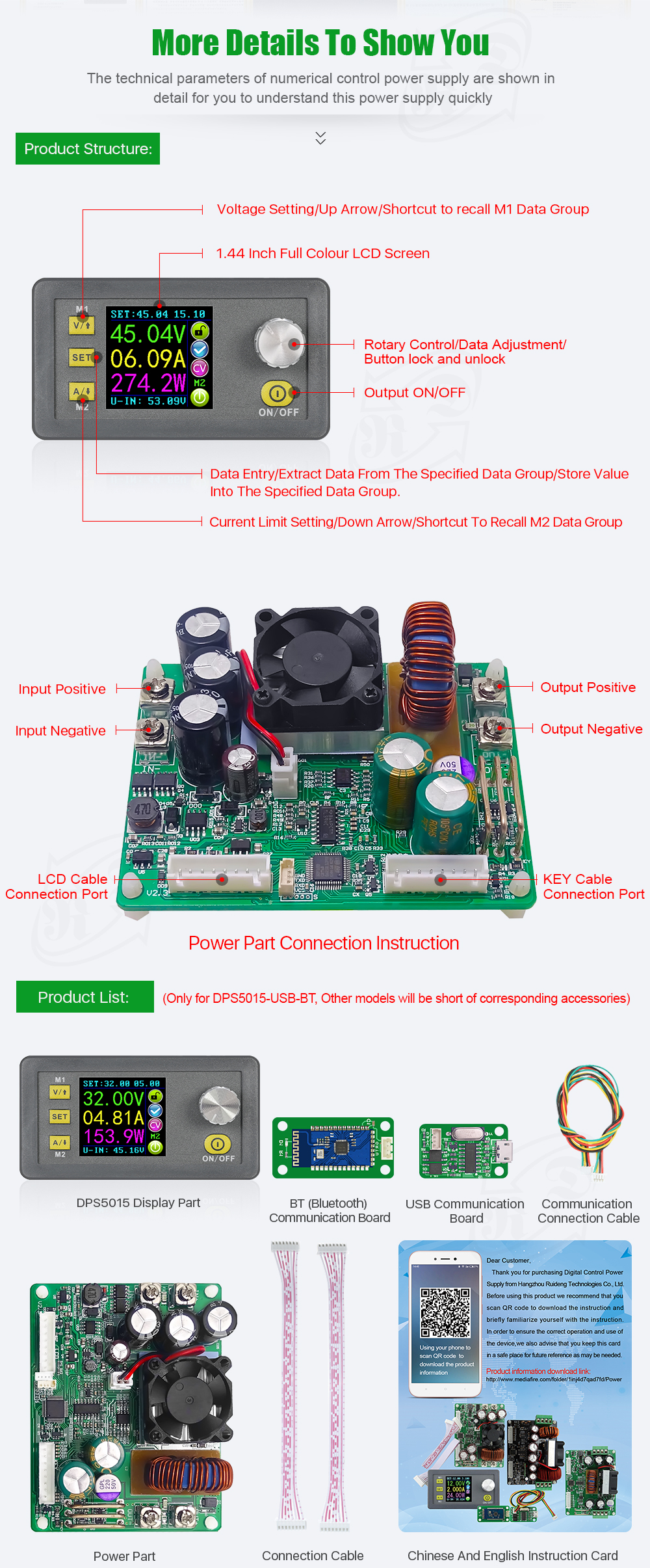
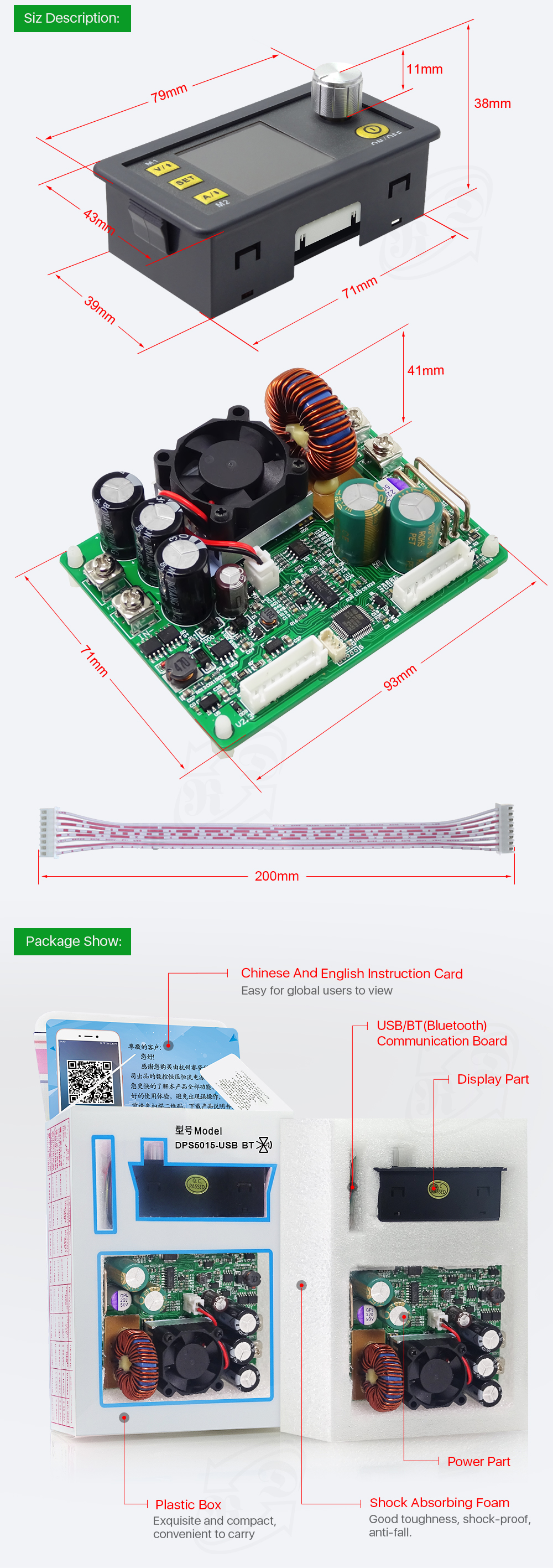
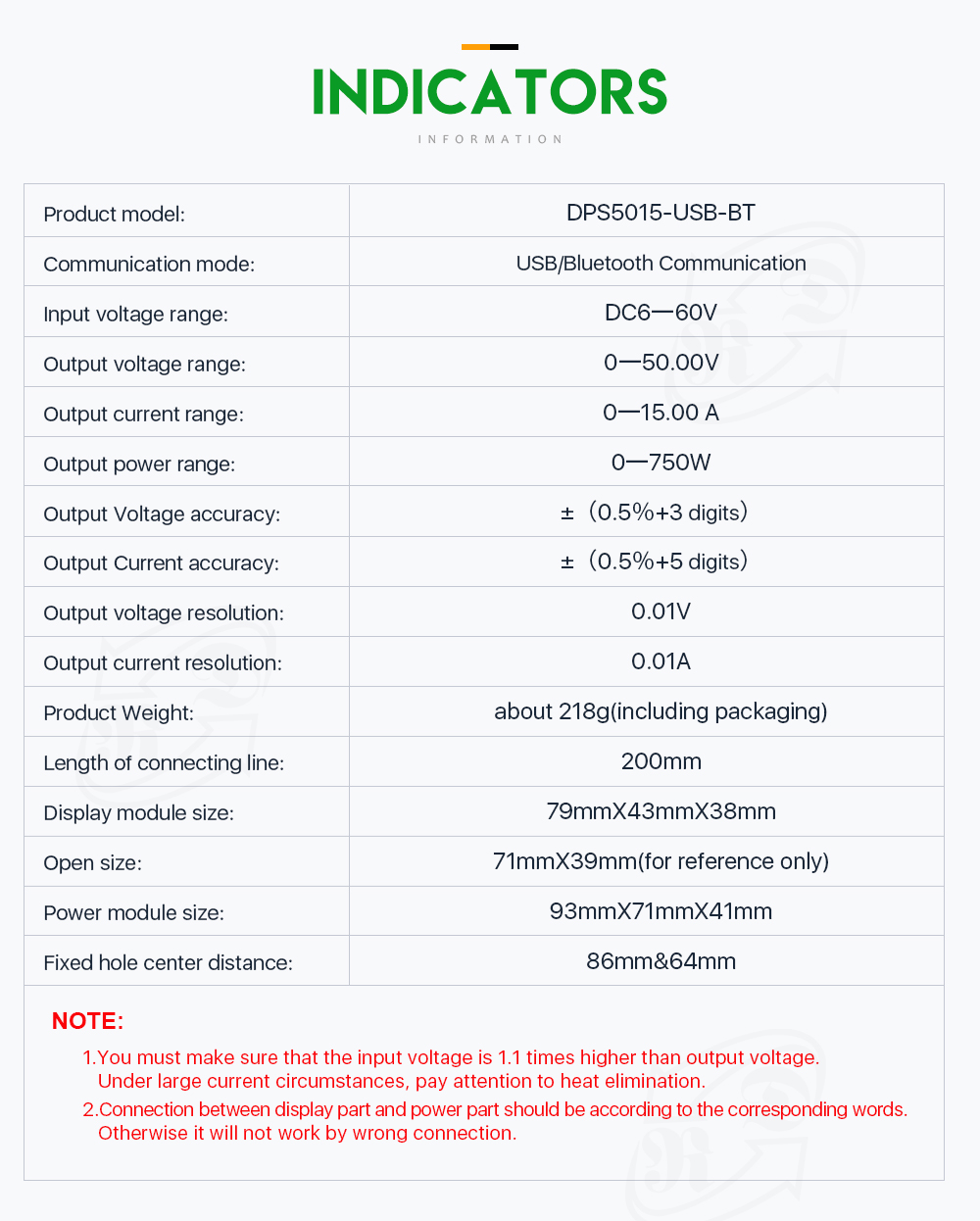
IN+: Input positive IN-: Input negative:
OUT+: Output positive: OUT-: Output negative
Note: Input voltage range is DC 6-60V and 60v is the limit voltage; please leave a room to use. Or else it will be burnt. The input must be DCpower supply,not AC 220V, or else it will be burnt too. Though this module has reverse connection protection and output short circuit protection, you can muse be in strict accordance with connection description to connect. If you connect the supply power with output, the module will be burnt.
面板说明: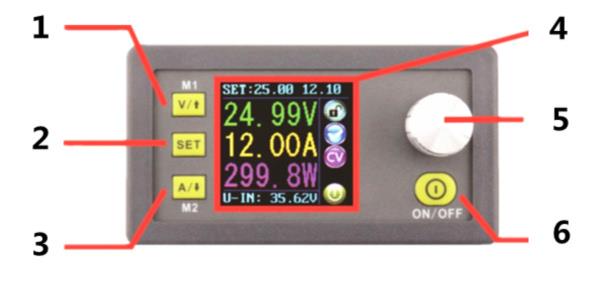
1-电压设置/上页选择/快捷方式提取M1数据组
2-数据设置/提取指定数据组的值/将值存储到指定数据组
3-当前设置/Page Down选择/快捷方式提取M2数据组
4-1.44寸彩色液晶屏
5-编码电位器/数据调整/锁定所有按钮
6-打开或关闭输出
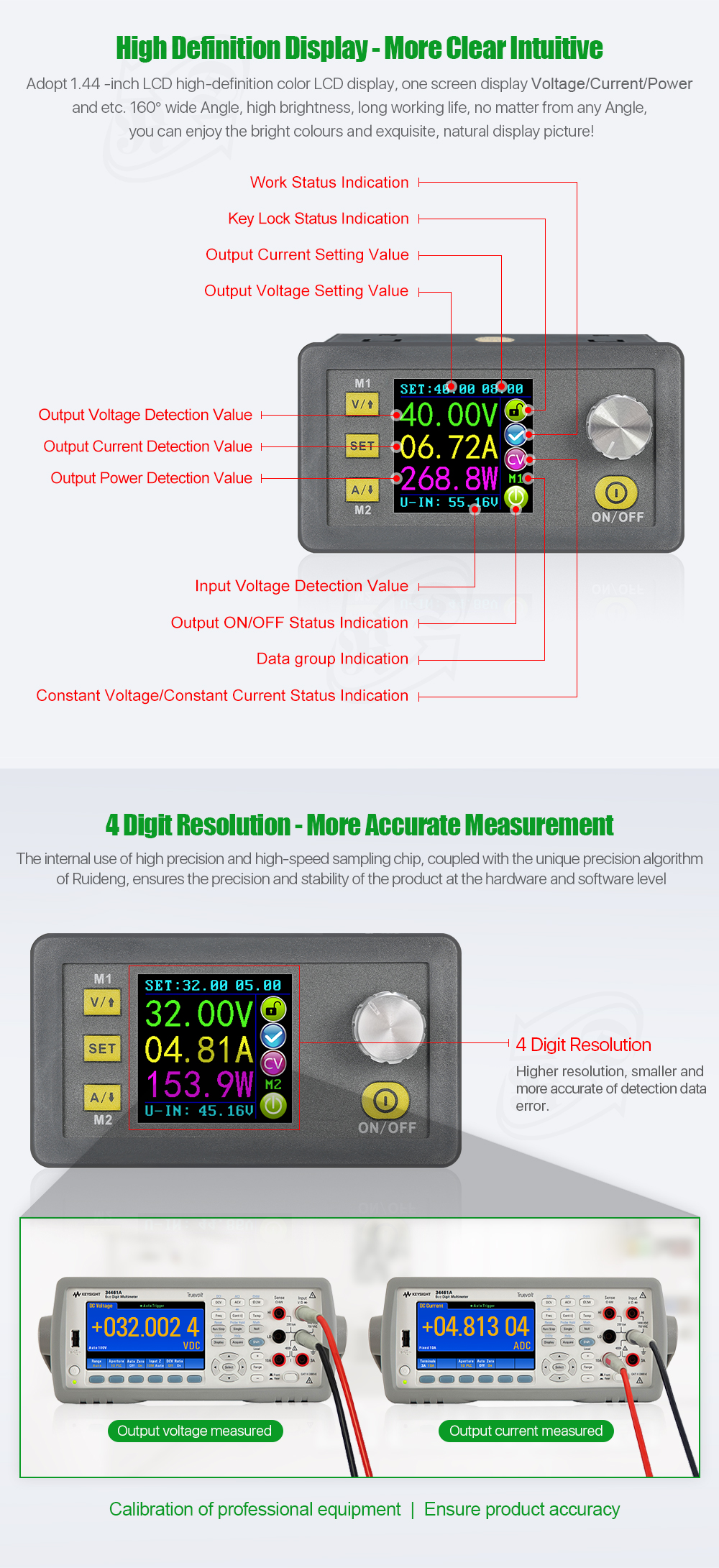
显示界面说明:7-输出电压预设值
8-输出电压的实际值
9-输出电流实际值
10-输出功率实际值
11-输入电压实际值
12-输出电流预设值
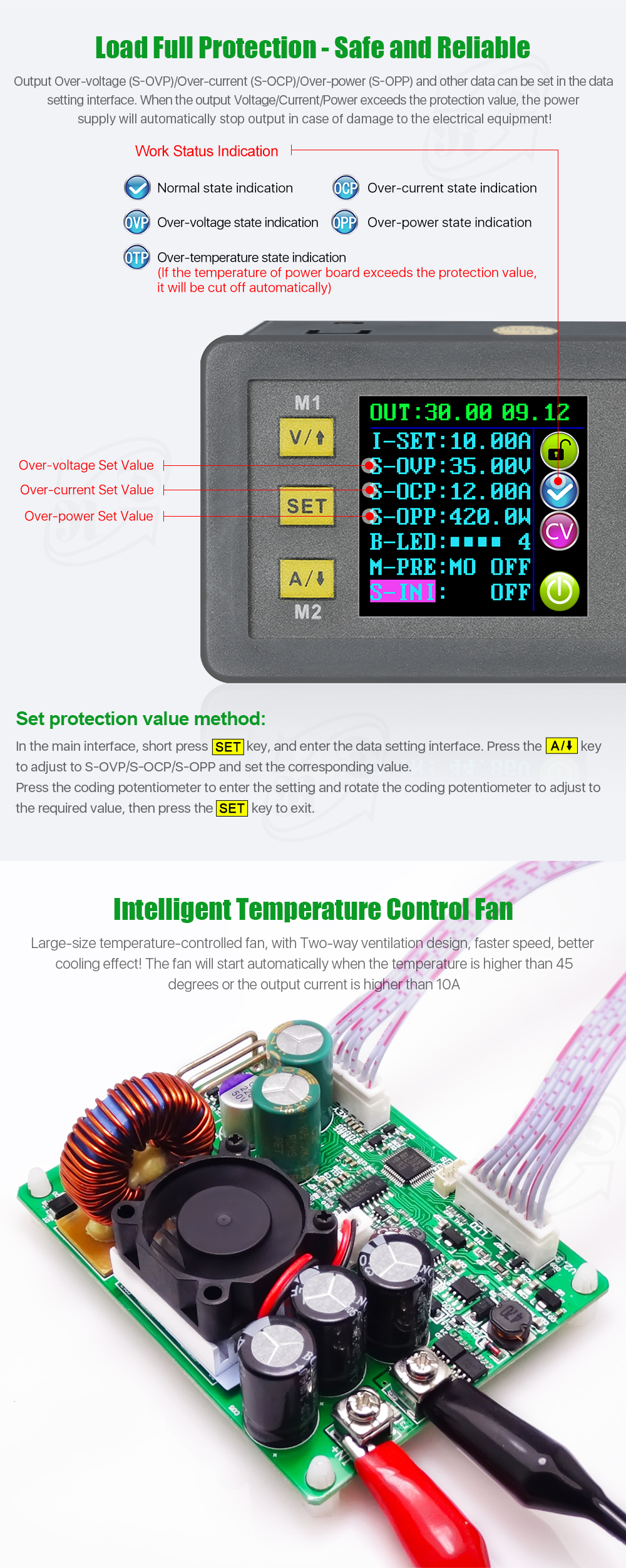
13-Key lock or unlockprompt
14-输出正常或不提示
15-Constant voltage and constant current status prompt
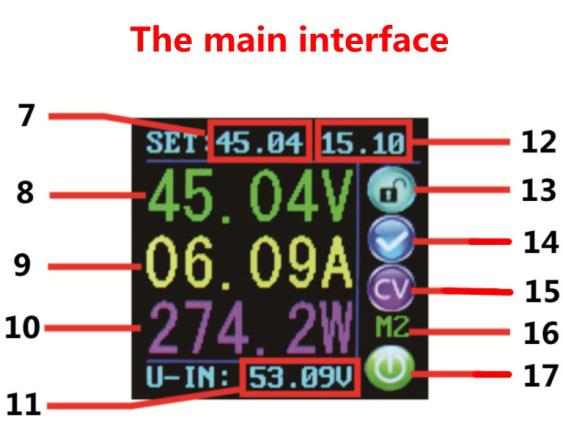
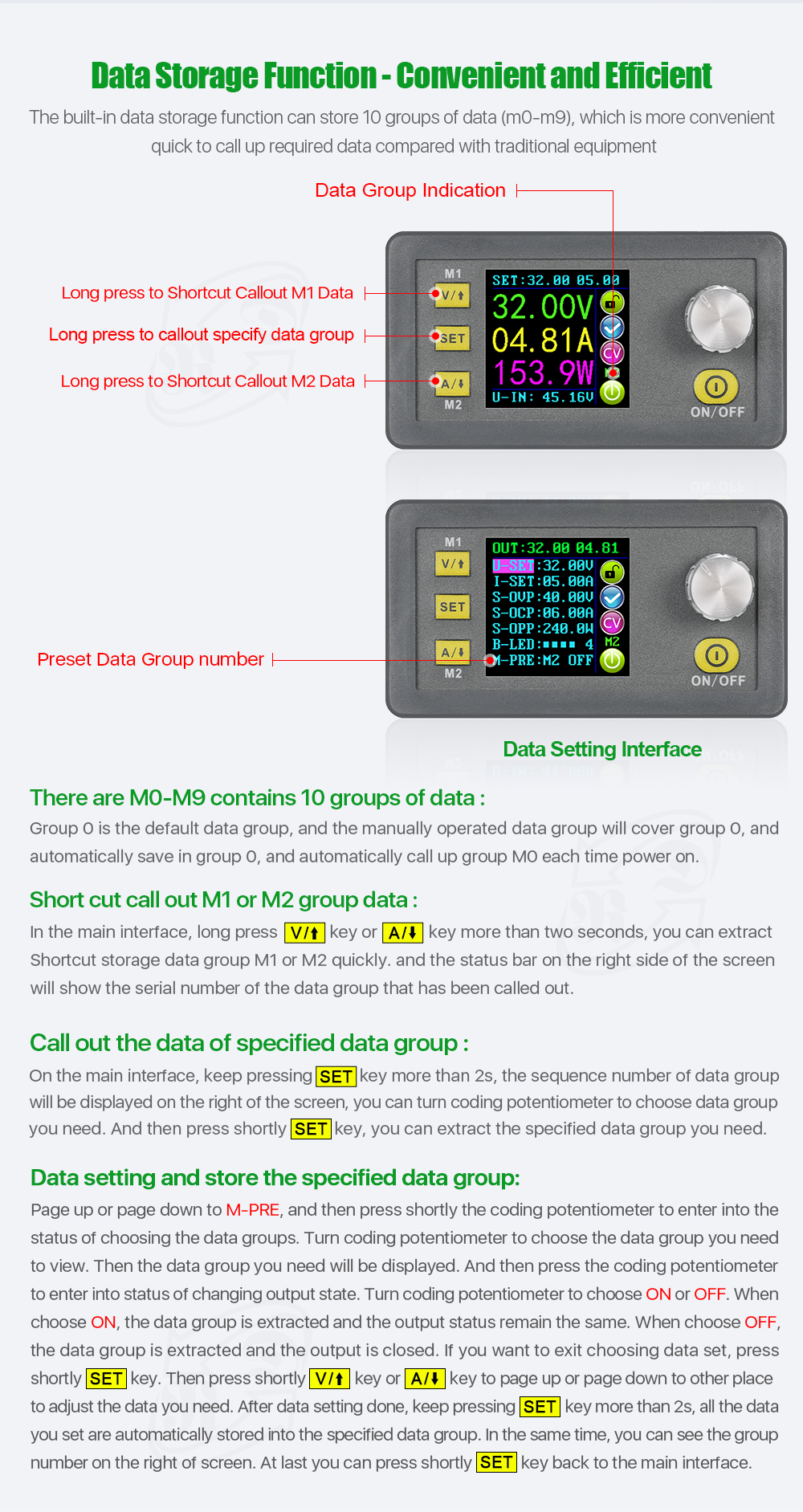
16-数据集提示
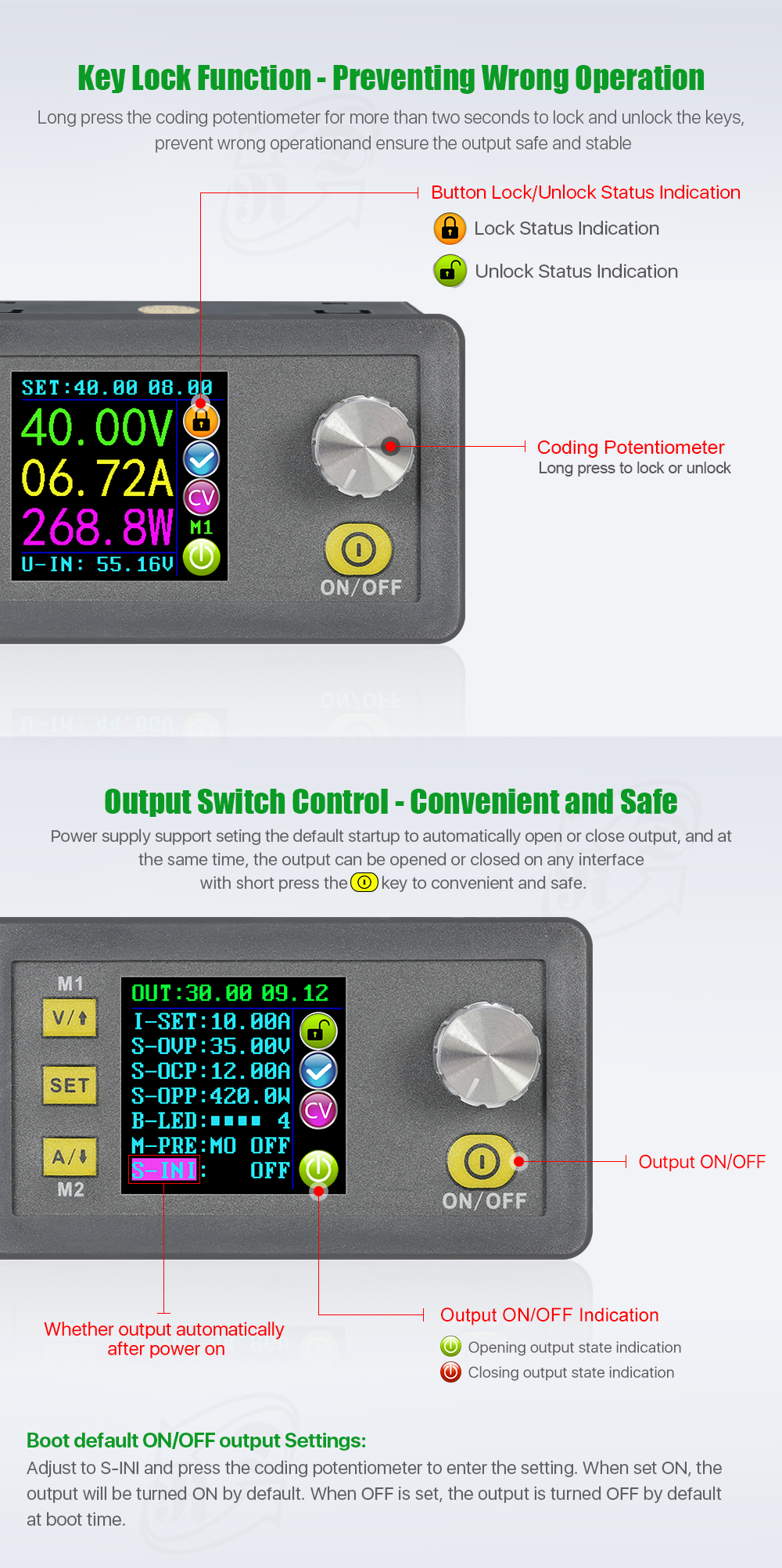
17-打开或关闭输出提示
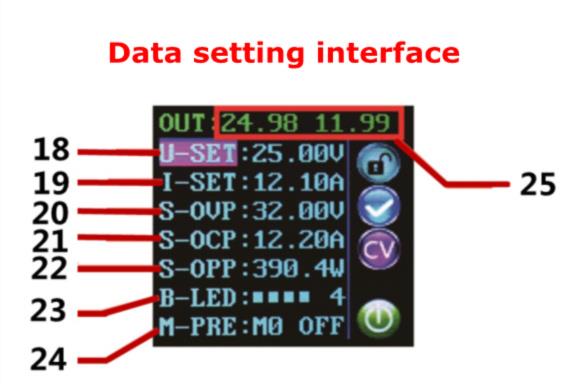
18-预设输出电压
19-预设输出电流
20-预置过电压
21-预置过电流
22-预置过功率
23-预设屏幕亮度
24个预设数据集
25-输出电压和输出电流的实际值
 操作说明:
操作说明: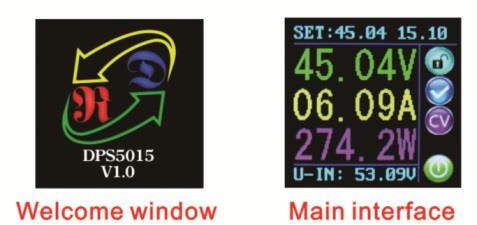
接通电源后,屏幕先显示欢迎窗口,然后进入主界面。 在主界面,输出设定电压值和输出设定电流值在屏幕上方。 左边大字体值是当前实际输出电压、当前实际输出电流和当前实际输出功率。 输入电压位于屏幕底部。 屏幕右侧有一些运行状态图标、按键锁定图标、异常输出状态图标、恒压恒流图标、数据集提示图标和开闭输出图标。
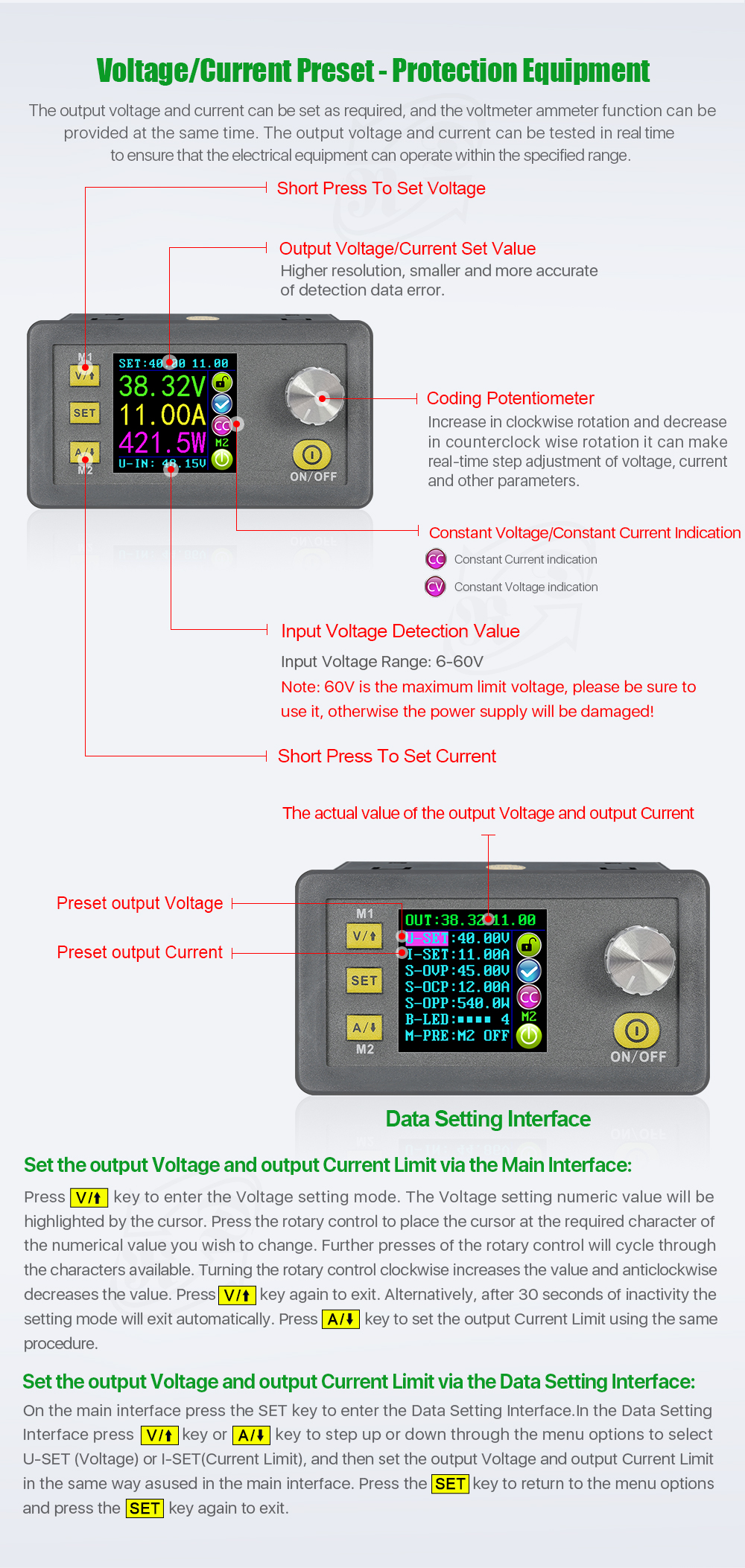
在主界面设置输出电压和输出电流。Press V/↑key shortly, you can enter into voltagesetting status. Then press the codingpotentiometer, and then enter to adjust the numerical value. Press coding potentiometer to enter into the status of adjusting the numerical value you want to adjust. Turncoding potentiometer to adjustthe numerical value. Turn by clockwise rotation to increase the numerical value; Turn by counterclockwise to decrease the numerical value. If you want to exit adjusting the numerical value,press shortlyV/↑.In the same time the preset value will be stored. Or you can do nothing in one minute, the status will be automatically existed and the preset will be stored too.You can press A/↓to set the output current by the same way.
 在数据设置界面设置数据
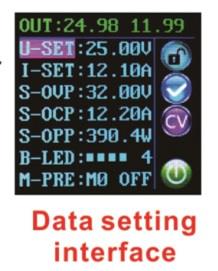
On the main interface, you can press SET key shortly to enter into data setting interface.On the data setting interface, press shortly V/↑or A/↓to page up or page down to U-SET or I-SET, and then set the output voltage and output current by same way used in the main interface .
设置保护值。 Page up or page down to S-OVP, S-OCP or S-OPP place to set over-voltage value , over-current value and over-power value correspondingly; when the value is up to the setting value, output will be closed.And then press shortly the codingpotentiometerto enter into the status of adjusting the numerical value you want to adjust. Turncoding potentiometer to adjustthe numerical value. If you want to exit adjusting the numerical value,press shortlySET key.
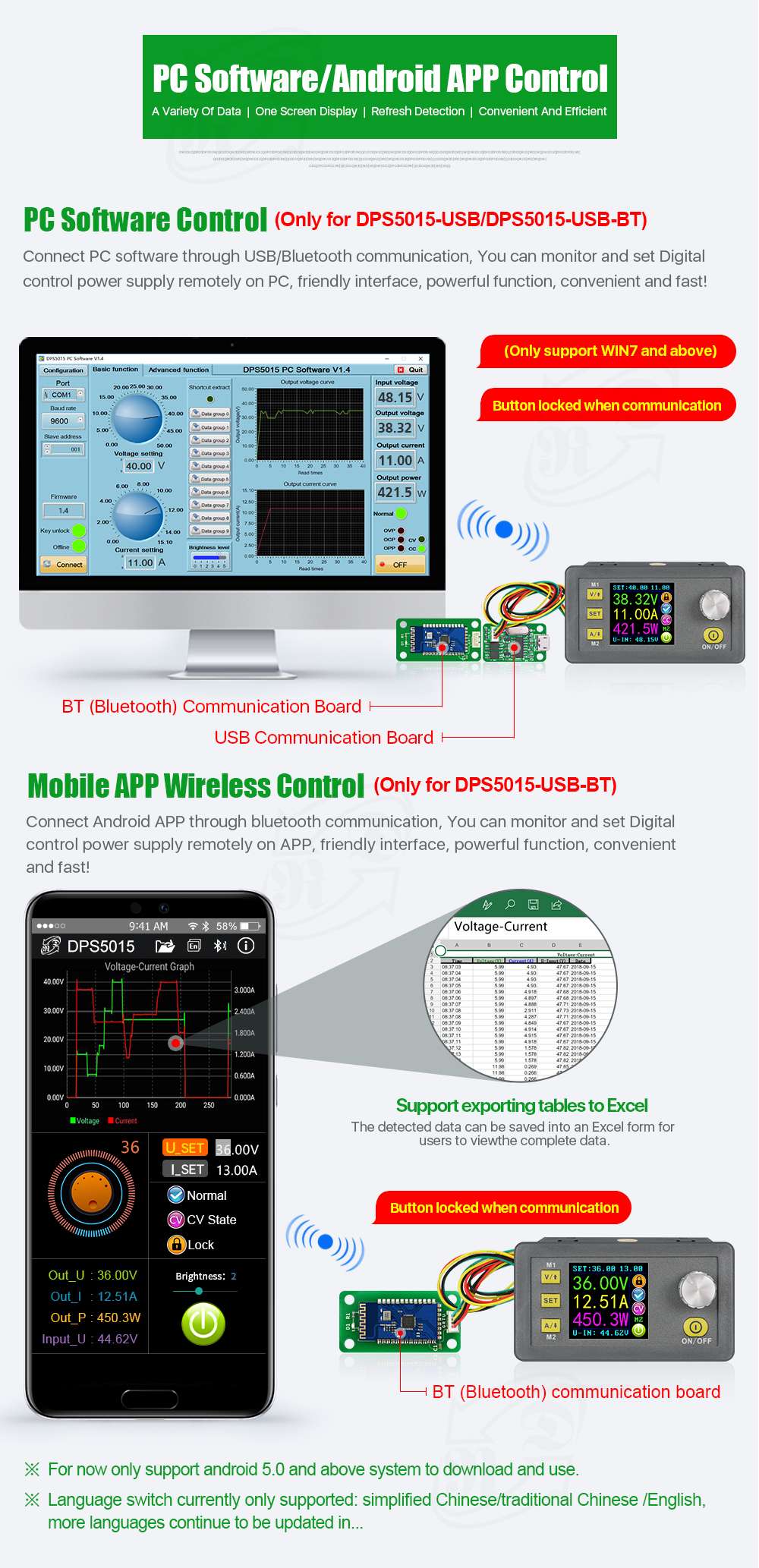
调整屏幕亮度。 Page up or page down to B-LED, and then press shortly the codingpotentiometer to enter into the status of adjusting the brightness of screen. Turncoding potentiometer to adjustthe numerical value you need. If you want to exit adjusting the numerical value,press shortlySET key. There are six brightness levels of LCD screen, 0-5 level. Rank 0 is the darkest; rank 5 is the brightest. You can choose what you like.
数据设置和存储指定的数据组。 Page up or page down to M-PRE, and then press shortly the codingpotentiometer to enter into the status of choosing the data groups. Turncoding potentiometer to choose the data group you need to view. Then the data group you need will be displayed. And then press the codingpotentiometer to enter into status of changing output state. Turncoding potentiometer to choose ON or OFF. When choose ON, the data group is extracted and the output status remain the same. When choose OFF, the data group is extracted and the output is closed. If you want to exit choosing data set,press shortlySET key. Then press shortly V/↑or A/↓to page up or page down to other place to adjust the data you need. After data setting done, keep pressing SET key more than 2s, all the data you set are automatically stored into the specified data group. In the same time, you can see the group number on the right of screen. At last you can press shortly SET key back to the main interface.
Set default bootopen or close output Page up or page down to S-INI, and then press shortly the codingpotentiometer to enter into the setting status. Set ON, default bootopen; set off, default bootclose.
功能说明:打开或关闭输出.
您可以按 ON/OFF 键打开或关闭任何界面上的输出。
锁定按钮,避免误操作。On the any interface, you can keep pressing coding potentiometer more than 2s, all buttons are locked. You can see the key lock icon on the right of screen. If you want to unlock all buttons, keep pressing coding potentiometer more than 2s, all buttons are unlocked. The key unlock icon will be displayedon the right of screen.
M0-M9 十组数据组M0 组是引导默认数据组。 当您提取您需要的数据组时,该数据组将覆盖 M0 数据组并自动存储在 M0 数据组中。
提取 Shortcut 存储数据组 M1 或 M2。 On the main interface, keep pressing V/↑or A/↓more than 2s, you can extract Shortcut storage data group M1 or M2quickly. In the same time the corresponding data group number will displayed on the right of the screen.
提取指定的数据组。 On the main interface, keep pressing SET key more than 2s, the sequence number of data group will be displayed on the right of the screen, you can turn coding potentiometer to choose data group you need. And then press shortly SET key, you can extract the specified data group you need.
套餐包括:1 x DPS5015 电源模块
1 x USB 通讯板
1 x 蓝牙通讯板

 登录
登录 0
0